Chapter 8 Hardware Reference
© 2017 Harmonic Inc. All rights reserved. 261 Harmonic MediaGrid Release 4.1
ContentStore 4240
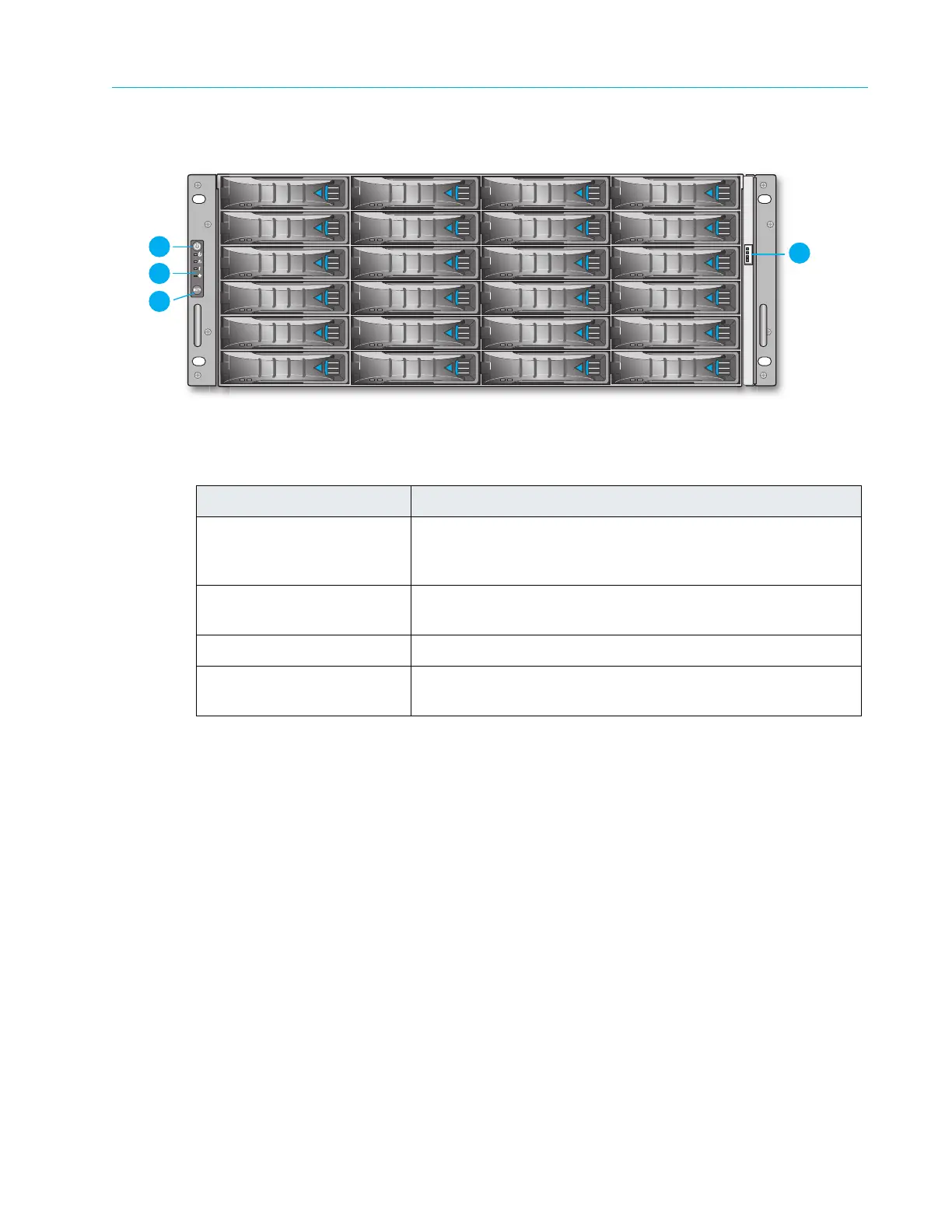
Figure 8–40: ContentStore 4240 Front Panel
Table 8–40: ContentStore 4240 Front Panel Components
Item Description
1. Power button Depress this button to power both nodes on o
r off. Powering
off with this button removes the main power but keeps
standby power supplied to the system.
2. Control Panel Displays power, temperature, fan, and system status LED
indica
tors.
3. System mute button Unused (alarm disabled).
4. Bezel LED control
connec
tor
Powers the light bar on the bezel.



 To Next Page