Chapter 8 Hardware Reference
© 2017 Harmonic Inc. All rights reserved. 274 Harmonic MediaGrid Release 4.1
ContentStore 5840 and 5840A
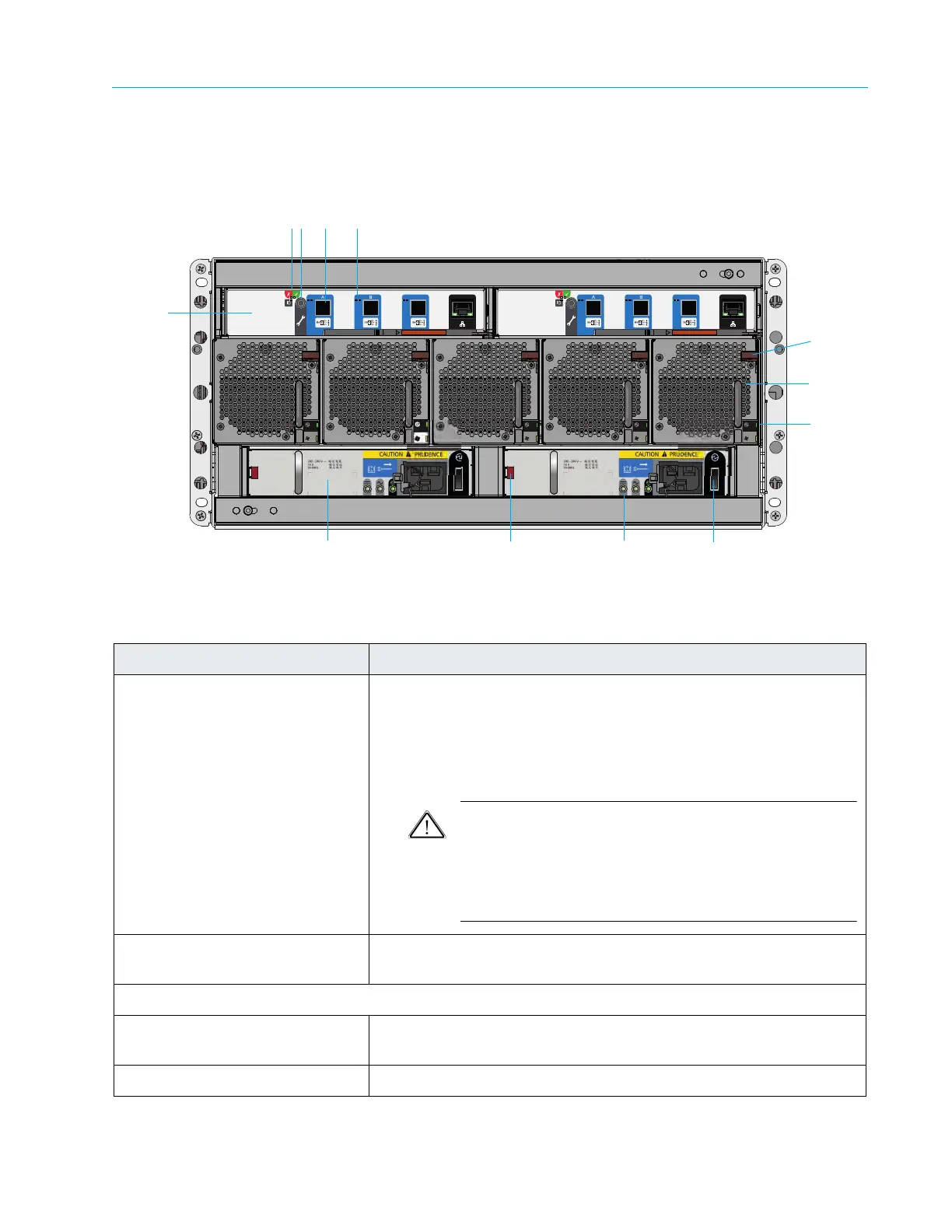
ContentStore 5840A Rear Panel Components
Rear Panel View
Figure 8–55: ContentStore 5840A Rear Panel View
Table 8–52: ContentStore 5840A Rear Panel Components
Component Description
1. I/O Module (2) Two
I/O modules (12 Gb/s SAS EBOD) provide connectivity to the
ContentServer 4000. The system can operate with one or two
modules. If one of the modules fails in a two module system, the
other module will continue to operate. If the ContentStore is run with
a single module, the other I/O module bay must be filled with a blank
module.
CAUTION: With Harmonic MediaGrid 4.0, SAS cables are not
hot-swappable. When replacing or removing a SAS cable, you
must first power down the associat
ed ContentServer controller
using SystemManager, replace or re-connect the SAS cable,
and then power on the ContentServer controller by pressing
the power button on the front panel.
2. I/O Module Power and Fault
LEDs
For a description of LED states, see ContentStore 5840 I/O Module LEDs
3. For factory use only
4. 12 GB SAS Connectors Use the
right-hand SAS connector on each I/O module to connect to
the ContentServer.
5. External Host Port Activity LEDs For a desc
ription of LED states, see ContentStore 5840 I/O Module LEDs



 To Next Page