Appendix A Legacy Hardware Platforms
© 2017 Harmonic Inc. All rights reserved. 303 Harmonic MediaGrid Release 4.1
ContentDirector 1000E and High Performance ContentDirector 2000B
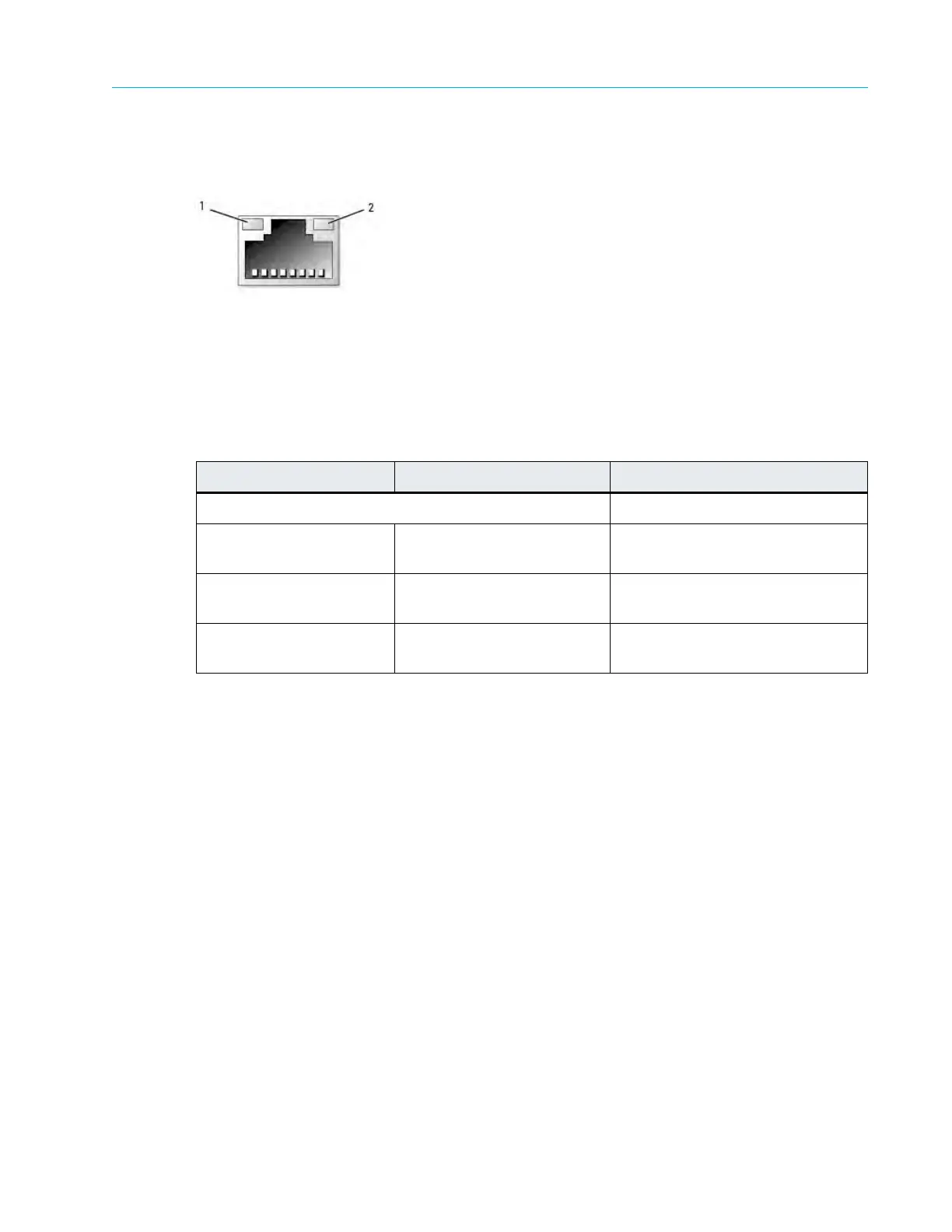
Each NIC on the rear panel has an indicator that provides information on network activity and link
status. Figure A–7, and Table A–8 detail the NIC indicators and the possible states of each.
Table A–7: ContentDirector NIC Indicators
Note that the indicator codes for NIC 0 and NI
C 1 differ from NIC 2 and NIC 3. Refer to Table A–8.
Table A–8: NIC Indicator Codes
ContentDirector 1000E and High Performance ContentDirector
2000B
ContentDirectors manage and direct the overall operation of Harmonic MediaGrid. They enable
clients to interact with the system by creating and presenting a single virtual file system
constructed from Harmonic MediaGrid’s many individual ContentServer storage devices.
The ContentDirector 1000E and the High Performance ContentDirector 2000B have the same
front and rear panel components and same functionality. However, the High Performance
ContentDirector 2000B includes additional memory and a solid state drive to increase
performance.
Front Panel Components
Figure 9–2 and Table 9–3 detail the front panel of the ContentDirector 1000E and High Performance
ContentDirector 2000B.
NIC 0 and NIC 1 Indicators NIC 2 and NIC 3 Indicators Connection Status
Link and activity indicators are off NIC is not connected.
Link indicator is green Link indicator is amber NIC is connected to a valid link on
the
network.
Link indicator is amber Link indicator is green or
blink
ing green
NIC is connected to a valid
network link at 10/100 Mbps
Activity indicator is amber
blinking
Activity indicator is green
blinking
Data is being sent or received
over
the network.
1. Link indicator
2. Activity indicator



 To Next Page