Appendix A Legacy Hardware Platforms
© 2017 Harmonic Inc. All rights reserved. 313 Harmonic MediaGrid Release 4.1
ContentBridge 1000B
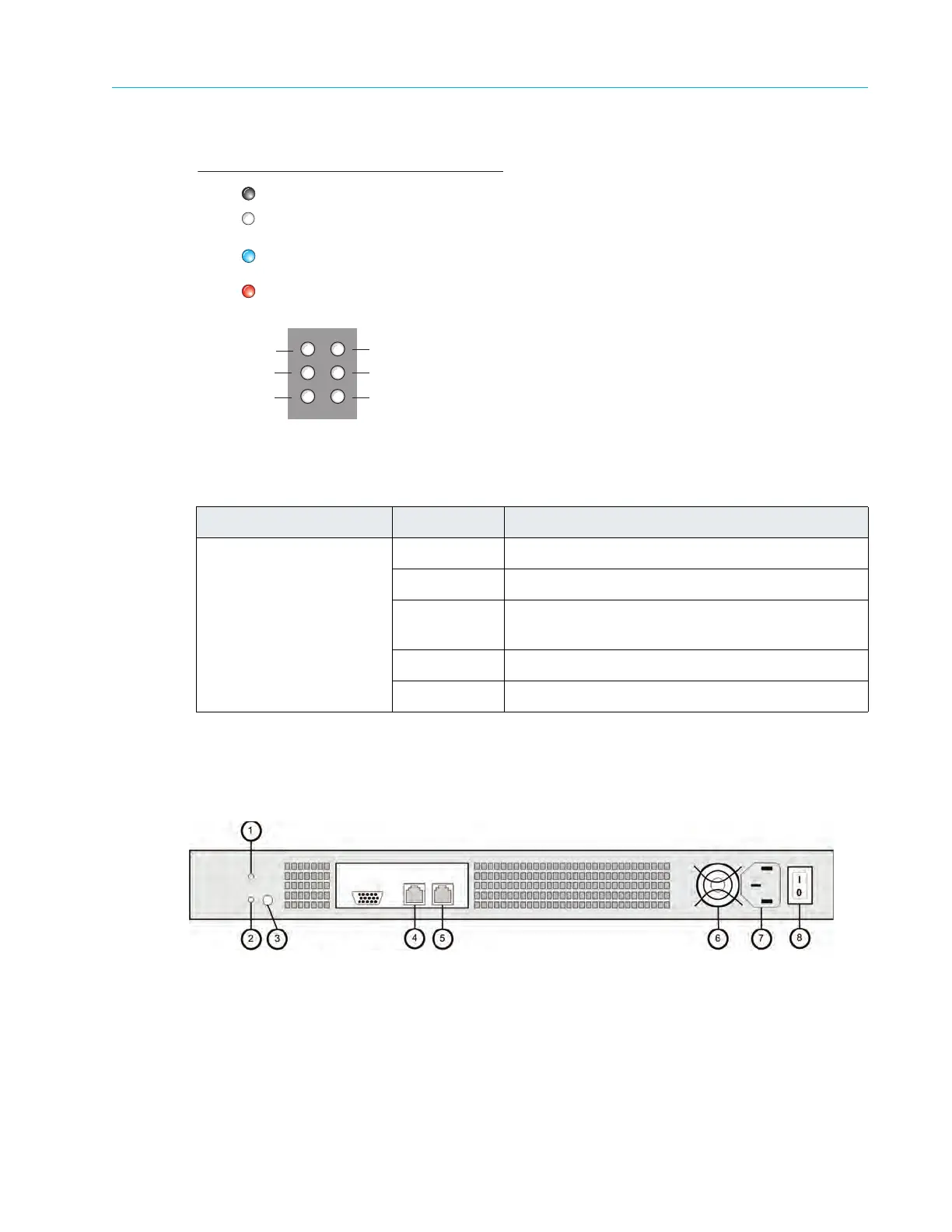
Figure A–10: ContentBridge 1000B Status LEDs
Rear Panel Components
Figure A–11 and Table A–14 detail the rear panel view of the ContentBridge 1000B.
Figure A–11: Rear View of ContentBridge 1000B
Table A–13: ContentBridge 1000B Status LED Descriptions
LED Color/State Description
Ethernet Port 0
and Ethernet Port 1
White (Solid) Online
White (Blink) Indicates active network port
Blue (Blink) ContentBridge cannot download its configuration
file from
the ContentDirector
Red Indicates Ethernet link problem
Off Power off
Ethernet Port 0
Unused
Unused
Ethernet Port 1
Unused
Unused
(Solid) Online
Ethernet link problem
White
Red
Blue
(Blink) ContentBridge cannot download its configuration
file from ContentDirector
For the indicated Ethernet port
Off
(Blink) Active network port
Power off



 To Next Page