Chapter 2 System Installation with the Content-
Server 4000 Series
© 2017 Harmonic Inc. All rights reserved. 59 Harmonic MediaGrid Release 4.1
Connecting the Harmonic MediaGrid 4000 System Components
Connecting the High Bandwidth ContentBridge to the Network Switch
If your system will have two High Bandwidth ContentBridges in a High Availability (HA) pair, follow
instructions in Connecting High Bandwidth ContentBridges in a High Availability Pair instead.
NOTE: The ContentBridge 2010F can be on either the Public VLAN or the client VLAN. However, if you
wish to use the Configuration Assistant to configure the ContentBridge, it must on the Public VLAN. If you
are using a ContentBridge 1000B, it must be on the Public VLAN without exception.
NOTE: Both 10 GbE ports on the ContentBridge 2010F must be on the same VLAN and subnet.
To connect a High Bandwidth ContentBridge to the Harmonic MediaGrid Network Switch:
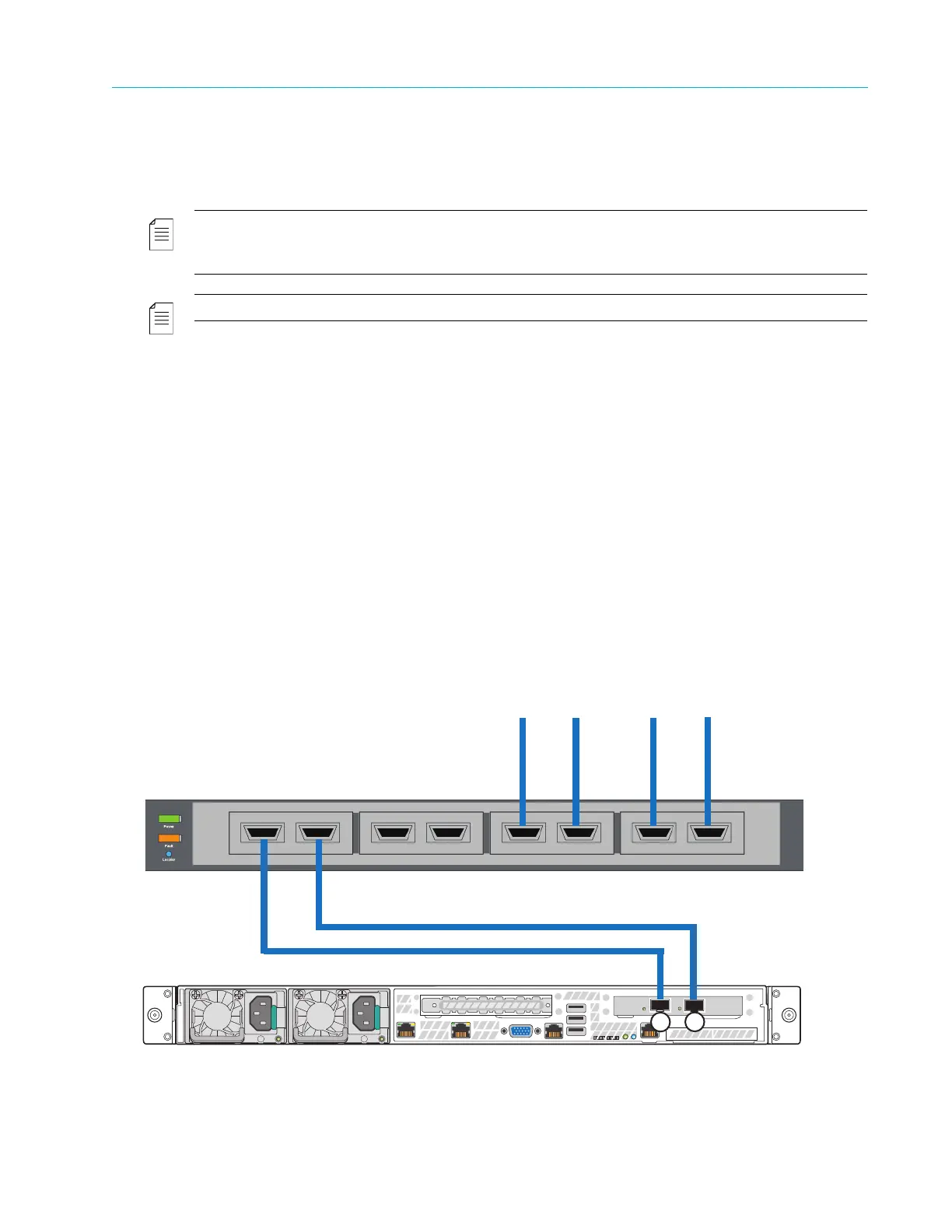
1. Connect 10 Gigabit Ethernet port 2 on first ContentBridge to the first available port on switch
module A.
2. Connect 10 Gigabit Ethernet port 3 on first ContentBridge to the first available port on switch
module B.
3. Continue connecting any remaining ContentBridges in the same manner.
To connect a High Bandwidth ContentBridge to the Customer Core Switch:
1. Connect the appropriate network cable (CX4 or MMF) to 10 GbE port 2 on the
ContentBridge, then connect the other end of the cable to an available port on the customer
core switch.
2. Connect the appropriate network cable (CX4 or MMF) to 10 GbE port 3 on the
ContentBridge, then connect the other end of the cable to an available port on the customer
core switch.
3. Connect the customer core switch to the Harmonic MediaGrid network switches. Refer to
Connecting Network Switches to the Client Network: One-rack System or Connecting Network Switches to
the Client Network: Two-rack System, depending on the system setup.
Figure 2–20: High Bandwidth ContentBridge and Customer Core Switch Connections
Customer Core Switch
To Harmonic MediaGrid Network
ContentBridge 2010F
2
3



 To Next Page