Appendix A Legacy Hardware Platforms
© 2017 Harmonic Inc. All rights reserved. 315 Harmonic MediaGrid Release 4.1
ContentBridge 2010B/C/D (High Bandwidth)
ContentBridge 2010B/C/D (High Bandwidth)
The ContentBridge 2010B/C/D (also referred to as the High Bandwidth ContentBridge), an
optional component, provides access to Harmonic MediaGrid for those client platforms that do
not have the FSD installed or do not use the Harmonic MediaGrid API. The High Bandwidth
ContentBridge provides the highest throughput of the ContentBridge models. Note the
ContentBridge 2010D includes 1TB drives and the 2010C includes 250 GB drives.
The ContentBridge 2010B/C/D have the same front and rear panel components and same
functionality.
Front Panel Components
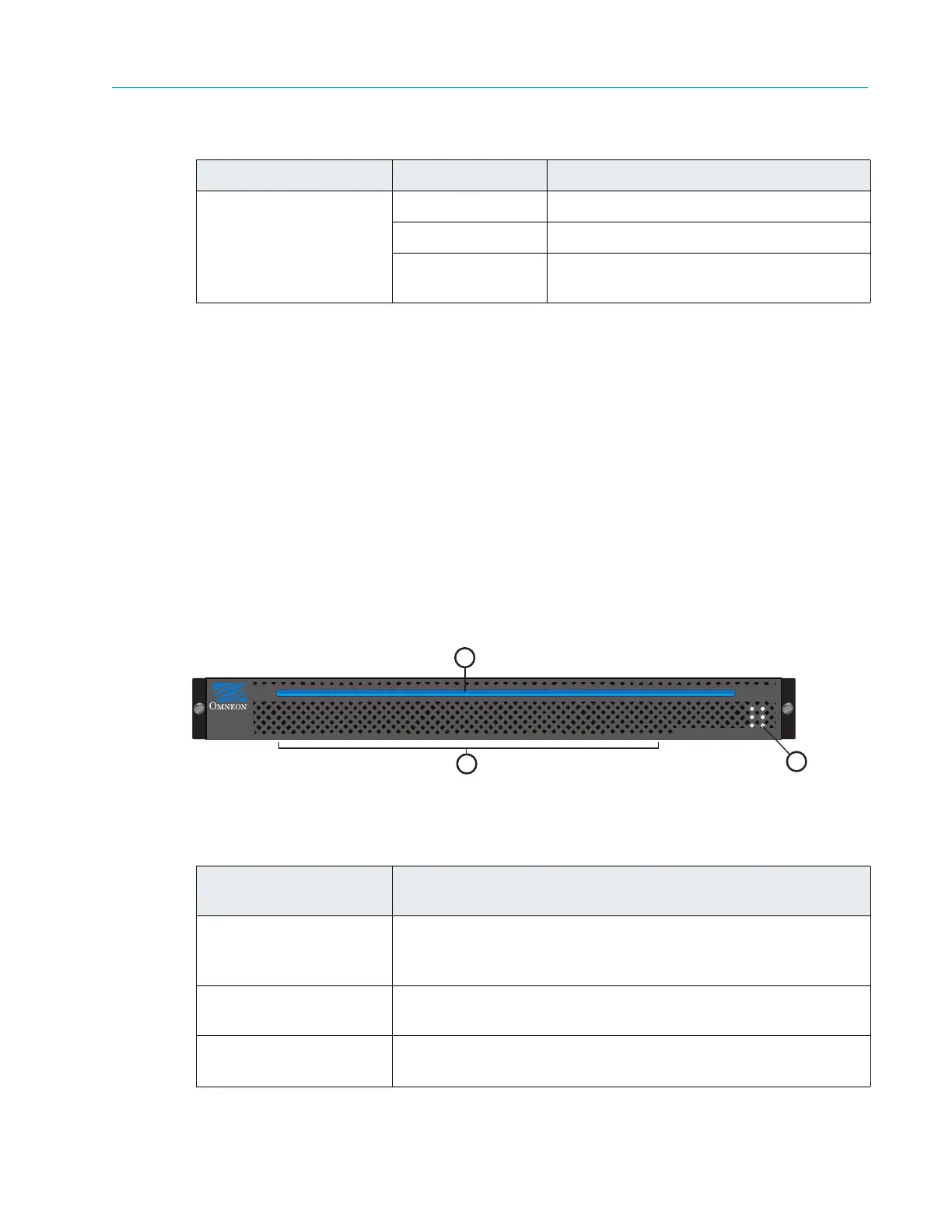
Figure A–13 and Table A–16 detail the front panel of the ContentBridge 2010B/C/D.
Figure A–13: ContentBridge 2010B/C/D Front Panel
Activity (right) Off Power off, network cables unplugged
Yellow (solid) Power on, active connection
Yellow (blink) Power on, network data being sent or
rec
eived
Table A–16: ContentBridge 2010B/C/D Front Panel Descriptions
Indicator, Button, or
Connector
Description
1. Power indicator
A bright blue
power indicator is provided across the top of the
front panel. This indicator also provides a “wink” function, which
allows you to identify a unit from the SystemManager application.
2. Air vents Allows airflow through the unit. For optimum airflow, do not
obstruct
the air vents.
3. Status LEDs
An array of six
status LEDs is provided on the front panel. See the
following figure and table for descriptions of each status LED.
Table A–15: ContentBridge 1000B Gigabit Ethernet Port Status LEDs
LED LED State NIC State
ContentBridge 2010
MediaGrid
2
1
3



 To Next Page