Chapter 3 System Installation with the Content-
Server 3000 Series
© 2017 Harmonic Inc. All rights reserved. 85 Harmonic MediaGrid Release 4.1
Rack Mounting the Harmonic MediaGrid 3000 Series System
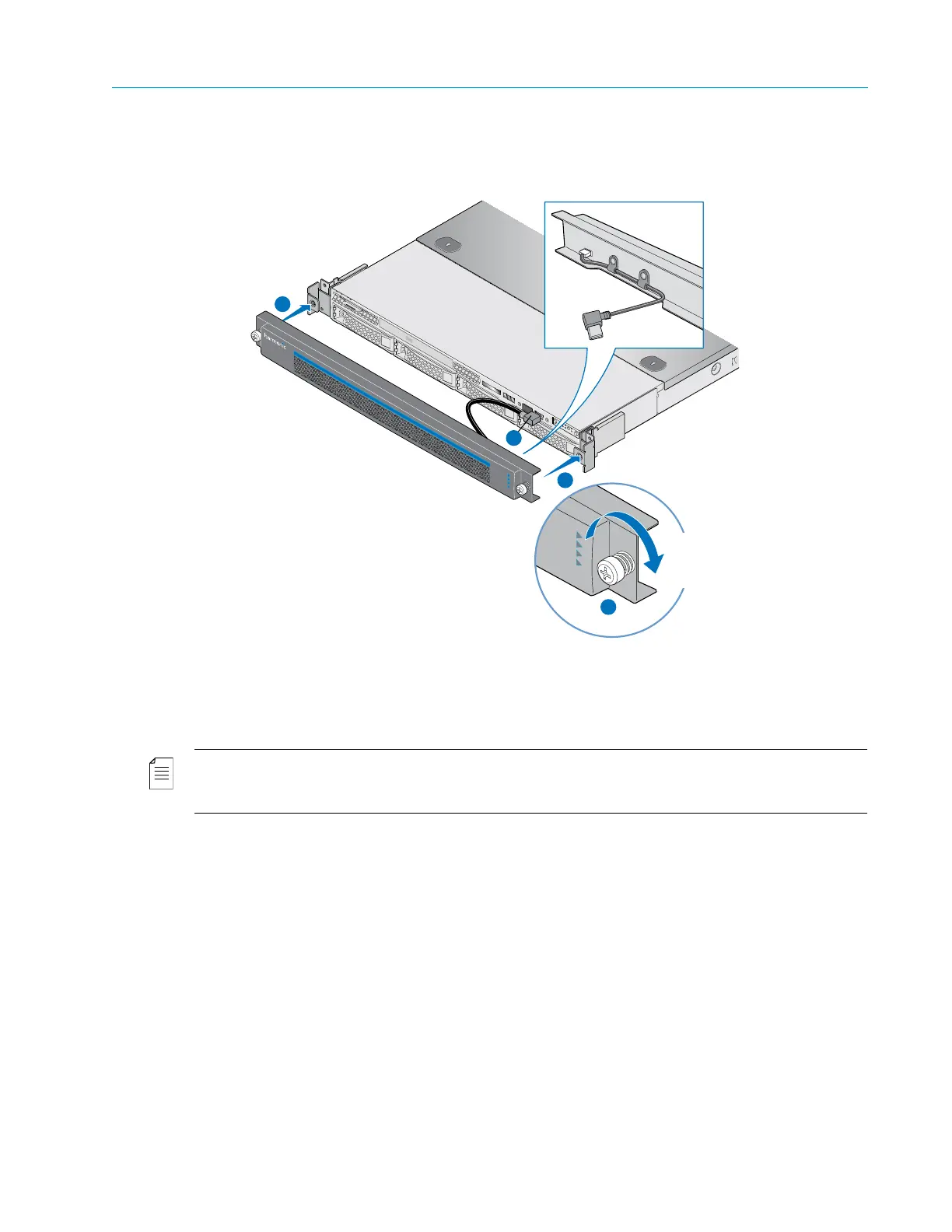
Figure 3–16: Installing the bezel on the ContentDirector 1000F/2000C and ContentBridge 2010F
Rack Mounting the Network Switches
NOTE: The network switches are not deep enough to be attached to the front rails. It is recommended
that you attach the rear brackets just above the previous device’s brackets so the network switch rests on
top of the device below it.
1. Unpack the network switch.
2. Unpack the rack mount kit that includes the two side mounting brackets. For all installation
steps, always follow the instructions in the mounting kit and use the screws that are
included with the mounting hardware.
3. Locate the screws included in the rack mount kit for the side brackets. Using a Phillips
screwdriver, attach both side brackets to the switch. Use Figure 3–17 for reference.
Captive
Fastener
(2)
Backside View of Bezel
1
3
2
2



 To Next Page