Chapter 6 Accessing the Harmonic MediaGrid
© 2017 Harmonic Inc. All rights reserved. 183 Harmonic MediaGrid Release 4.1
Mounting a Harmonic MediaGrid File System Using a Macintosh
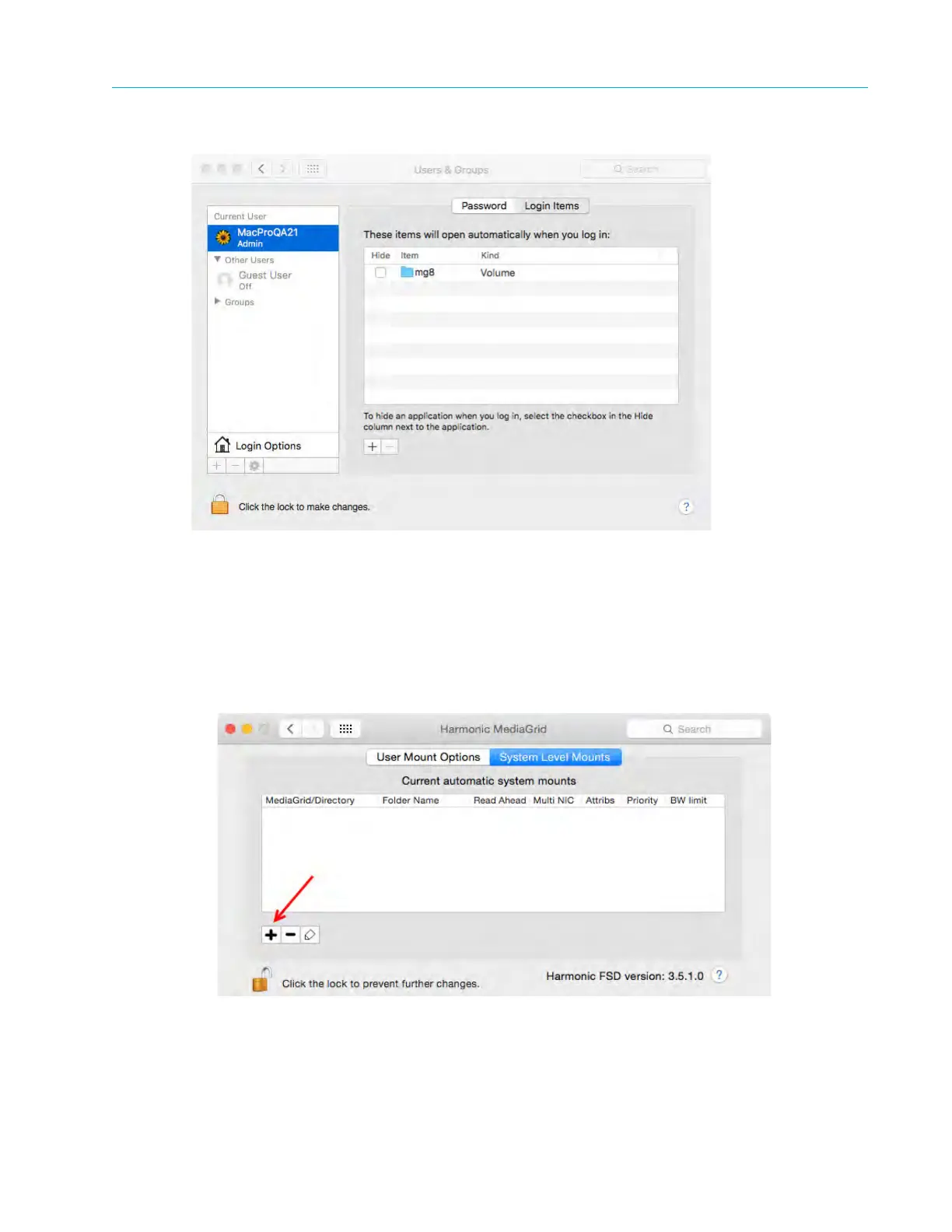
Figure 6–7: Configuring Automatic Connections
Connecting with a System Level Mount
The System Level Mount uses the same options provided in earlier releases of the Mac FSD.
1. Open the
System Preferences window and click the Harmonic MediaGrid icon.
2. Click the
System Level Mounts tab.
3. Click the
+ symbol to add a new mount.
The
New systemwide connection dialog box appears.



 To Next Page