Chapter 2 System Installation with the Content-
Server 4000 Series
© 2017 Harmonic Inc. All rights reserved. 35 Harmonic MediaGrid Release 4.1
Rack Mounting the Harmonic MediaGrid 4000 Series System
Rack Mounting the Harmonic MediaGrid 4000 Series System
A rack mounting kit is provided with each device, which includes the necessary hardware along
with detailed mounting instructions. For each device, always follow the instructions in the
mounting kit and use the screws that are included with the mounting hardware.
IMPORTANT: If the ContentStore 5840 is part of your system, rack mount this unit first. Refer to Rack
Mounting the ContentStore 5840 for instructions.
NOTE: Each device should be placed on the rack and then secured to the rails before mounting the next
device.
Rack mounting the ContentServer 4000 and ContentStore 4240
1. Install the inner rack rails as follows:
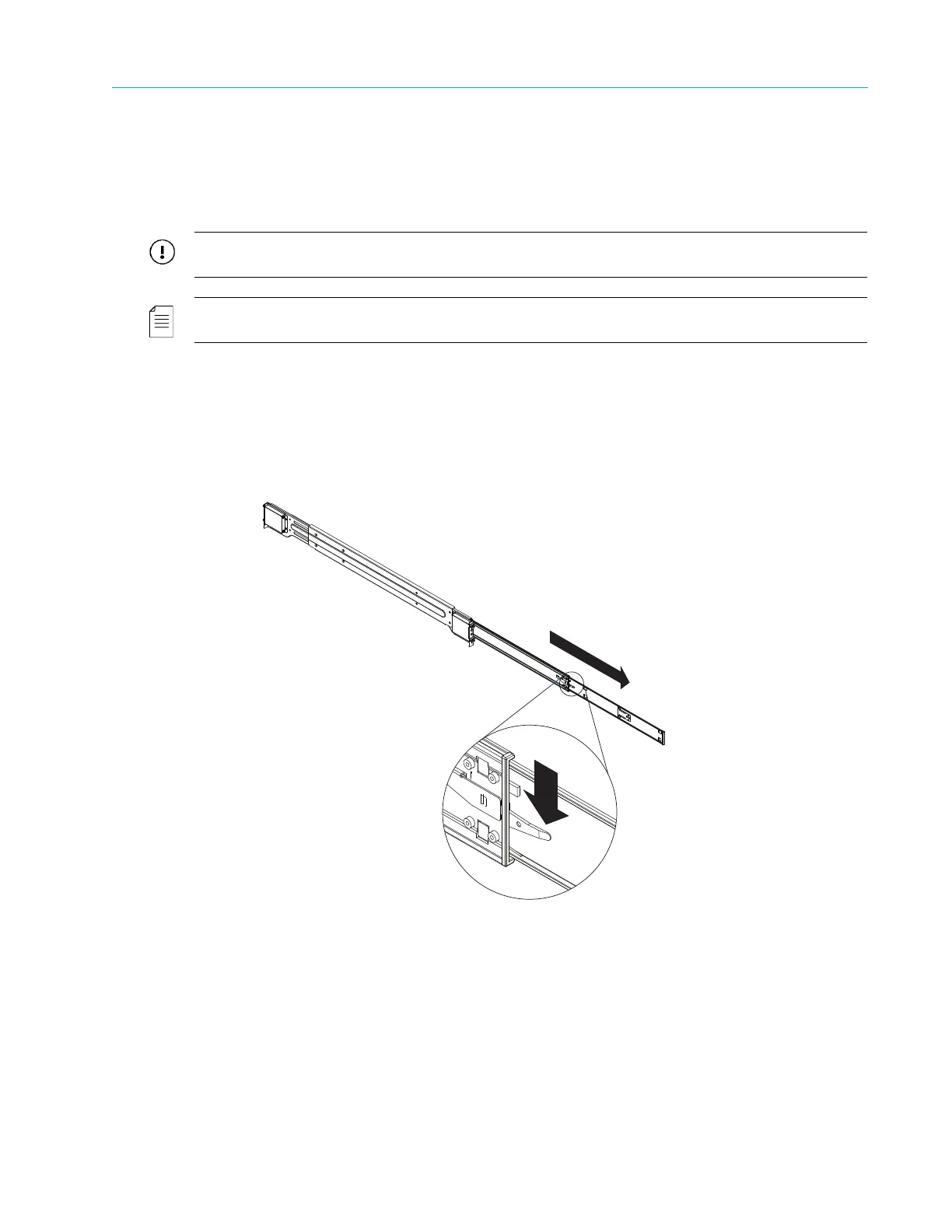
a. Extend the inner rail toward the front of the rail assembly as far as possible.
b. Depress the locking tab and then continue to pull the inner rail until it separates from the
middle rail.
c. Place the inner rail on the side of the chassis, aligning the hooks of the chassis with the
rail extension holes.
d. Slide the inner rail toward the front of the chassis until it clicks into the locked position.
e. Secure the inner rail to the chassis with the provided screws.
PUL L
Outer Rail
Middle Rail
Inner Rail



 To Next Page