Chapter 7 Administrative Procedures
© 2017 Harmonic Inc. All rights reserved. 220 Harmonic MediaGrid Release 4.1
Installing Harmonic MediaGrid and ContentDirector Software
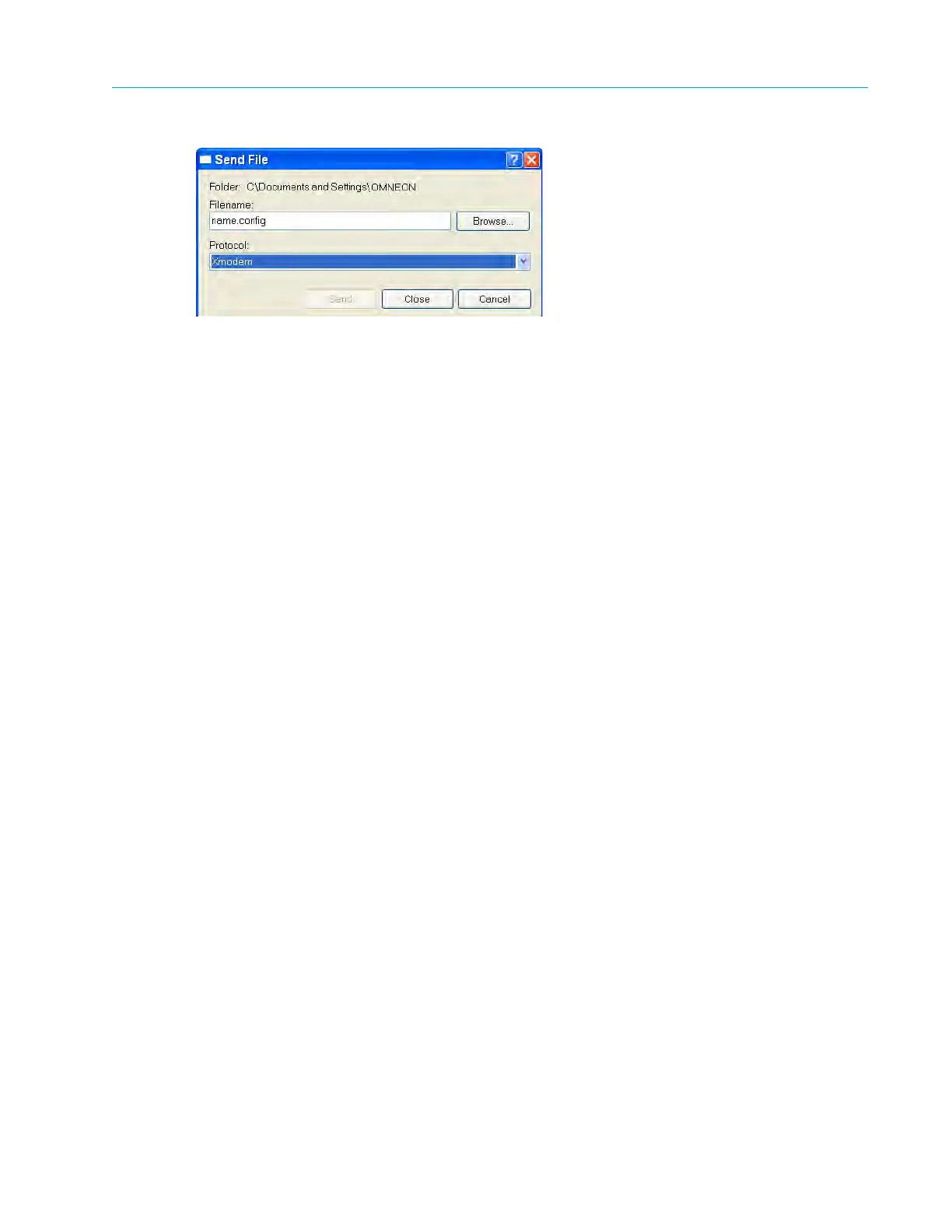
Figure 7–6: Send File
7. Type the name of the configuration file in the Filename text
box or click the Browse button to
search for the file.
8. Set the Protocol field to Xmodem.
9. Click the Send button to upload the configuration file. The switch reboots after the file is
loaded.
Return to the Main Menu and then log out of HyperTerminal before removing the serial cable.
Installing Harmonic MediaGrid and ContentDirector Software
The Harmonic MediaGrid operating system software and the ContentDirector software are both
pre-installed prior to shipment. Refer to the installation procedures below only if you are installing
the software for the first time.
Before You Begin
Refer to the following sources to determine if you need to install software.
Harmonic MediaGrid Operating System Software
The Dell license agreement displays on the ContentDirector followed by a prompt to install an
operating system if the Harmonic MediaGrid operating system software is not installed. The
Harmonic MediaGrid operating system software is installed if the ContentDirector boots up in
Linux. Refer to Installing the Harmonic MediaGrid Operating System Software.
Verifying ContentDirector Software
If the operating system is installed, follow these steps to check for the ContentDirector software.
To verify the software:
1. Attach a keyboard and monitor to the serial connector on the back of the ContentDirector.
2. Log on to the ContentDirector and then type the following command:
[cld ~] $ sudo rpm –q omneon_cld
If the software is installed, package information about the CLD services is displayed, along with
the current version of the software, for example:
omneon_cld-1.1-200609014
The following displays if the ContentDirector software is not installed:
package omneon_cld not installed
Refer to Installing the ContentDirector Software.



 To Next Page