Appendix A Legacy Hardware Platforms
© 2017 Harmonic Inc. All rights reserved. 318 Harmonic MediaGrid Release 4.1
ContentBridge 2010B/C/D (High Bandwidth)
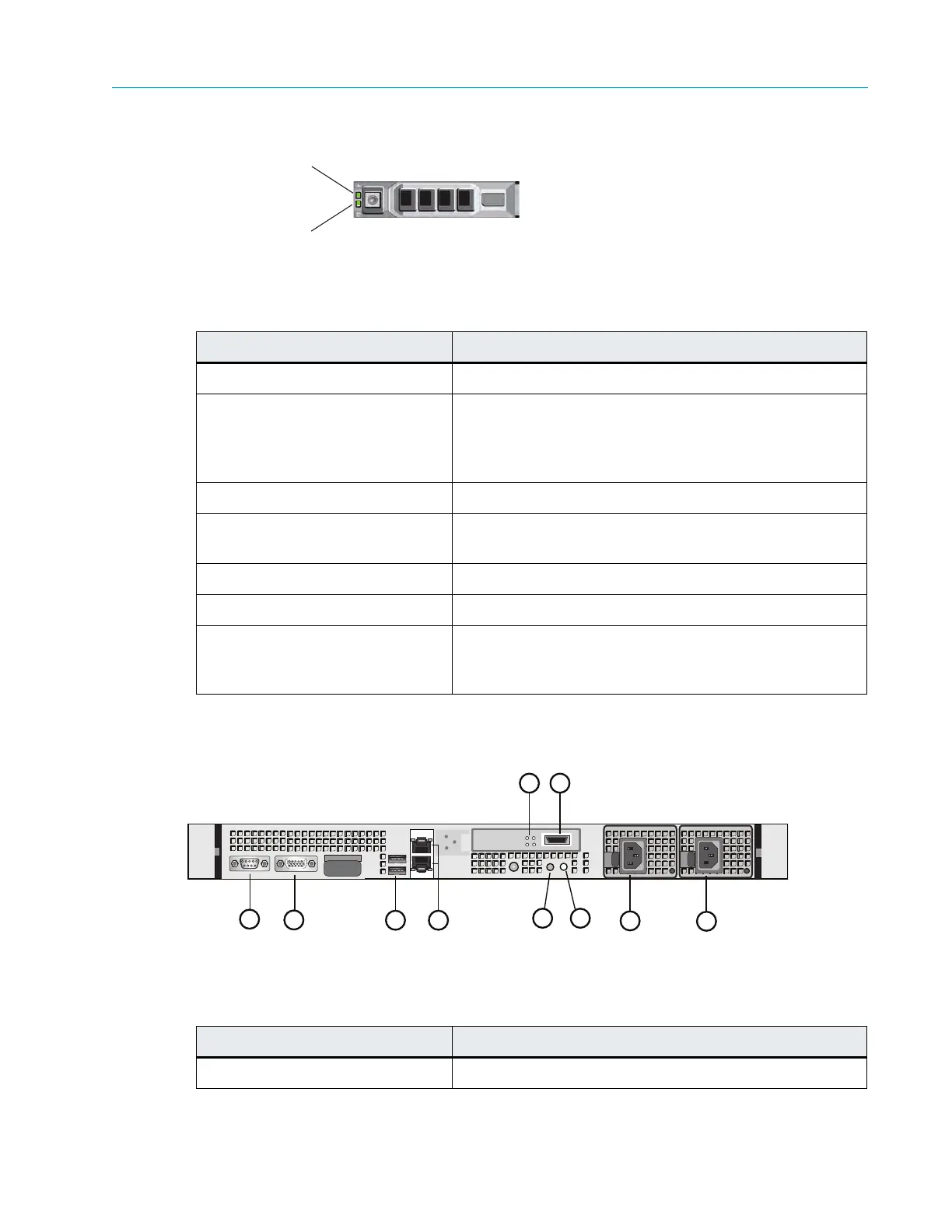
Figure A–16: ContentBridge 2010B/C/D Hard Drive Indicators
Table A–19: ContentBridge 2010B/C/D Drive-status Indicator
Pattern (RAID Only)
Rear Panel Components
Figure A–17 and Table A–20 describe the rear panel view of the ContentBridge 2010B/C/D.
Figure A–17: Rear View of ContentBridge 2010B/C/D
Drive-status Indicator Pattern Condition
Blinks green two times per second Identify drive/preparing for removal
Off Drive ready for insertion or removal
Note: The drive-status indicator remains off until all hard
drives are initialized after system power is applied. Drives
are not ready for insertion or removal during this time.
Blinks green, amber, and off Drive predicted failure
Blinks amber four times per
second
Drive failed
Blinks green slowly Drive rebuilding
Steady green Drive online
Blinks green three seconds,
amber thr
ee seconds, and off six
seconds
Rebuild aborted
Table A–20: ContentBridge 2010B/C/D Rear panel components
Indicator, Button, or Connector Description
1. Serial connector Use to connect a serial device to the system
Drive-activity Indicator (green)
Drive-status Indicator (green and amber)
3
1
2
7 8
5
6
9
10
4



 To Next Page