Appendix A Legacy Hardware Platforms
© 2017 Harmonic Inc. All rights reserved. 310 Harmonic MediaGrid Release 4.1
ContentBridge 1000
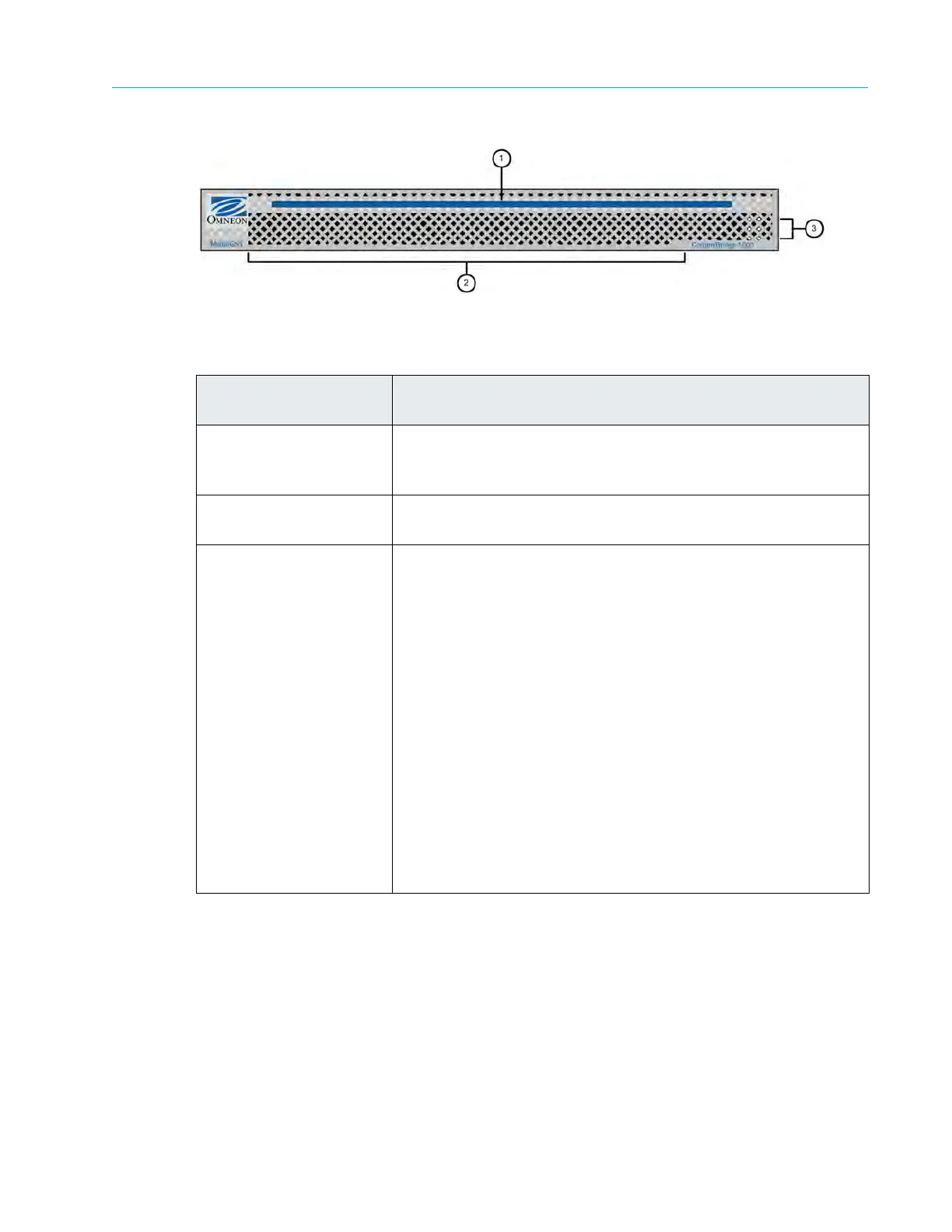
Figure A–7: Front View of ContentBridge 1000
Rear Panel Components
Figure A–8 and Table A–10 describe the rear panel view of a typical ContentBridge 1000.
Table A–9: ContentBridge 1000 Front Panel Descriptions
Indicator, Button, or
Connector
Description
1. Power indicator
A bright blue
power indicator is provided across the top of the
front panel. This indicator also provides a “wink” function for
identification purposes.
2. Air vents Allows airflow through the unit. For optimum airflow, do not
obstruct
the air vents.
3. Status LEDs The top two LEDs indicate network traffic:
White (blinking every 30 seconds)—indicates that the
ContentBridge is working normally; has network connectivity.
Blue (winking)—Indicates that the ContentBridge cannot
download its configuration file from the ContentDirector. The
possible reasons include the following:
No IP address from ContentDirector
Cannot find the tftp server on ContentDirector
Unable to contact ContentDirector
Refer to Verifying DHCP Settings to check DHCP status.
Red (blinking every 30 seconds)—indicates that the system is
unable to reach default router on interface(s).
Red (winking)—indicates that the ContentBridge is unable to
download its configuration files and unable to reach the default
router on interface(s).
The bottom four LEDs are unused in a ContentBridge.
Note: Blinking is a
quick
on and off state; winking spans a longer
period (1.5 seconds).



 To Next Page