Appendix A Legacy Hardware Platforms
© 2017 Harmonic Inc. All rights reserved. 311 Harmonic MediaGrid Release 4.1
ContentBridge 1000
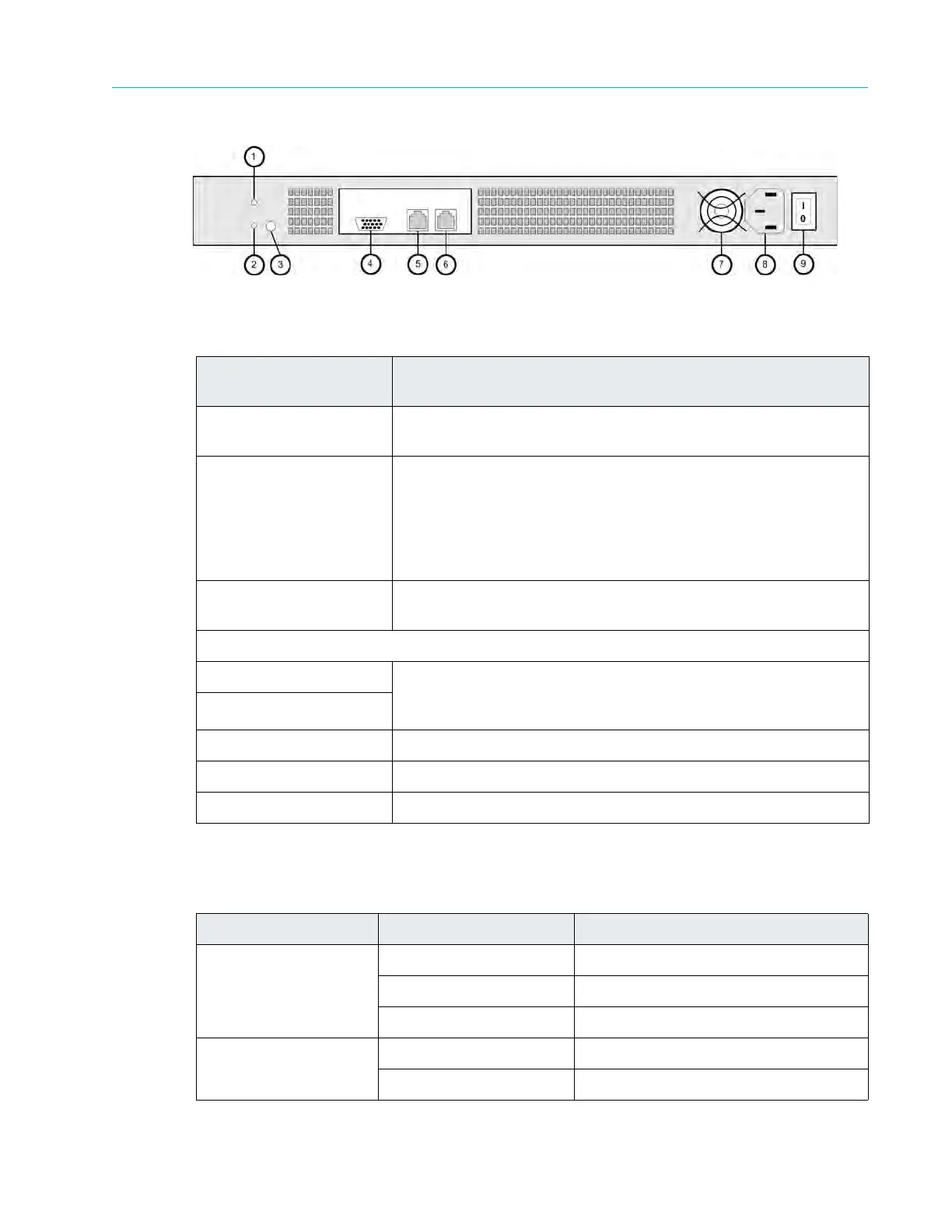
Figure A–8: Rear View of ContentBridge 1000
Table A–11 provides descriptions of the Ethernet port status LEDs.
Table A–10: ContentBridge 1000 Rear Panel Descriptions
Indicator, Button, or
Connector
Description
1. Reset button Restarts an unresponsive ContentBridge. Use only when directed
by Te
chnical Support.
2. Soft Power button Use to control the motherboard power-on st
atus, independent of
the physical power switch on the rear panel of the ContentBridge.
This may be used to power up the ContentBridge if it is still
unresponsive after turning on the physical power switch. Use only
when directed by Technical Support. Pressing this button during
normal operation may cause loss of data.
3. Wink LED Blinks on when the unit is “winked”
from the SystemManager
application.
4. Unused in a ContentBridge
5. Gigabit Ethernet port 0 Use for system communication and interfacing with selected
applications.
Refer to Table A–11 for a description of each LE
D
state.
6. Gigabit Ethernet port 1
7. Unit fan Circulates air through the unit. Do not obstruct.
60/50 Hz power Use to provide power to the unit.
9. Power switch Use to turn the unit ON or OFF.
Table A–11: ContentBridge 1000 Ethernet Port Status
LED Color LED State NIC State
Green/amber (left) Off 10 Mbps
Green 100 Mbps
Amber 1000 Mbps
Green (right) On Active connection
Blinking Transmit/receive activity



 To Next Page