Chapter 7 Administrative Procedures
© 2017 Harmonic Inc. All rights reserved. 218 Harmonic MediaGrid Release 4.1
Managing Network Switches
To change the default user name and password.
1. Connect to the switch using HyperTerminal.
2. Type the following at the command prompt to edit the configuration file and then press
ENTER:
HP ProCurve Switch 6400cl-6XG# config
3. Type the following to set the user name and then press Enter. Enter the user name you want
to use, including the quotation marks:
HP ProCurve Switch 6400cl-6XG(config)# password manager user-name
“user name”
4. Type a password of up to 16 characters and then press Enter.
New password for Manager: your password
5. Retype the password to confirm.
6. Type the following to save the configuration file:
HP ProCurve Switch 6400cl-6XG(config)# write memory
7. Type the following and then press ENTER to exit HyperTerminal:
HP ProCurve Switch 6400cl-6XG(config)# logout
NOTE: If you happen to forget the user name and password, press the Clear button on the front of the
switch to clear the current user name and password. Repeat the steps above to create a new user name
and password.
Upgrading the Network Switches
The following procedures are completed prior to shipment of the network switches. Only perform
these functions if directed by Technical Support.
Upgrading the Network Switch Firmware
1. Connect to the switch using HyperTerminal.
2. Type the following at the command prompt:
copy xmodem flash
You will see the following response:
The Primary OS Image will be deleted, continue [y/n]?
3. Type “y” to continue. You will see the following response:
Press ‘Enter’ and start XMODEM on your host...
4. Press Enter to continue.
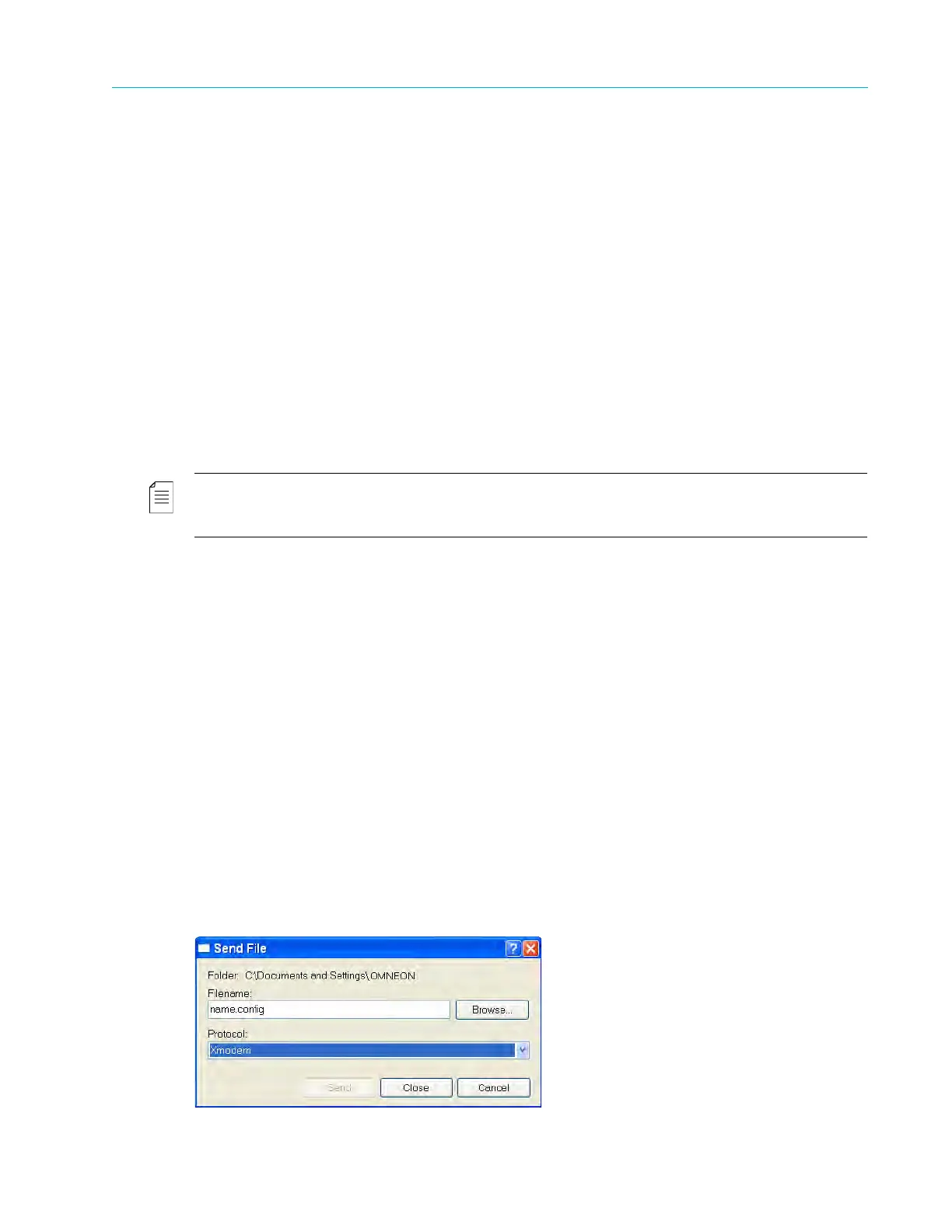
5. Select Send File from the Transfer menu on the HyperTerminal menu bar.
The Send File window appears.
Figure 7–4: Send File



 To Next Page