Chapter 8 Hardware Reference
© 2017 Harmonic Inc. All rights reserved. 273 Harmonic MediaGrid Release 4.1
ContentStore 5840 and 5840A
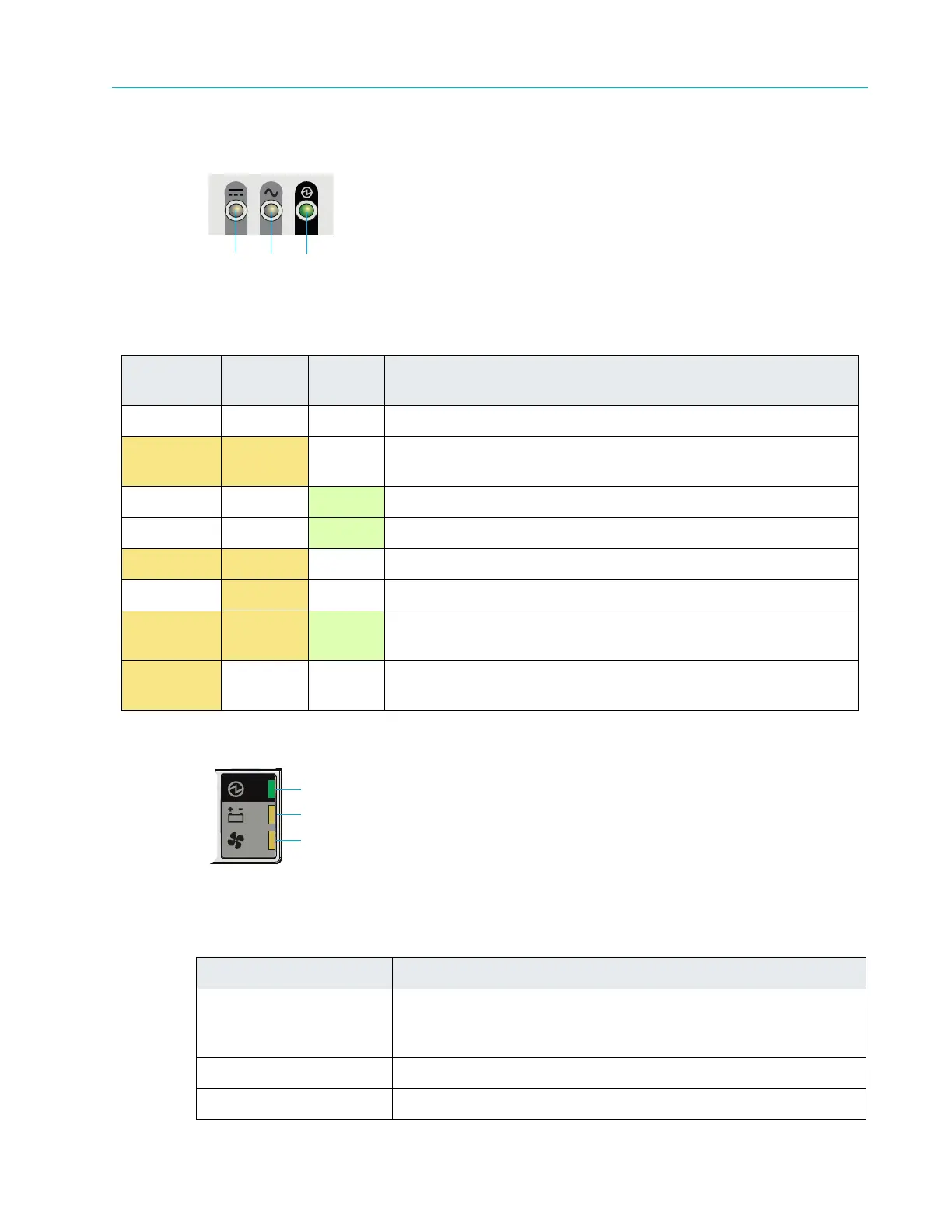
ContentStore 5840 Power Supply Unit LEDs
Figure 8–53: ContentStore 5840 Power Supply Unit LEDs
ContentStore 5840 Cooling Module LEDs
Figure 8–54: ContentStore 5840 Cooling Module LEDs
Table 8–50: ContentStore 5840 Power Supply Unit LED Descriptions
1. PSU Fail
(Amber)
2. AC Fail
(Amber)
3. Power
(Green)
Status
Off Off Off
No power to either PSU.
On On Off PSU present, but not supplying power or PSU alert state (usually
due to critical temperature.
Off
Off On Main AC present, switch on. This PSU is providing power.
Off
Off Flashing AC power present, PSU in standby (other PSU is providing power.)
Flashing Flashing Off PSU firmware download.
Off On Off AC power missing, PSU in standby (other PSU is providing power).
On On On Harmonic MediaGrid software has lost communication with the
PSU.
On Disregard Off PSU has failed. For replacement instructions, see the Harmonic
MediaGrid Component Replacement Instructions.
Table 8–51: ContentStore 5840 Cooling Module LED Descriptions
LED Description
1. Module OK
Constant green: indicates that the fan is working correctly.
Off: the fan has failed. For replacement instructions, see the
Harmonic MediaGrid Component Replacement Guide.
2. Battery Fault Not currently used.
3. Fan Fault Amber indic
ates that a fan has failed.
213



 To Next Page