Chapter 6 Accessing the Harmonic MediaGrid
© 2017 Harmonic Inc. All rights reserved. 178 Harmonic MediaGrid Release 4.1
Mounting a Harmonic MediaGrid File System Using Windows
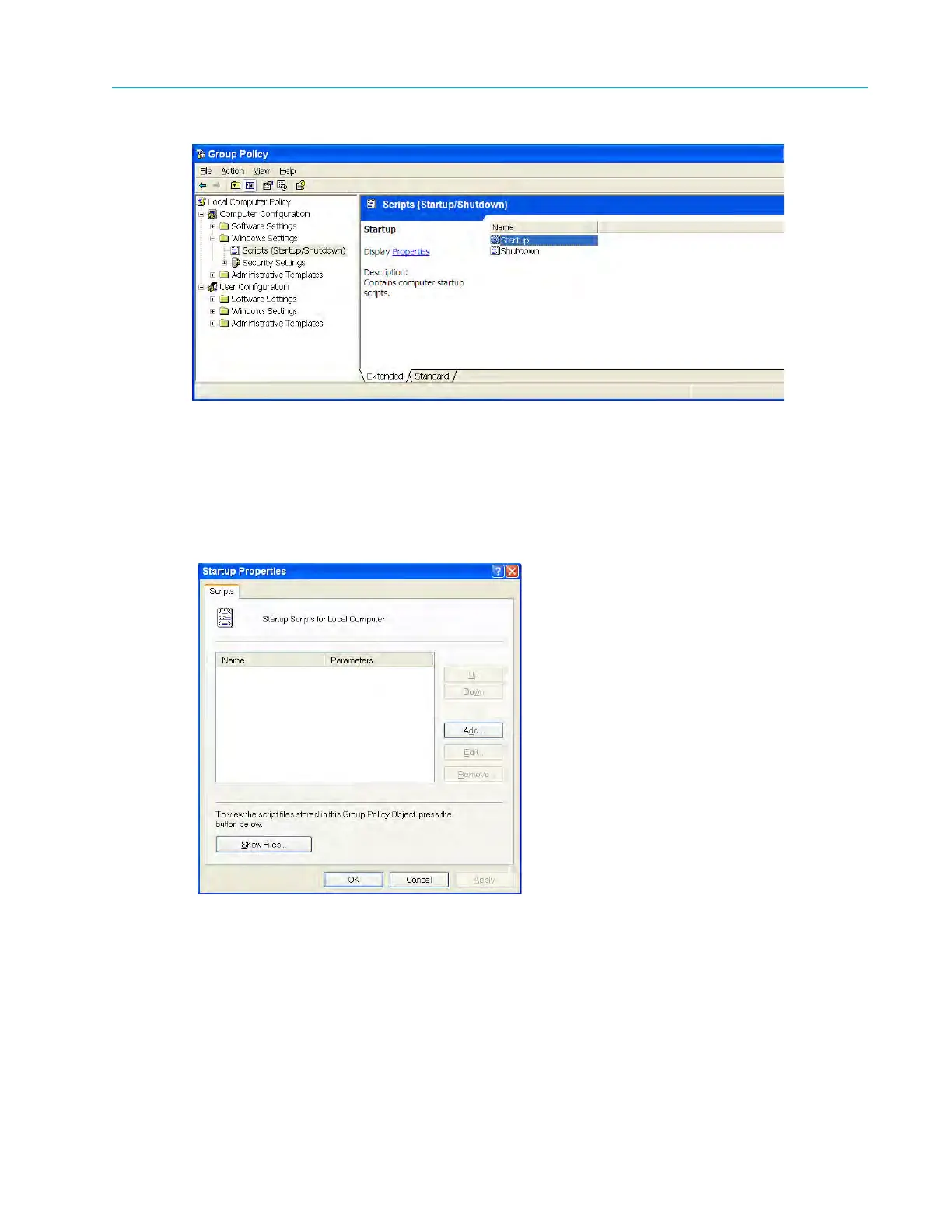
Figure 6–3: Group Policy
3. In the left pane, navigate to
Computer Configuration > Windows Settings > Scripts (Startup/
Shutdown).
4. Double-click the
Startup script in the right pane.
The Startup Properties dialog box displays.
Figure 6–4: Startup Properties
5. Click the
Show Files button.
The
Startup folder displays.
6. Open a text editor, such as Notepad, to create a new startup script file.
7. Include the following line in this file:
net use x: \\mdsServerName\mdsFileSystemName /user:<username>
<password>
a. Replace <username> with the user name of the Harmonic MediaGrid file system.
b. Replace <password> with the password of the Harmonic MediaGrid file system.



 To Next Page