Chapter 6 Accessing the Harmonic MediaGrid
© 2017 Harmonic Inc. All rights reserved. 195 Harmonic MediaGrid Release 4.1
Managing File and Directory Permissions
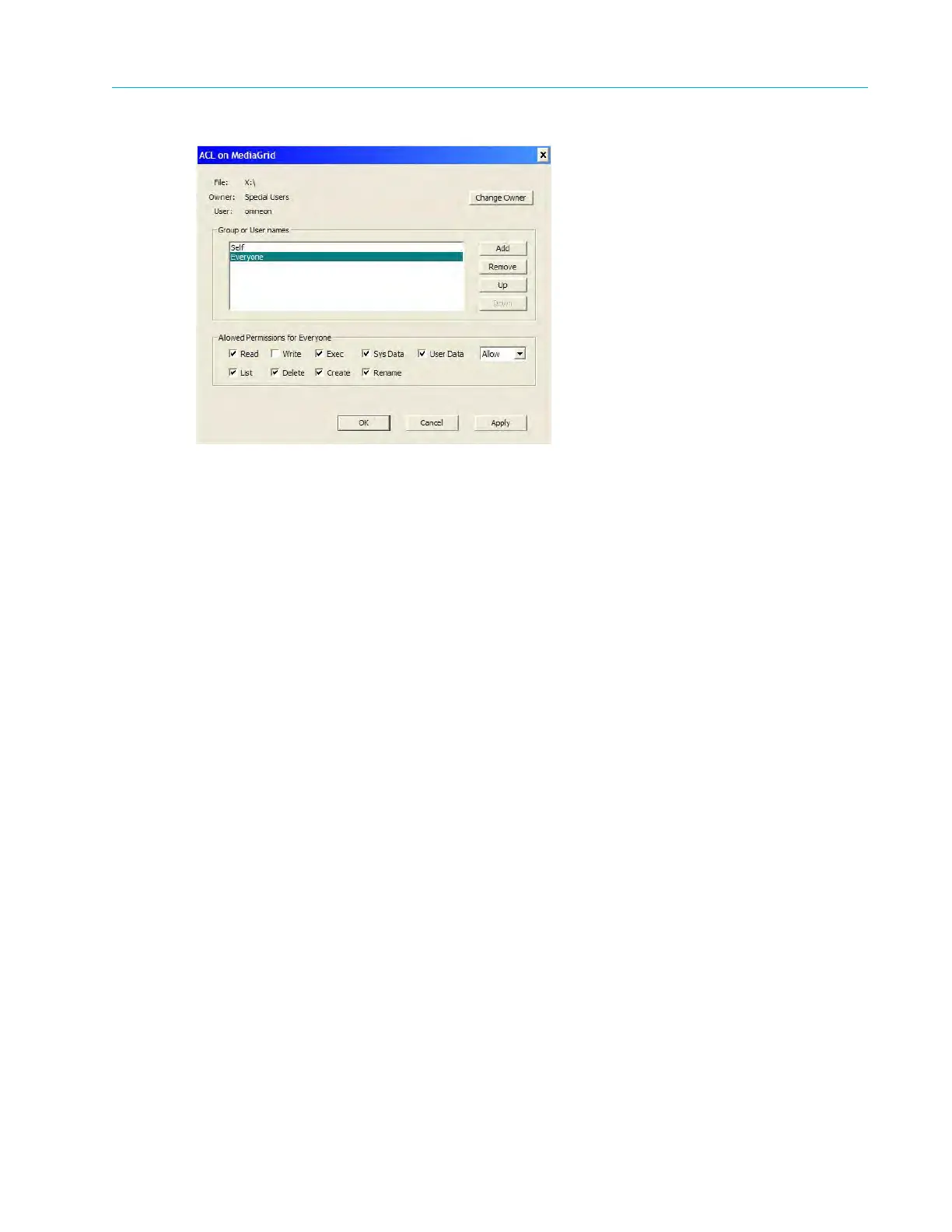
Figure 6–11: ACL on Harmonic MediaGrid
The full path of the selected file or dire
ctory is shown at the top of the dialog box, followed by the
file/directory owner and user.
2. The Group or User names section contains the list of Access Control Entries (ACEs) for the
file or directory. Complete this section as follows:
Click Change Owner to select a new owner from a list of users. You must have
permission to change the owner.
Click Add to add a new user or group to the list of entries. The maximum number of
entries is 64.
Click Remove to remove a user or group from the list of entries. Once an entry is
removed, its default settings (inherited from its parent directory) are applied.
Click Up or Down to move an entry within the list. See “About the Ordering of ACEs
within an ACL” in the ContentManager User’s Guide for information on how to order the
entries.
3. The Allowed/Deny Permissions section shows the current permissions for the selected ACE.
Complete these settings as follows:
First choose which type of action you want to apply (allow or deny) by selecting Allow or
Deny from the drop-down box on the right. Allow provides the user control of the
checked permissions; Deny prohibits the user control of the checked permissions.
Select the permissions by clicking the corresponding check box.
Click the Apply button to apply your settings and then click OK to confirm the changes
that you made.
Note the following ACL rules:
Permissions cannot be changed for inherited ACL entries.
Duplicate ACL entries are not allowed within an ACL. A duplicate is an entry that has the
same user or group with the same operation mode, such as Allow (or Inherit) or Deny.
The same user/group can have one Allow (or Inherit) entry and one Deny entry.



 To Next Page