Chapter 8 Hardware Reference
© 2017 Harmonic Inc. All rights reserved. 239 Harmonic MediaGrid Release 4.1
ContentServer 3000
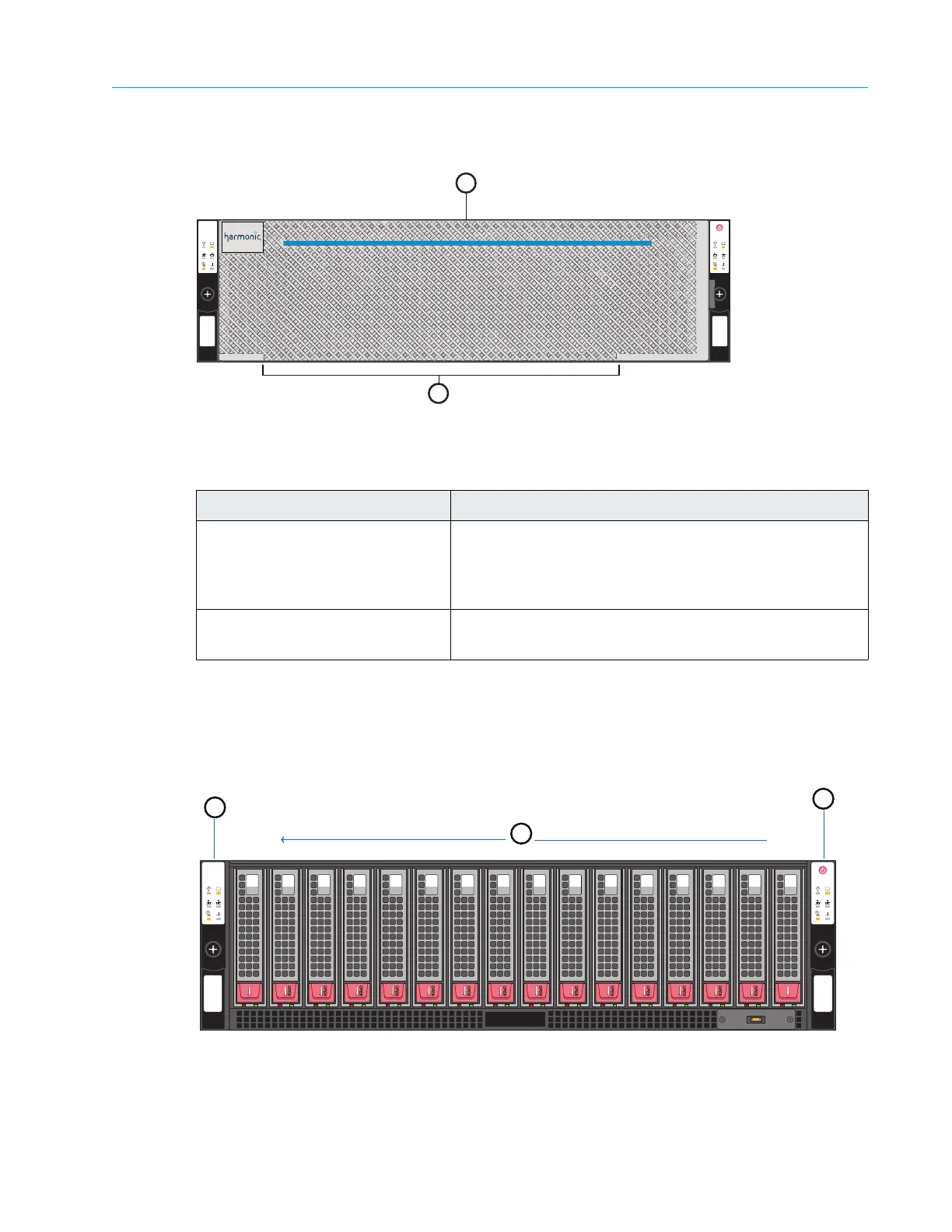
Figure 8–19: ContentServer 3000 Front Bezel
Table 8–18: ContentServer 3000 Front Bezel Components
Front Panel
Figure 8–20 and Table 8–19 detail the front view of the ContentServer 3000 with the front bezel
removed and all disk drives in place.
Figure 8–20: ContentServer 3000 Front Panel
Component Description
1. Power indicator
A bright blue
power indicator is provided across the top
of the front panel. This indicator also provides a “wink”
function, which allows you to identify a unit from the
SystemManager application.
2. Air vents Allows airflow through the unit. For optimum airflow, do
not
obstruct the air vents.
2
1
15
OPEN
0
OPEN
14
10
9
3
2
1
4
8
7
5
6
11
12
13
ContentServer 3000
MediaGrid
1
3
15
OPEN
0
OPEN
14
10
9
3
2
1
4
8
7
5
6
11
12
13
Drive 0
Drive 15
2



 To Next Page