PVR 6000 Series
Professional Integrated Receiver Decoders
Page 4-137
Licensing
1-2-8-4
1 Key
00-00-00-00-00-0..
Use the [UP]/[DOWN] keys to change a characters value. User the
[LEFT]/[RIGH] keys to move to a different character.
Key
00-00-00-00-00-00-00-00
A licensing list is available at status menu screen. For details see section 4.3.8.4
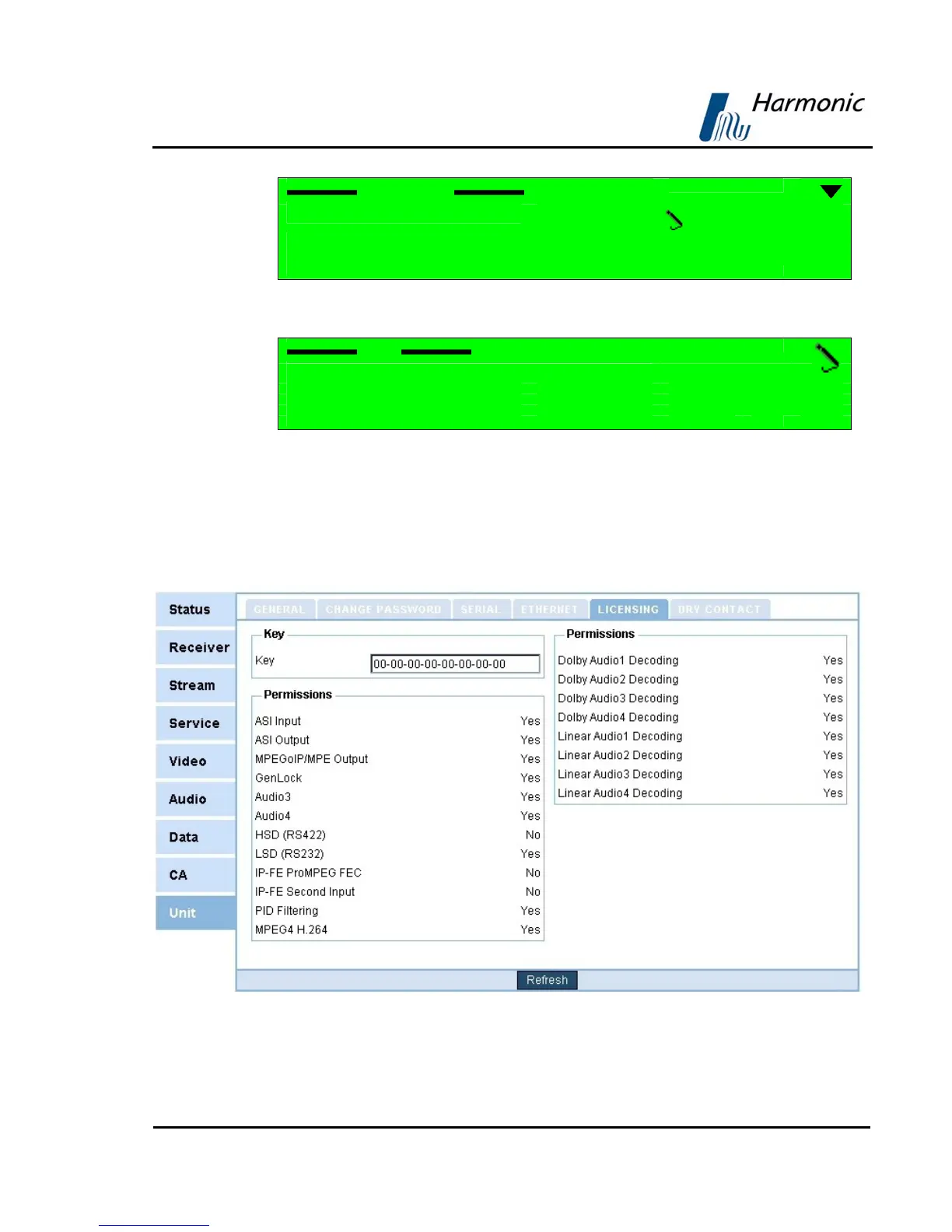
ENTERING A SRERIAL KEY THRU THE WEB-MANAGMENT
To enter a serial key thru the web-management access the Licensing tab at the
Unit menu screen. Fill in the appropriate field with the serial key.
Figure 4-32 displays the corresponding Licensing Web management screen.
Figure 4-32: PVR 6000 Licensing Screen



 To Next Page