PVR 6000 Series
Professional Integrated Receiver Decoders
Page 2-13
2.5. INITIALIZATION AND
CONFIGURATION
Before powering-up the PVR 6000, ensure that all cabling is correct. Ensure that
the unit is connected to the main power supply and correctly grounded.
2.5.1. Electrical Power Connection
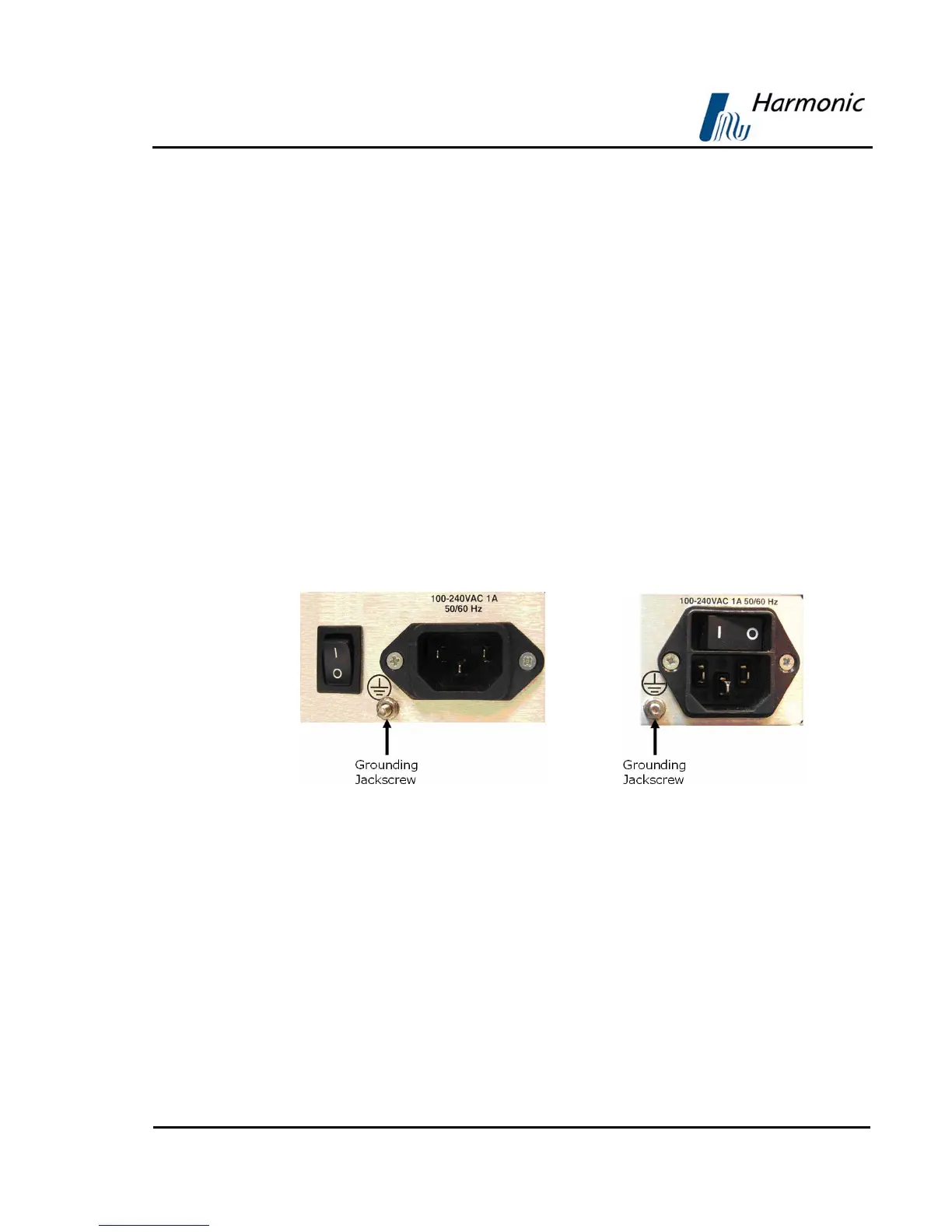
The PVR 6000 is powered by an AC power supply unit. Grounding of is provided
when the AC power cable is connected to the device’s AC connector. The PVR
6000 is shipped with either AC connector configuration, as shown in
Figure 2-10.
Before powering-up a rack-mounted PVR 6000, the device’s grounding jackscrew
must be connected to the rack housing, which must be correctly grounded (see
Figure 2-10).
AC Power Supply Configuration 1 AC Power Supply Configuration 2
Figure 2-10: Power Supply Configurations and Rack-Mount Grounding Jackscrew



 To Next Page