User Manual
Operation and Management
Page 4-152 (Rev. 4.1/ SW v1.60/ December 2006)
4.3.2. Stream Status Menu
The Stream Status Menu provides an extended menu of status monitoring
options on the input stream.
To access the Stream Status Menu in the front panel control interface go to
Status
Æ
Stream.
The following screen displays the Stream Status menu:
Stream 1-3-2
1 Quality
2 Information
Figure 4-38displays the corresponding Web management screen.
Figure 4-38: PVR 6000 Stream Status Screen
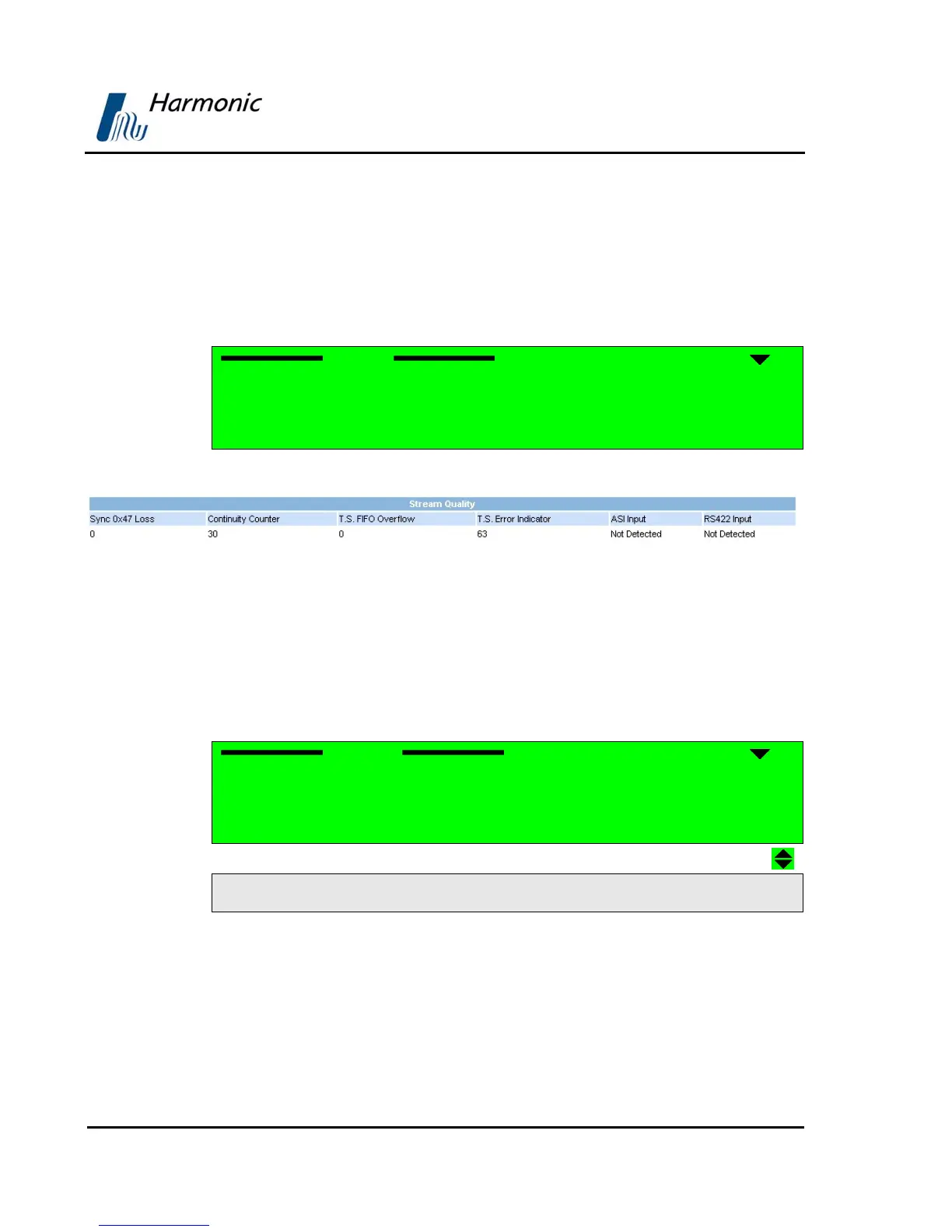
4.3.2.1. Quality
The Quality Menu displays information about the quality of the Input Stream.
To access the Quality Menu in the front panel control interface go to
Status
Æ
Stream
Æ
Quality.
The following screen displays the Quality menu:
Quality 1-3-2-1
1 Sync-Ox47 Loss 000007
2 Continuity Counter 000006
3 T.S Fifo Overflow 000000
4 T.S Error Indicator 000007
5 ASI Input NOT DETECT
6 RS-422 Input NOT DETECT
The Quality Menu parameters are:
• Sync-0x47 Loss – Counts the number of sync loss events
• Continuity Counter – Counts the number of a continuity of error events
• TS FIFO overflow – Counts the number of FIFO buffer events
• TS Error Indicator – Counts the number of MPEG packets that were
received by the PVR 6000 and had the TS error indicator bit set



 To Next Page