User Manual
PVR 6000 Control Interfaces
Page 3-8 (Rev. 4.1/ SW v1.60/ December 2006)
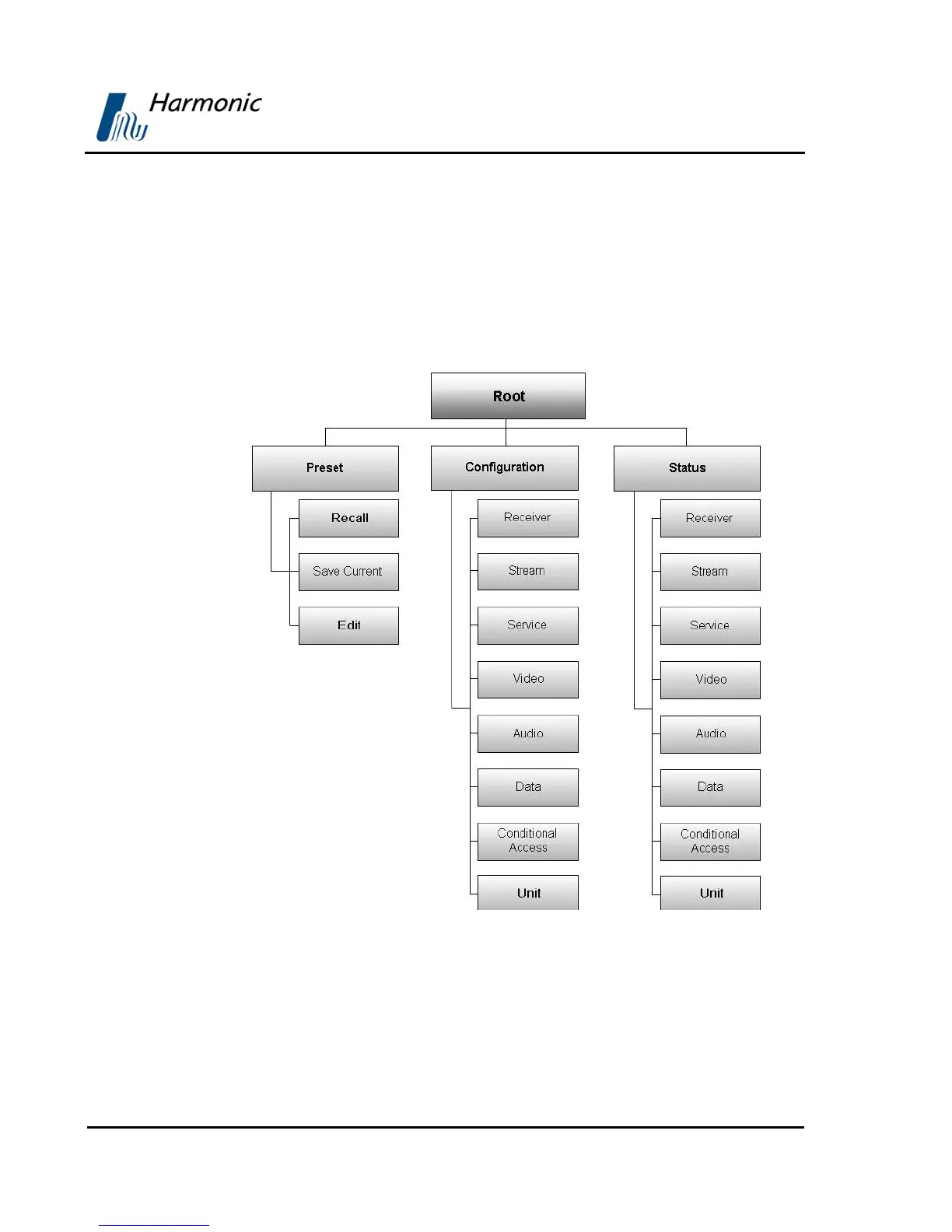
3.1.3. PVR 6000 Menu Tree
Setup, control, and monitoring of the PVR 6000 operation can be performed
locally by using the PVR 6000 Menu.
This menu is displayed on the front panel LCD display and is operated using the
front panel control keys. The basic tree structure of the PVR 6000 front panel
menu is illustrated in
Figure 3-2.
Figure 3-2: PVR 6000 Front Panel Menu (Root Menu) - Basic Structure



 To Next Page