PVR 6000 Series
Professional Integrated Receiver Decoders
Page A-5
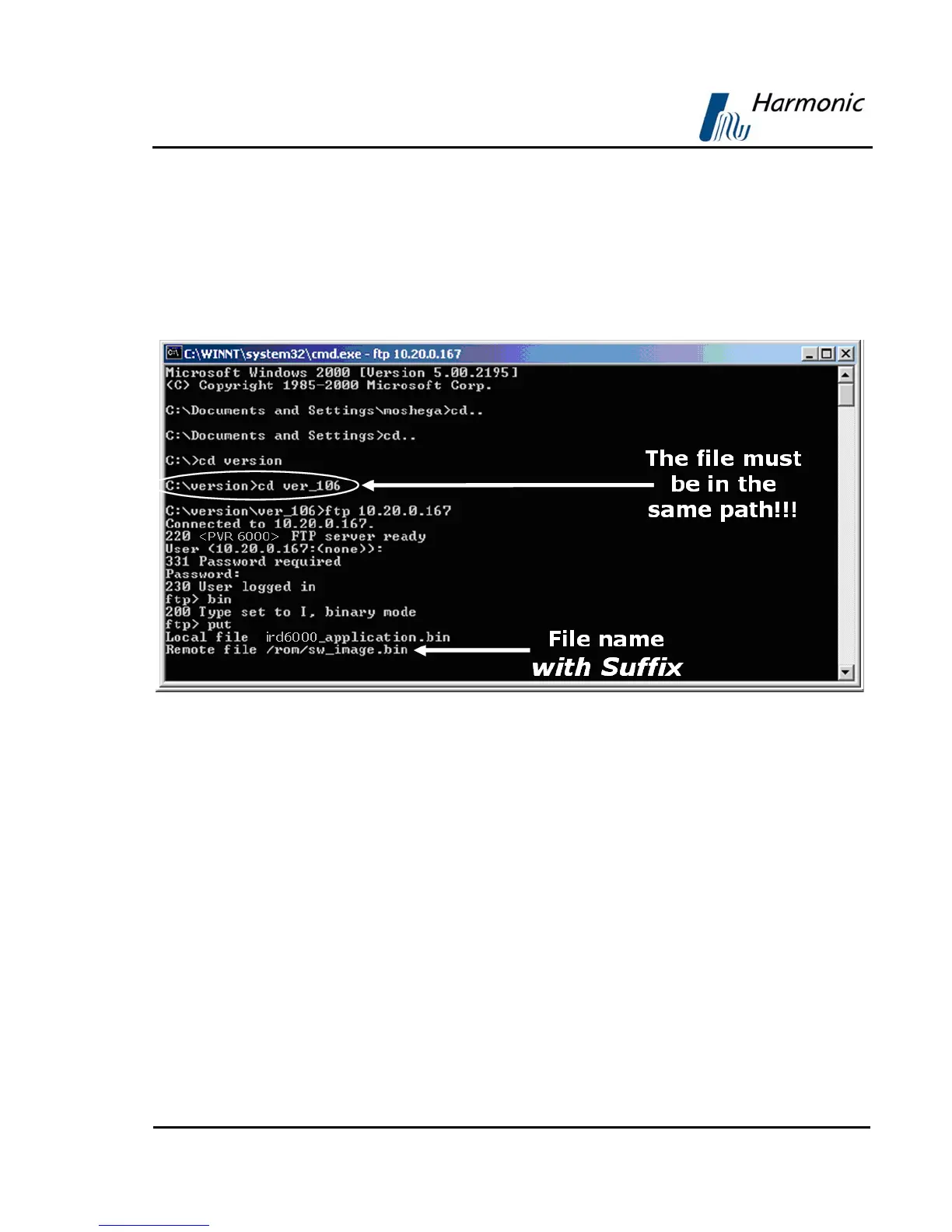
LOADING THE FILE
To load a source file from a local PC to the PVR 6000:
1. Type put and click [Enter]
2. After Local File, type the file name with the suffix (Notice - the software
file name and path in the PC should be known).
3. After Remote File, type ‘/rom/sw_image.bin’.
Figure A-6: Loading the File
After confirmation, the PVR 6000 progress is displayed in a loading screen on
the PVR 6000 front-panel. In the left frame window the loading progress is
indicated by a percentage and blinking progress bar. Following is the PVR 6000
loading screen:



 To Next Page