PVR 6000 Series
Professional Integrated Receiver Decoders
Page 4-85
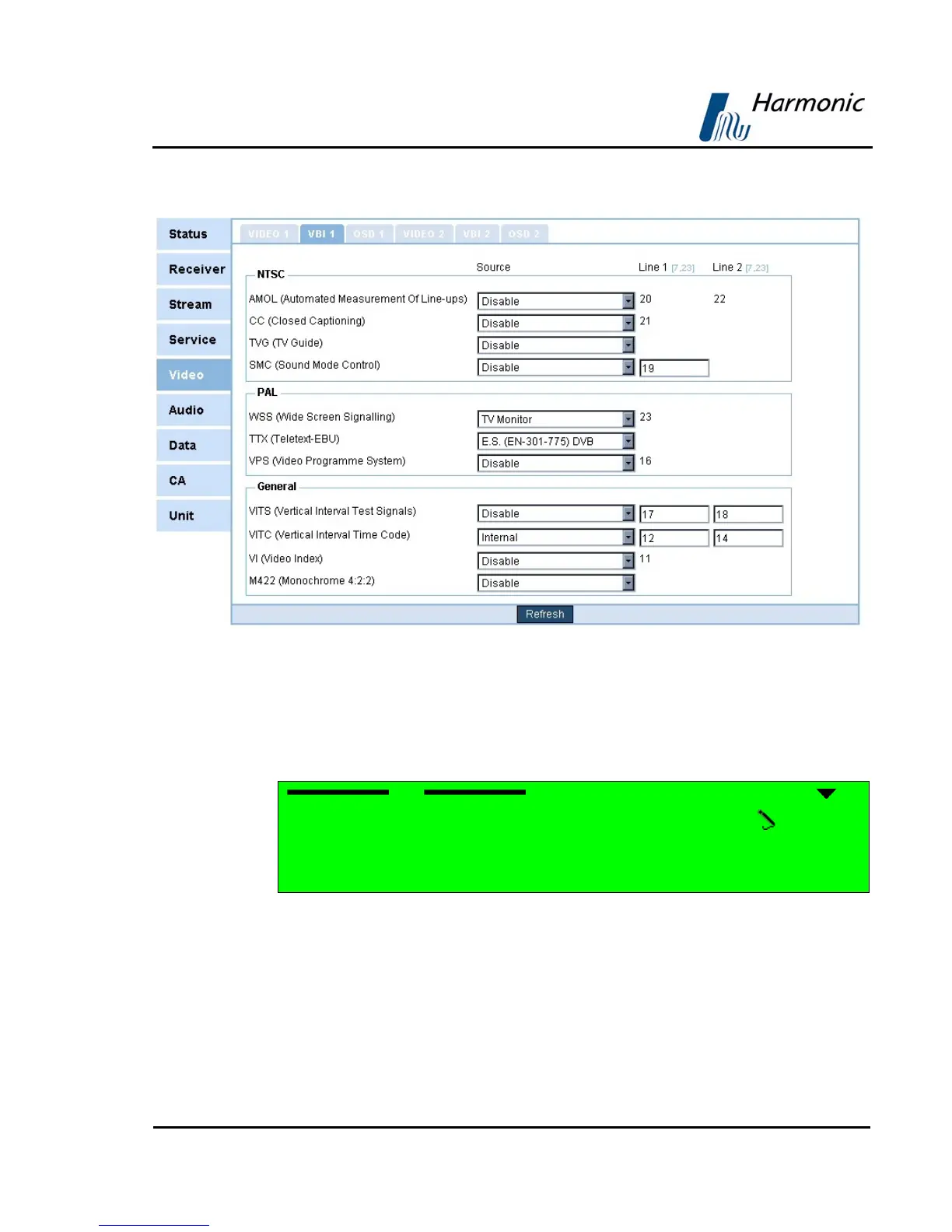
Figure 4-20 displays the corresponding VBI1 Web management screen.
Figure 4-20: VBI 1 Parameters
The following paragraphs describe the VBI Configuration options.
CC (CLOSED CAPTIONING) PARAMETER
Selecting CC (Closed Captioning) displays the following screen:
CC 1-2-4-2-1
1 Source DISABLE
2 Line1 21
The CC screen parameters are:
1 Source –
used for selecting the source of closed captioning data
2 Line1 – This is a read-only parameter (closed captioning data is
automatically re-inserted in line 21).
Selecting Source displays the following screen:



 To Next Page