3Dimensions System User Guide
Chapter 3: System Controls and Indicators
MAN-05085-002 Revision 002 Page 25
DRAFT Preview Copy-Generated May 30, 2018
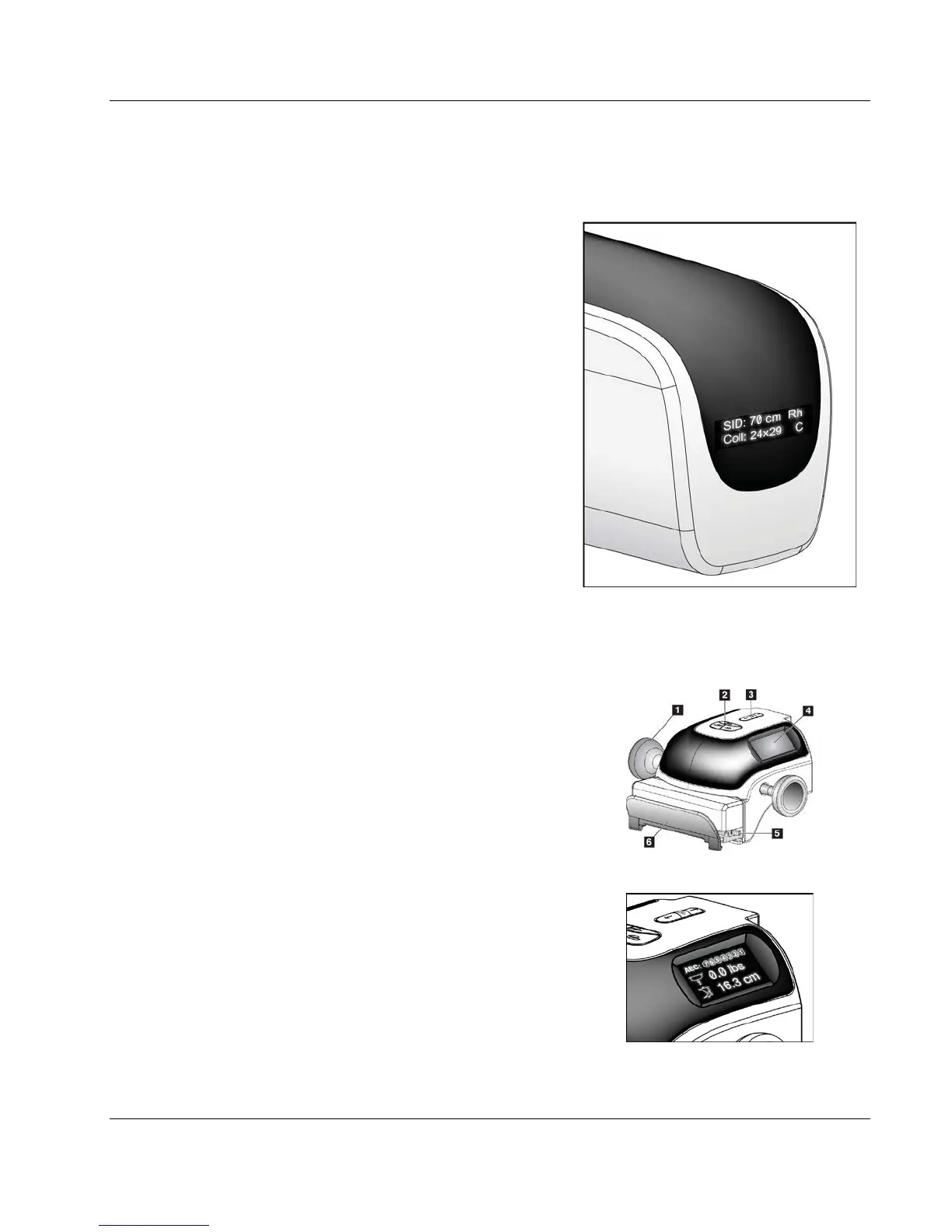
3.2.1 Tubehead Display
The Tubehead Display shows:
x SID
x Filter Type
x Collimator Setting
x Paddle Position
Figure 7: Tubehead Display
3.2.2 Compression Device Controls and Display
Figure Legend
1. Manual Compression Handwheels
2. Paddle Shift Buttons
3. AEC Sensor Buttons
4. Compression Device Display
5. FAST Compression Mode Slide
6. Paddle Clamp
Figure 8: Compression Device
The Compression Device Display shows:
x AEC Sensor Position
x Compression Force (displays 0.0
when force is less than 4 pounds)
x Compression Thickness
x Angle of the C-arm after rotation
(for 5 seconds)
Figure 9: Compression Device Display













 To Next Page