3Dimensions System User Guide
Chapter 5: User Interface
MAN-05085-002 Revision 002 Page 61
DRAFT Preview Copy-Generated May 30, 2018
5.4.6 Edit a View
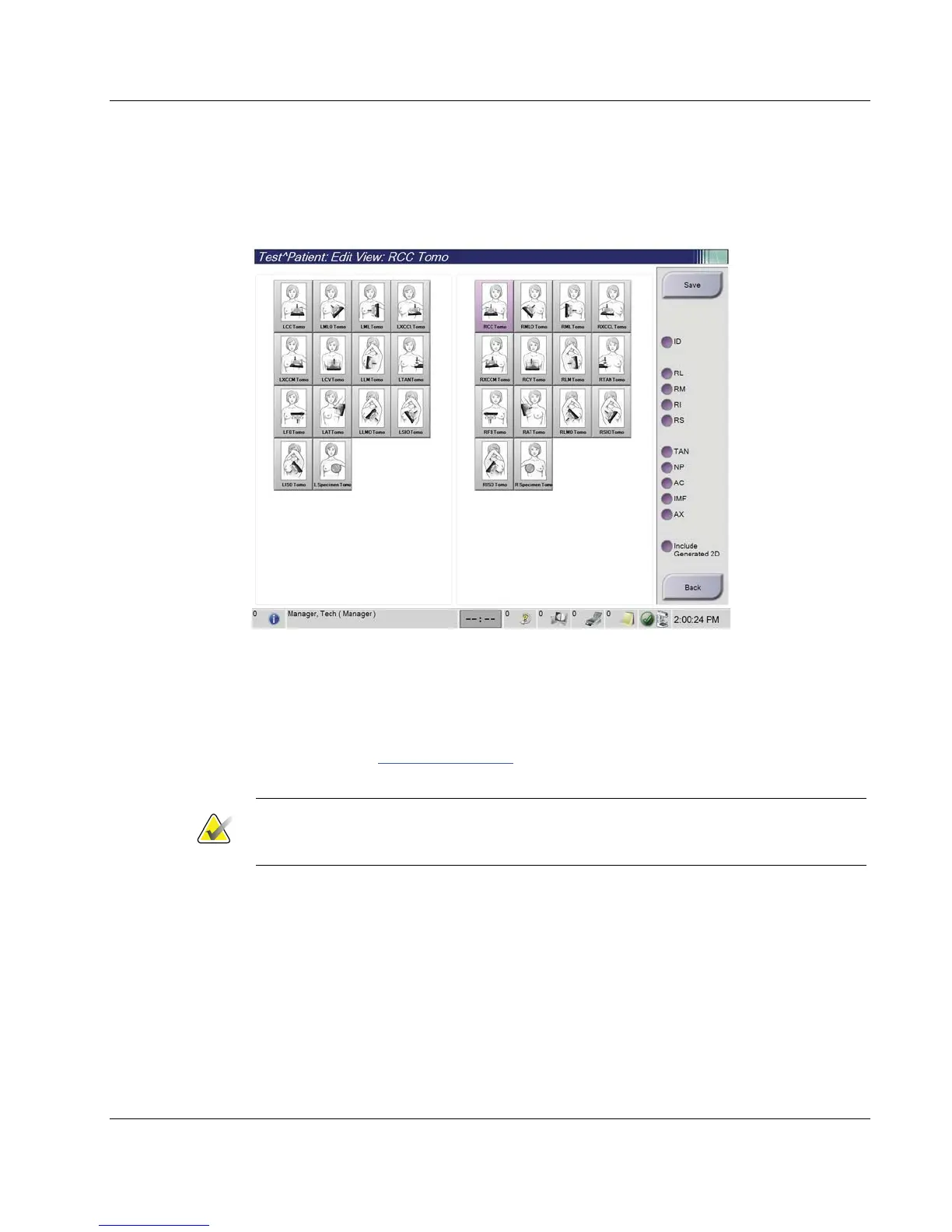
Use the Edit View screen to assign a different view to an image.
Figure 34: Edit View Screen
1. In the Procedure screen, select an exposed thumbnail image view.
2. Select the Edit View button.
3. Select the view from the screen. You can select a maximum of three View Modifiers.
See the figure The Add View Screen on page 60
for a description of the View Modifiers.
4. Select Save, then select OK to the Update Successful message.
Note
The Edit View screen for biopsy procedures shows different View Modifiers. Refer to the
Affirm System User Guide.
5.4.7 Retrieve
Select the Retrieve button to query the configured devices with the current patient
information. The Retrieve button performs the same function as the Query Retrieve
button in the Admin screen.













 To Next Page