3Dimensions System User Guide
Chapter 4: Startup, Functional Tests, and Shutdown
Page 44 MAN-05085-002 Revision 002
DRAFT Preview Copy-Generated May 30, 2018
4.4 Emergency Off Switches Functionality
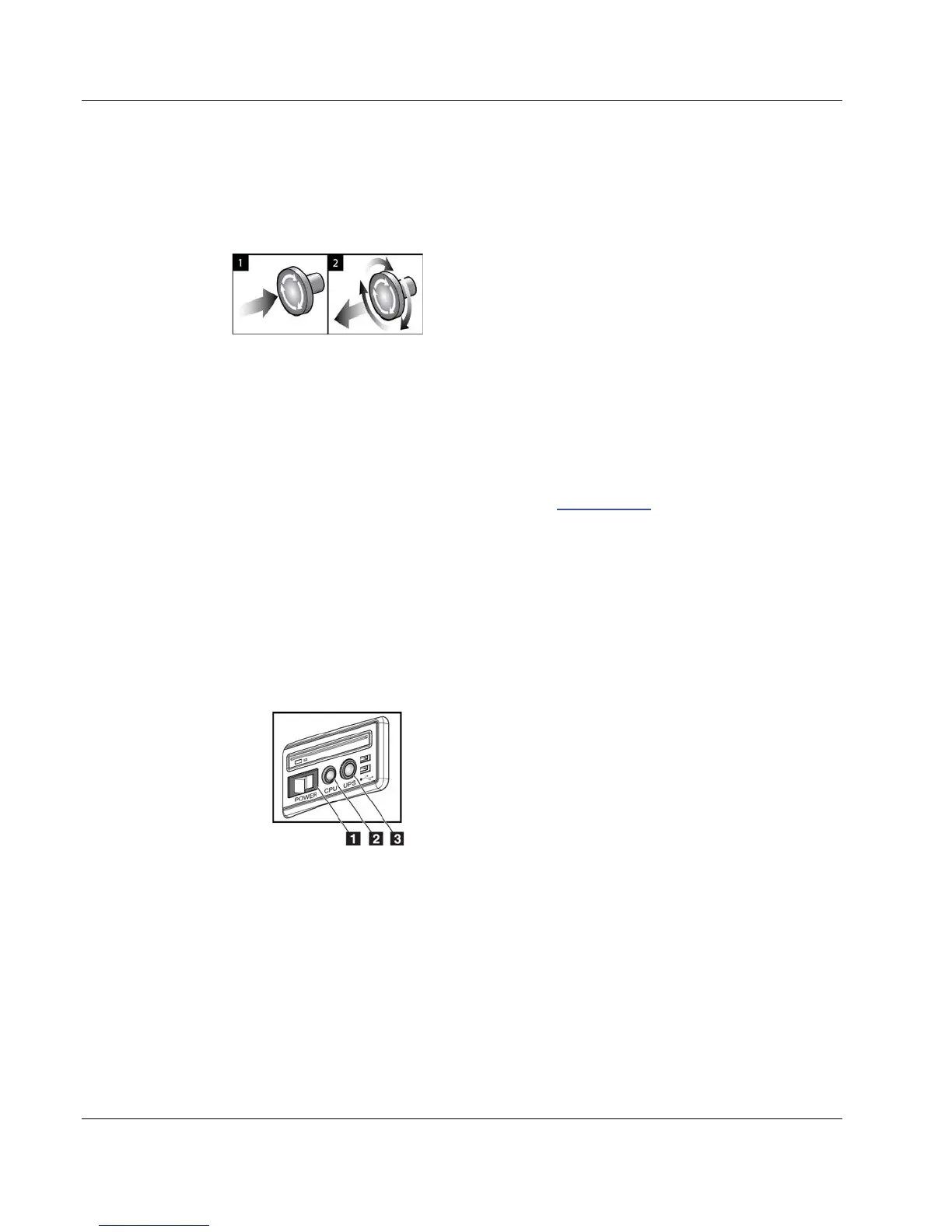
Figure 19: Emergency Off
Switch Functionality
There are three Emergency Off switches, one on each
side of the Gantry and one on the Acquisition
Workstation.
1. To turn Off the Gantry and disable the Acquisition
Workstation Lift Mechanism, press any of the
Emergency Off switches.
2. To reset the Emergency Off switch, turn clockwise
approximately one-quarter turn until the switch
pops back out.
4.5 How to Turn Off the System
1. Close any open patient procedures. Refer to Close a Patient on page 62.
2. From the Select Patient screen, select the Log Out button.
3. From the Startup screen, select the Shutdown button.
4. Select Yes in the confirmation dialog box.
4.6 How to Remove All Power from the System
See the following figure for illustrations of the buttons and switches referenced in the
following procedures.
Figure 20: Universal Acquisition
Workstation Power Buttons
Figure Legend
1. Acquisition Workstation Power Switch
2. Computer Power On/Reset Button
3. UPS Power Button
To remove all power from the system:
1. Turn off the system.
2. If your system includes the UPS, press the UPS button (item 3).
3. Turn OFF the acquisition workstation power switch (item 1).
4. Unplug the acquisition workstation power cable from the AC outlet.
5. Turn OFF the Gantry circuit breaker.
6. Turn OFF the Facility Mains circuit breaker.













 To Next Page