3Dimensions System User Guide
Chapter 5: User Interface
MAN-05085-002 Revision 002 Page 65
DRAFT Preview Copy-Generated May 30, 2018
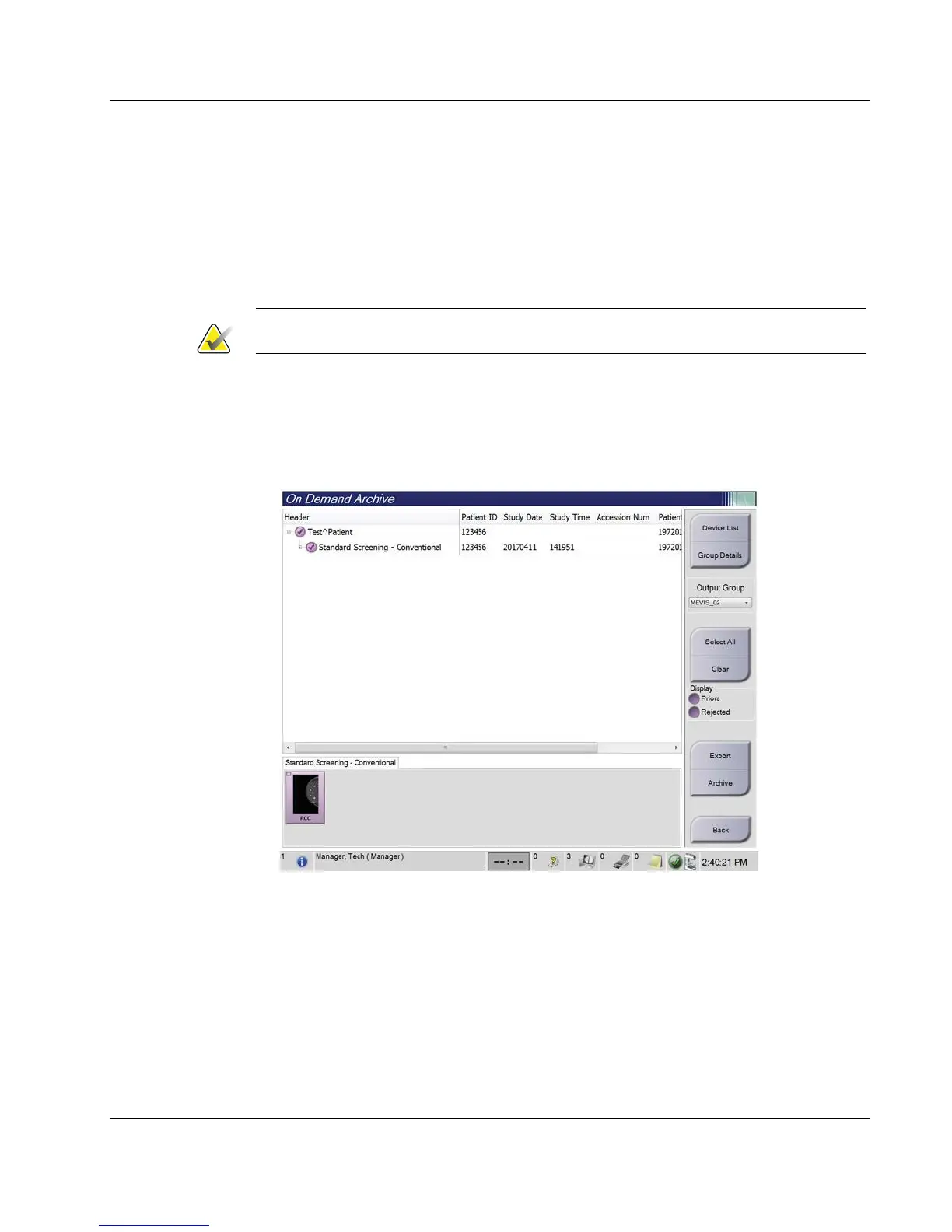
3. Select a storage device:
• Select the Device List button and make your selection from the options in the
Storage Device drop-down menu.
-OR-
• Select an output group from the Output Group drop-down list.
4. Select the Archive button to send the selected images to the selected archive.
Note
Use the Manage Queue utility in the taskbar to review the archive status.
5.7.2 Export
1. Select the Archive/Export button (on the right side of the Procedure screen).
2. Select the images to export, then select the Export button.
Figure 37: Select the Images for Export













 To Next Page