3Dimensions System User Guide
Chapter 5: User Interface
Page 62 MAN-05085-002 Revision 002
DRAFT Preview Copy-Generated May 30, 2018
5.4.8 Close a Patient
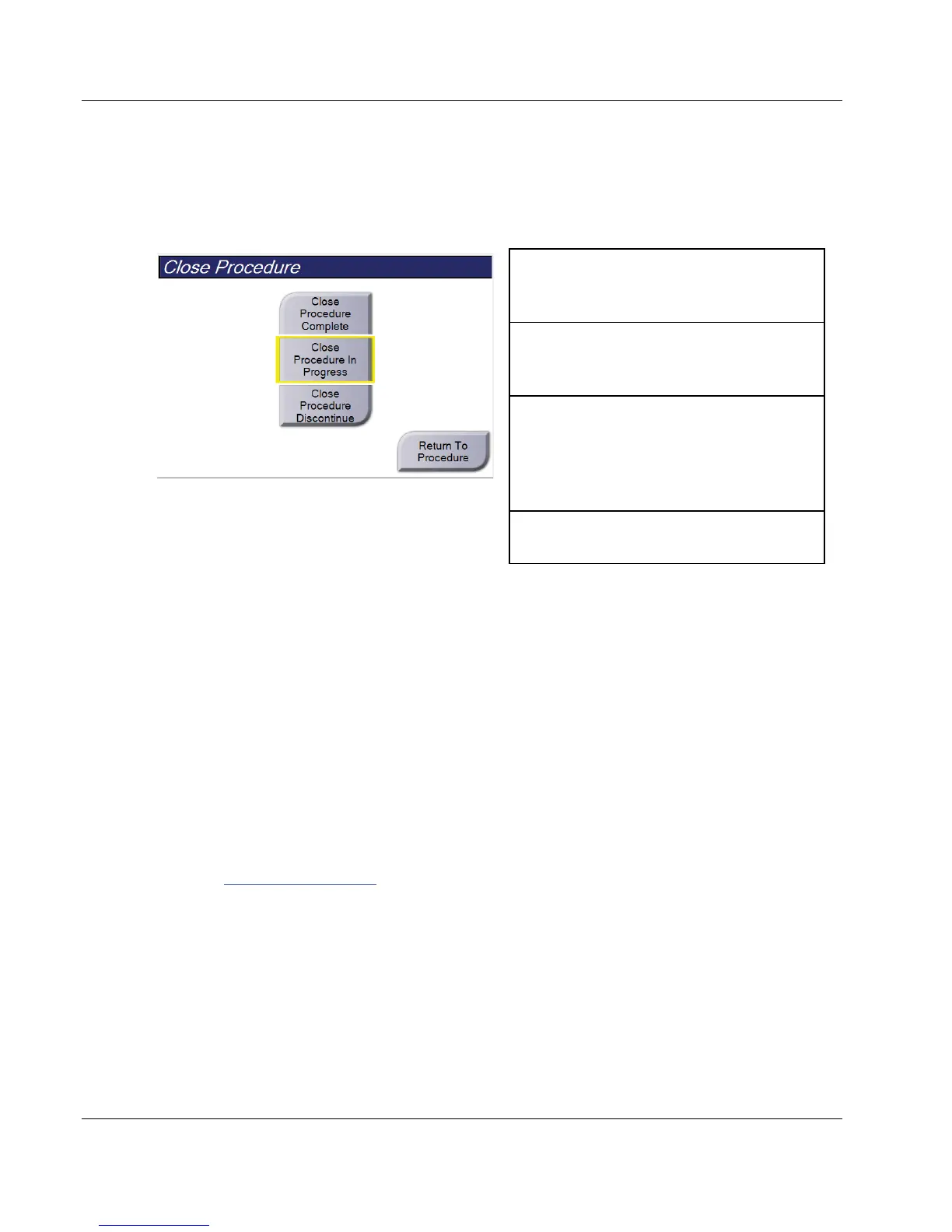
Select the Close Patient button. If images were acquired, a Close Procedure dialog box
opens. Select one of the following options:
Close Procedure Complete: Closes the
procedure and puts the procedure in the
Completed tab.
Close Procedure In Progress: Closes the
procedure and puts the procedure in the In
Progress tab.
Close Procedure Discontinue: Closes the
procedure and puts the procedure in the All
tab. A dialog box opens and you must select
the reason the procedure was discontinued
from a list or add a new reason.
Return To Procedure: Returns to the
procedure.
If there are images marked as Pend, a dialog box opens with the following options:
• Accept All and Close Complete
• Close Procedure In Progress
• Return to Procedure
If MPPS is activated, procedure status information is sent to the output devices when you
select Complete or Discontinue. You can also click and hold the tab above the thumbnail
images to resend a message about the procedure status during the procedure. A
Procedure Action dialog box opens with buttons to resend a status or to return to the
procedure.
5.5 How to Access the Image Review Features
Select the Tools tab on the Procedure screen to access the image review features. Refer to
Image Review Tools Tab on page 75
for information.













 To Next Page