3Dimensions System User Guide
Chapter 6: Images
Page 82 MAN-05085-002 Revision 002
DRAFT Preview Copy-Generated May 30, 2018
6.7.1 How to Configure Contrast Settings
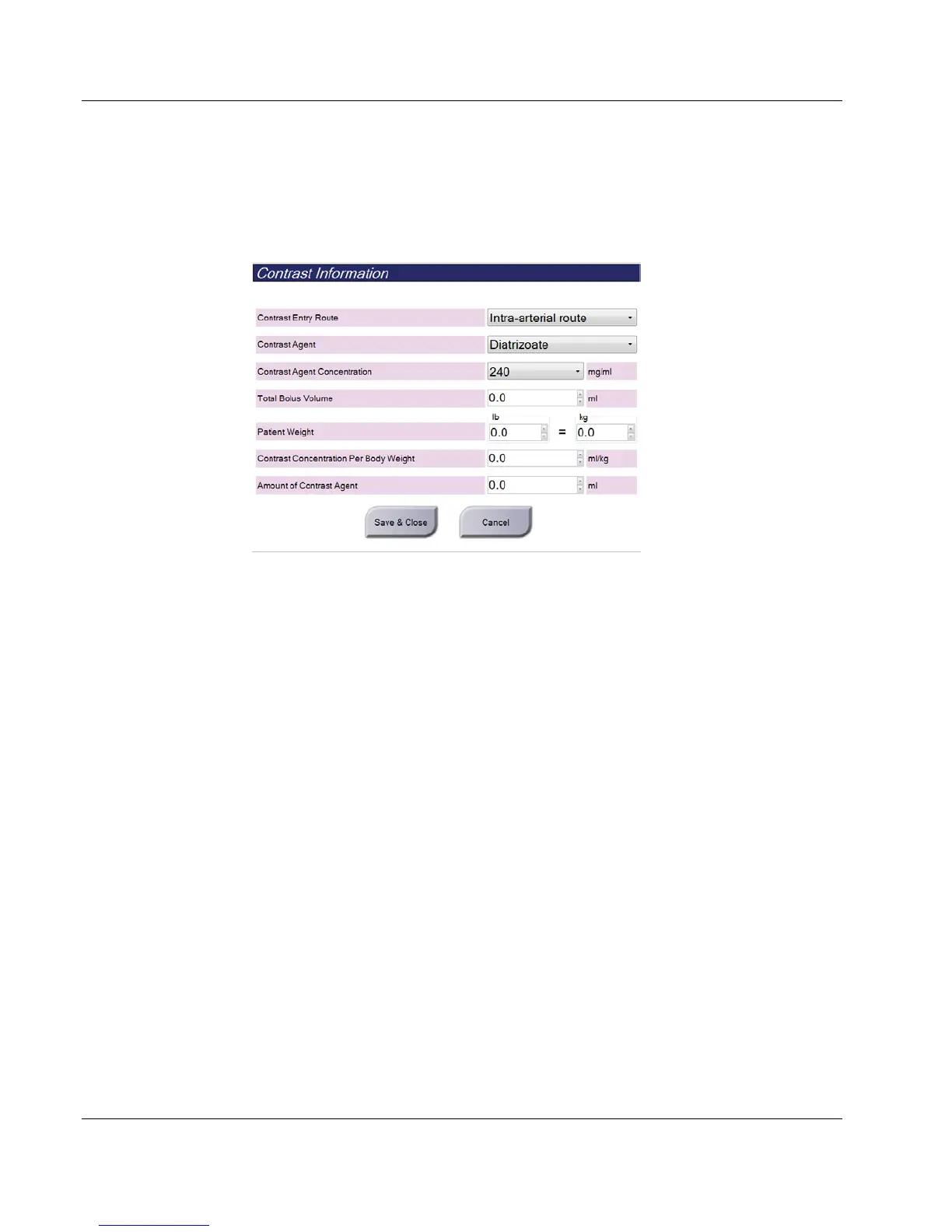
1. From the Contrast tab, select the Configure Contrast button to edit the contrast
settings. The Contrast Information dialog box opens.
Figure 53: I-View 2D Contrast Information
2. Use the drop-down menus to select the appropriate settings.
3. Enter data for the Contrast Concentration Per Body Weight field or the Amount of
Contrast Agent field. The other field automatically populates with the correct
information.
4. Click Save & Close.













 To Next Page