3Dimensions System User Guide
Chapter 5: User Interface
Page 50 MAN-05085-002 Revision 002
DRAFT Preview Copy-Generated May 30, 2018
5.3.1 About the Notices Tab
• After selecting the Notices tab from the Select Patient screen, a list of the Patients with
Notices is shown.
• The default value for the list is patients with Viewed and Unviewed Notices.
• You can change the value to show patients with Viewed Notices or patients with
Unviewed Notices.
• Select Open to access the Procedure screen for the selected patient.
5.3.2 Open a Patient
1. Select a tab to show the desired list of patients.
2. Select a patient from the list. The Open button becomes active.
3. Select Open to access the Procedure screen for that patient.
5.3.3 Add a New Patient
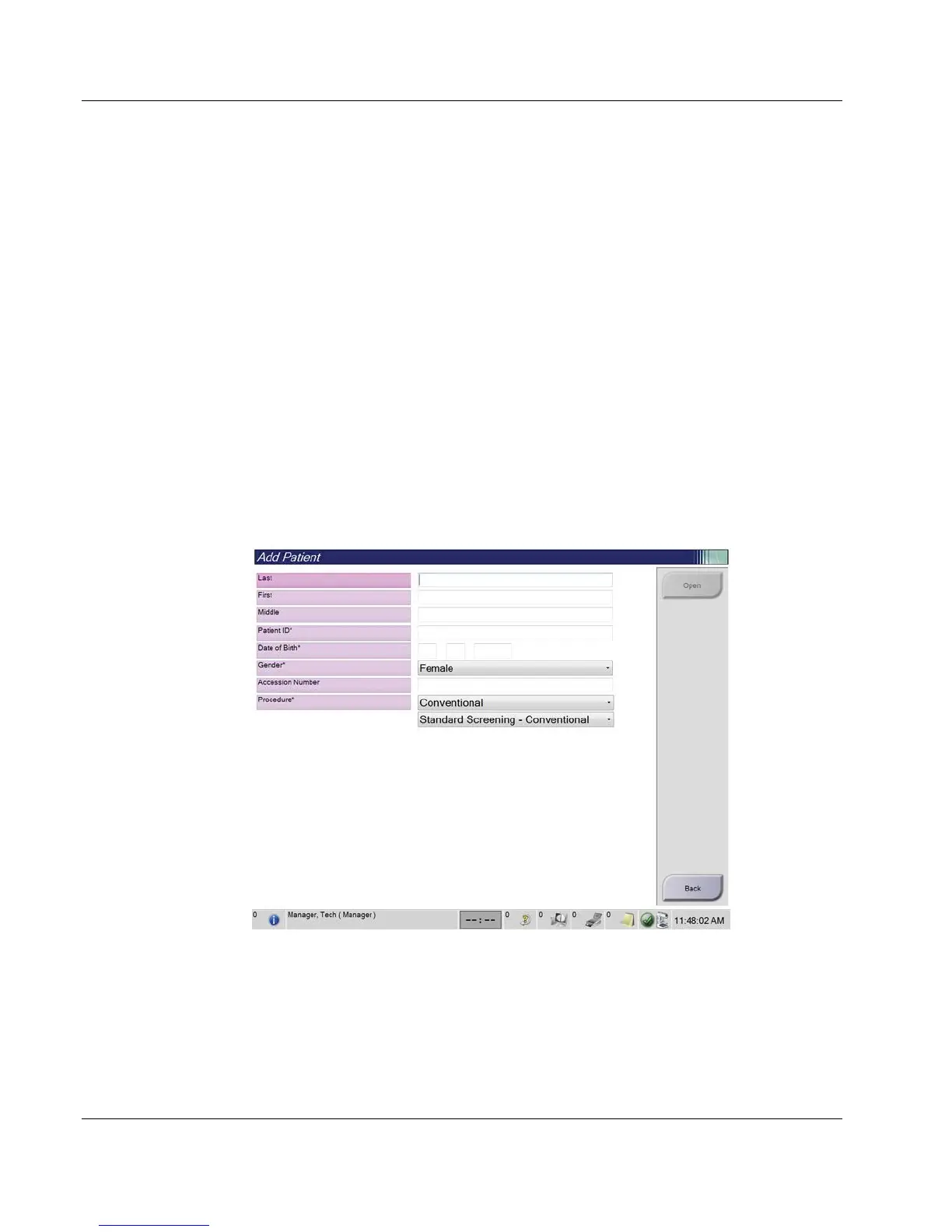
1. In the Select Patient screen, select the New button. The Add Patient screen opens.
Figure 25: Add Patient Screen
2. Enter the new patient information and select a procedure.
3. Select the Open button. The Procedure screen for the new patient opens.













 To Next Page