3Dimensions System User Guide
Chapter 5: User Interface
MAN-05085-002 Revision 002 Page 51
DRAFT Preview Copy-Generated May 30, 2018
5.3.4 Edit the Patient Information
1. In the Select Patient screen, select the patient name then select the Edit button.
2. In the Edit Patient screen, make changes then select the Save button.
3. Select OK to the Update Successful message.
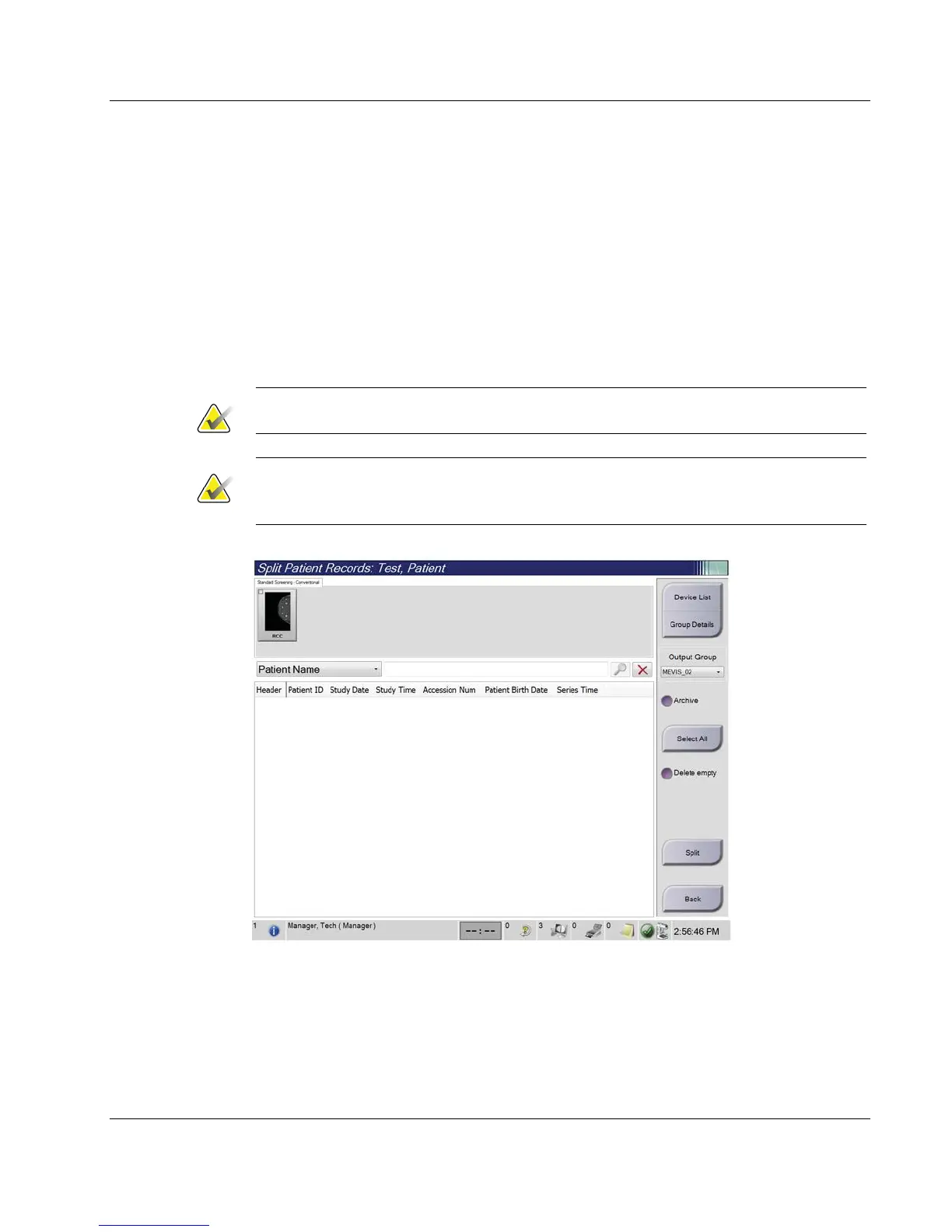
5.3.5 Split the Patient Records
The Split function lets you move images when you acquired the images in the wrong
procedure or the wrong patient.
Note
You cannot split images for protected patients.
Note
Archived patient records still need correction on PACS or other archive systems after
using the Split function.
Figure 26: Split Patient Records Screen
Images Acquired in the Wrong Procedure
1. In the Select Patient screen, select the patient.
2. Select the Split button. The Split Patient Records screen opens.
3. Select the images to move. If all images are being moved, select Select All.













 To Next Page