3Dimensions System User Guide
Chapter 4: Startup, Functional Tests, and Shutdown
Page 36 MAN-05085-002 Revision 002
DRAFT Preview Copy-Generated May 30, 2018
C-Arm Rotation
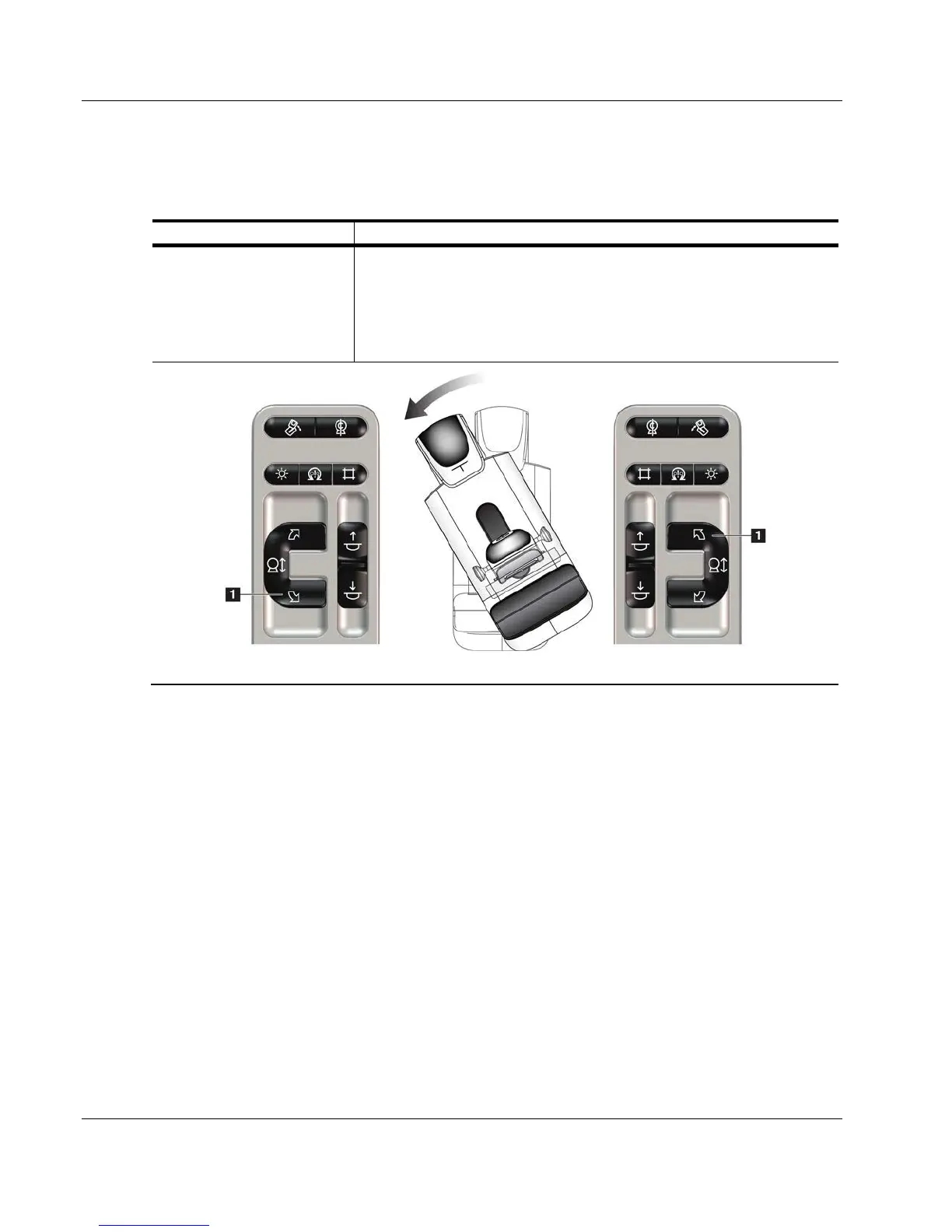
Table 4: C-arm Counterclockwise Rotation
Function Functional Test
Counterclockwise C-arm
Rotation
Press the Counterclockwise C-arm Rotation button (item 1) to start
counterclockwise C-arm rotation. C-arm movement stops when the
switch is released. To fine-tune the C-arm rotation in one degree
segments, hold the button down for a second, then let go quickly.
Repeat as necessary.
Left Panel Right Panel













 To Next Page