3Dimensions System User Guide
Chapter 5: User Interface
MAN-05085-002 Revision 002 Page 47
DRAFT Preview Copy-Generated May 30, 2018
Table 12: Taskbar Menus
Description Menu
4
Notices Icon
Select the Notice icon to display the Patients with Unviewed Notices
screen. The number on the icon shows the number of patients with
Unviewed Notices.
5
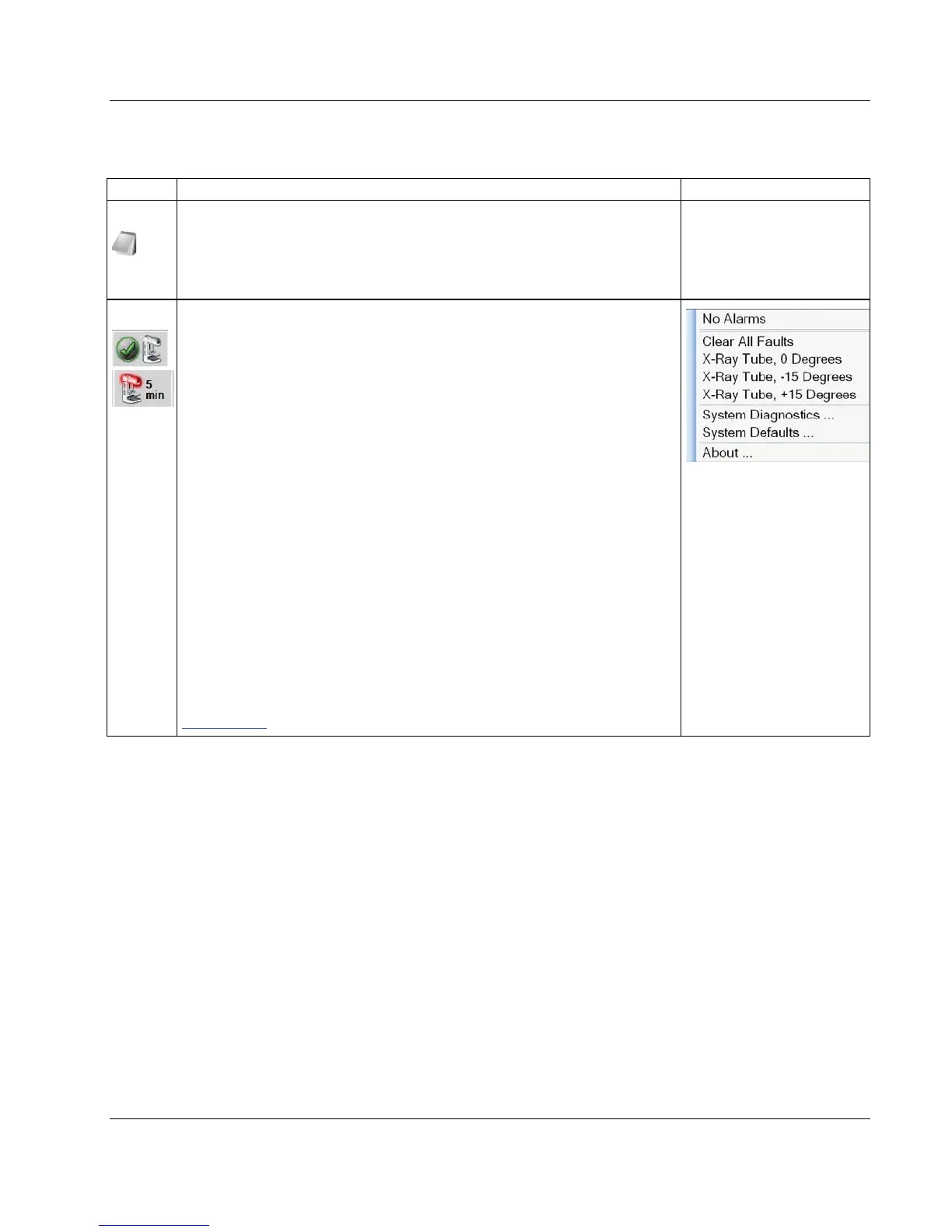
System Status Icons
Select the Tubehead icon to display a menu. When the detector and
generator are ready for use, a green checkmark appears next to the
tubehead icon. If the Tubehead icon is red with a number next to it, the
system needs to wait the number of minutes shown before the next
image can safely be taken.
Clear All Faults deletes all fault messages.
X-ray Tube, 0 Degrees puts the tubehead at zero degrees of rotation for
the next exposure.
X-ray Tube, -15 Degrees puts the tubehead at -15 degrees of rotation
for an exposure.
X-ray Tube, +15 Degrees puts the tubehead at +15 degrees of rotation
for an exposure.
System Diagnostics accesses Subsystem settings.
System Defaults opens the Gantry Defaults screen to set the
Compression and Generator default values.
About displays information about the Acquisition Workstation (refer to
About Screen on page 113).













 To Next Page