26 P/N MAN-01964 Revision 001
DRAFT Preview copy—Generated 7/9/2010
User Manual
Chapter 3—The User Interface
How to Perform the Quality Control Tasks
2.0 How to Perform the Quality Control Tasks
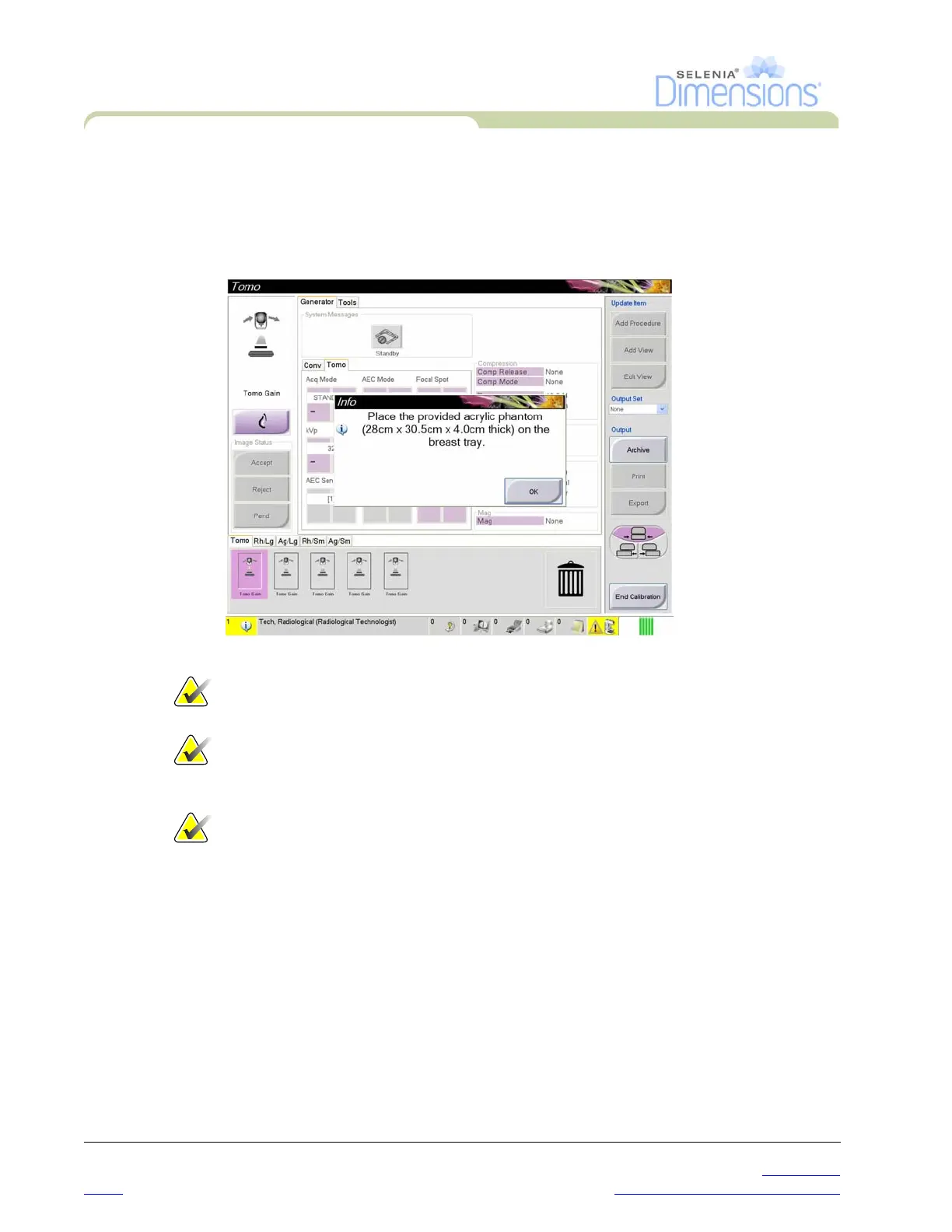
1. Select a Quality Control task from the Select Function to Perform screen.
2. Select the Start button.
3. Follow the on-screen prompts to complete the procedure.
Figure 3-2: An Example Gain Calibration Screen
Note… When the Start button is not enabled for a Quality Control task, select
the Mark Completed button.
Note… You can perform required Quality Control tasks at another time. Select
the Admin button (on the Select Patient screen). Select the Quality
Control button on the Admin screen to display the list.
Note… If a calibration is scheduled on the current date, you can not perform a
procedure until the calibration is completed.




 To Next Page