28 P/N MAN-01964 Revision 001
DRAFT Preview copy—Generated 7/9/2010
User Manual
Chapter 3—The User Interface
How to Select a Patient
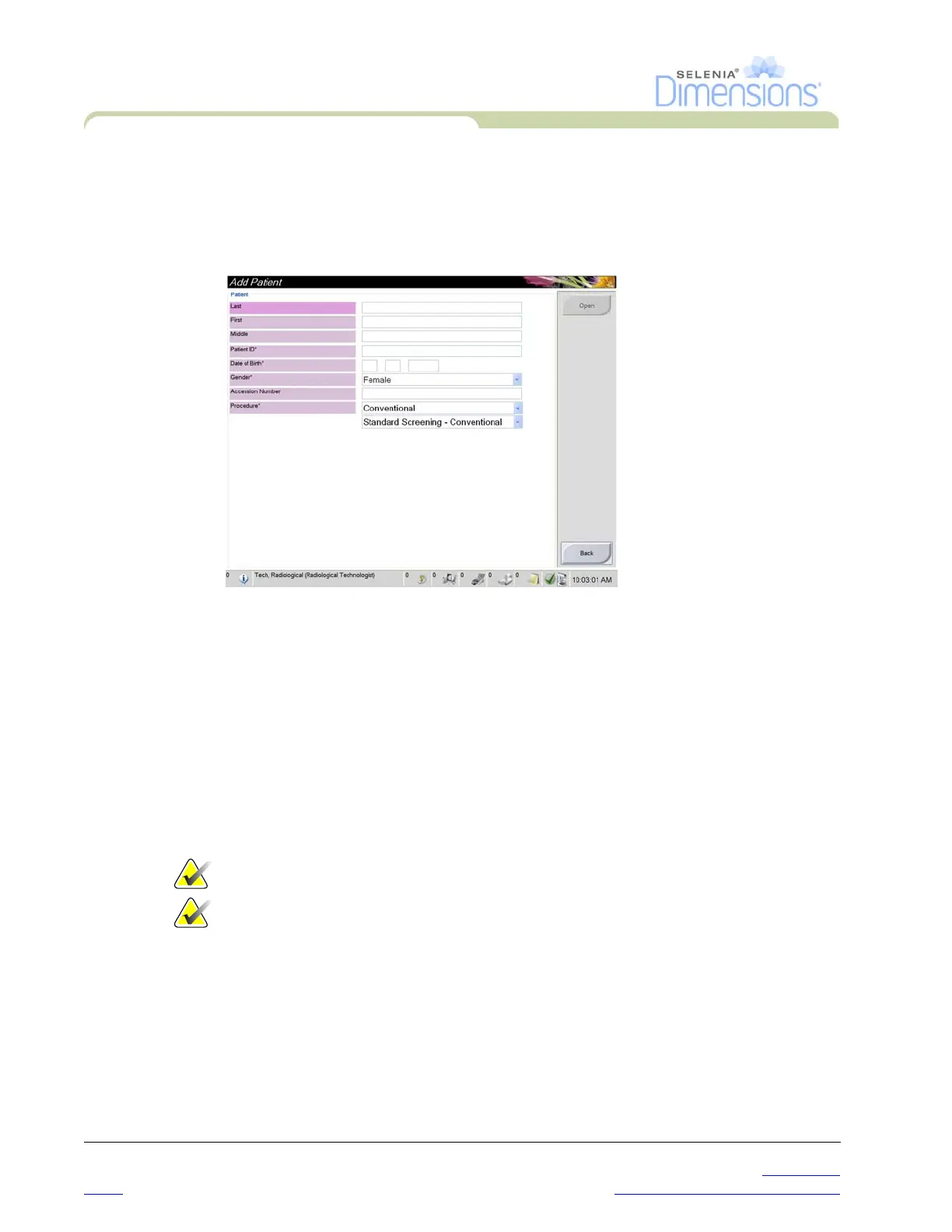
3.2 How to Add a New Patient
1. In the Select Patient screen, select the New button.
2. Enter new patient information and select a procedure.
3. Select the Open button. A screen for the new patient information appears.
Figure 3-4: How to Add a New Patient
3.3 How to Edit the Patient Information
1. In the Select Patient screen, select the patient name then select the Edit button.
2. In the Edit Patient screen, make changes then select the Save button.
3. When the Update Successful screen displays, select the OK button.
3.4 How to Delete a Patient
1. In the Select Patient screen, select one or more patients.
2. Select the Delete button.
3. To the Confirmation Required prompt, select Yes.
Note… The Technologists do not have the user permission to delete patients.
Note… Reclamation normally removes the requirement to delete patients.













 To Next Page