82 P/N MAN-01964 Revision 001
DRAFT Preview copy—Generated 7/9/2010
User Manual
Appendix B—The System Messages and Alert Messages
Types of Messages and Alert messages
2.2 System Messages
When the following system messages appear, perform the action indicated to clear the
message and allow the next exposure.
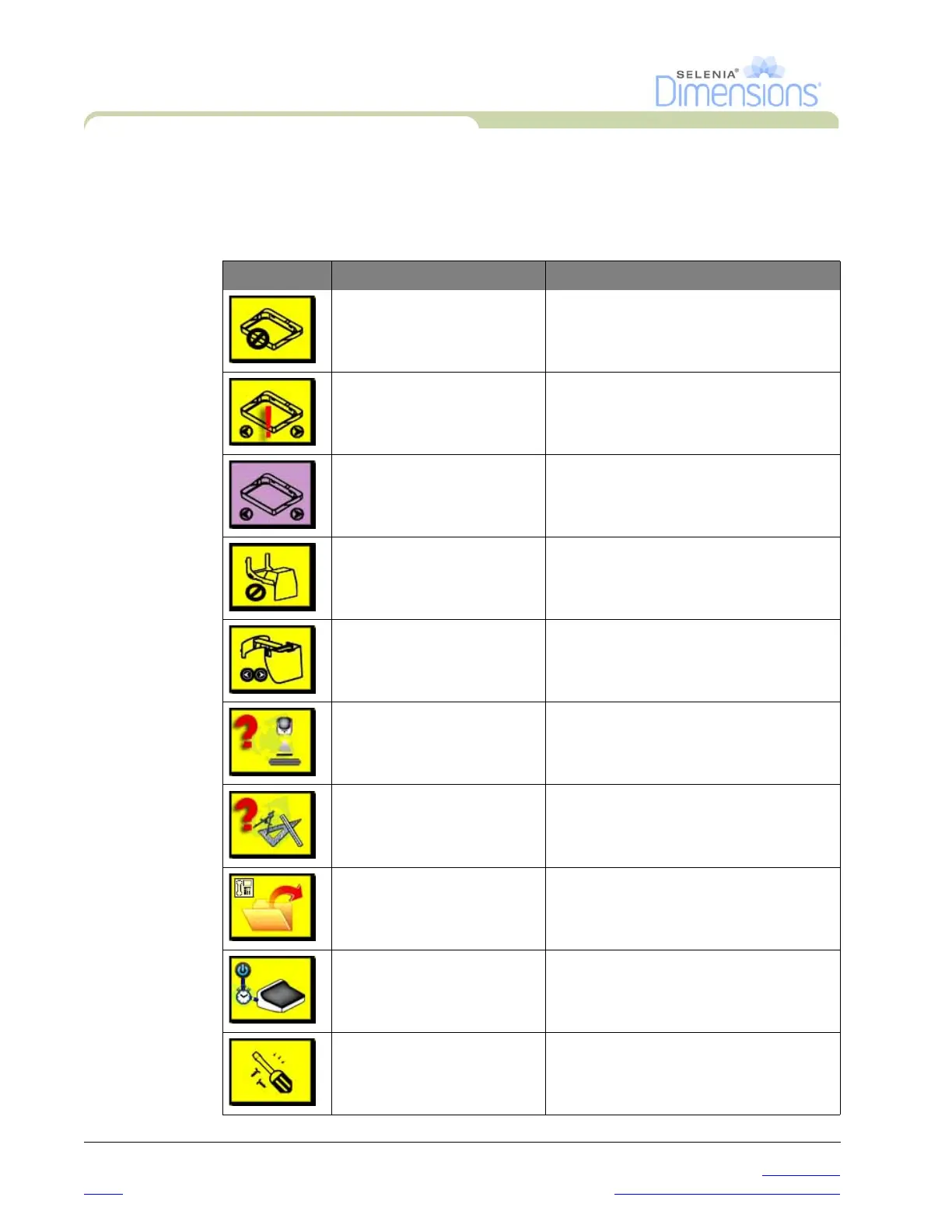
Table B-1: System Messages
Icon Message User Action
Invalid use of compression
paddle.
Remove the Mag Stand or install the Mag
Paddle.
Paddle position does not
match selected view
Shift the Paddle to the correct position for
the selected view.
Paddle is moving There is no action required.
Invalid use of magnification
platform
You selected a Tomo view with the Mag
Stand installed. Select a non-Tomo view.
(Tomosynthesis option)
Face shield is not secured Completely extend or completely retract
the Face Shield (Tomosynthesis option).
Invalid detector calibration Install the Mag Stand for Small Focal Spot
calibration. Remove the Mag Stand to do
Large Focal Spot calibration.
Invalid geometry calibration Repeat the geometry calibration before
you try to take the next exposure
(Tomosynthesis option).
Configuration file is missing Applies to Service Personnel.
Waiting for Detector There is no action required.
System in Test Mode Applies to Service Personnel.













 To Next Page