P/N MAN-01964 Revision 001 29
DRAFT
Preview copy—Generated 7/9/2010
User Manual
Chapter 3—The User Interface
How to Select a Patient
3.5 How to Use a Patient Filter
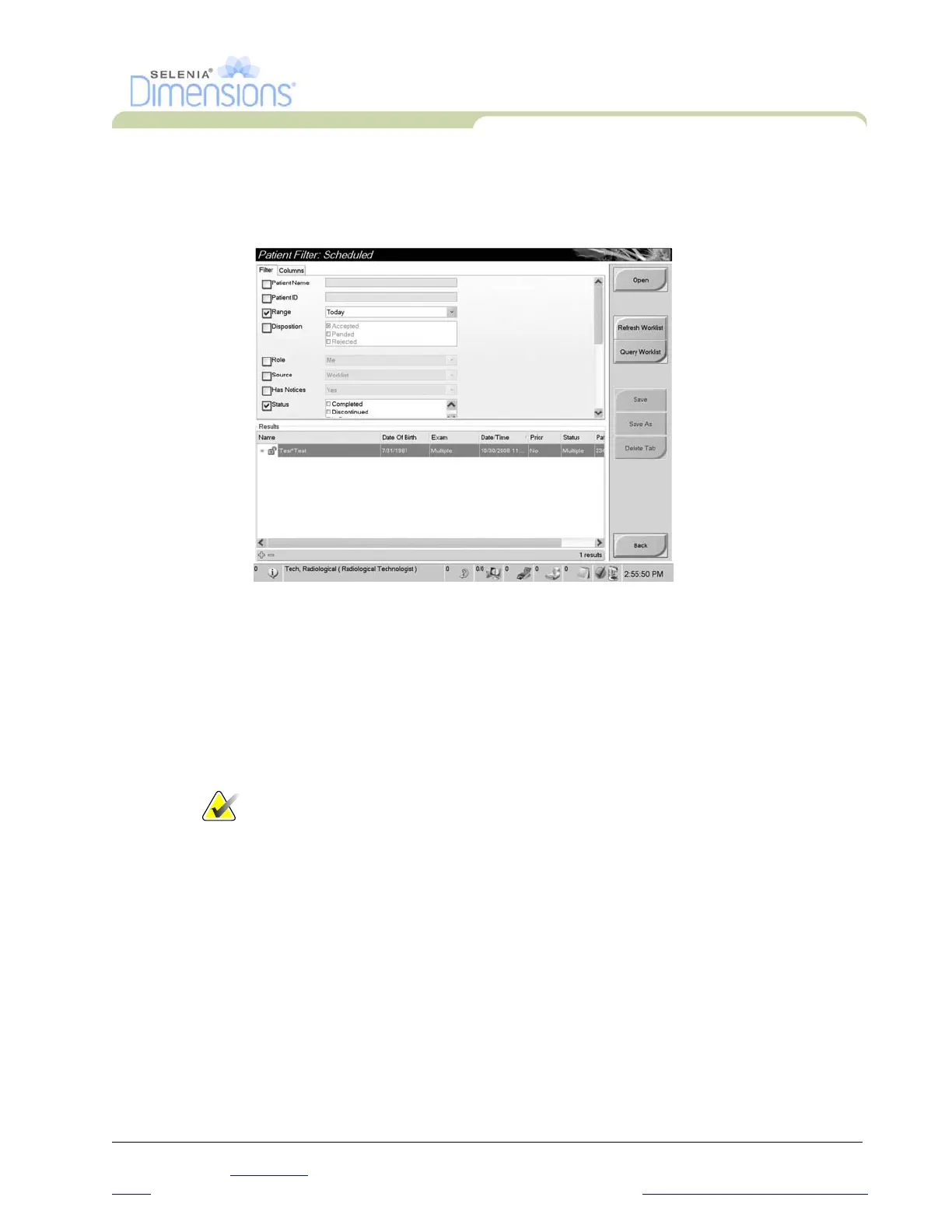
When you select the Filter button in the Select Patient screen, the Patient Filter screen for the
selected tab appears. See Figure 3-5.
Figure 3-5: The Filter Tab in the Patient Filter Screen
From the Filter and Column tabs, select the information that appears on the selected tab page
of the Select a Patient screen.
• The Filter tab accesses the parameters that select the patients who appear on the selected
tab page.
• The Columns tab adds or removes columns on the selected tab page.
• Select a line in the Results list to activate the Open button. When you select the Open
button, the Procedure screen for that patient appears.
Note… Your logon permissions can allow you to add, change or delete the tabs
on the Select a Patient screen from the Patient Filter screen.
The Save button changes the name of the selected tab.
The Save As button creates a new tab.
The Delete button deletes the selected tab.
3.6 How to Refresh the Worklist
Select the Refresh Worklist button to update the screen.













 To Next Page