70 P/N MAN-01964 Revision 001
DRAFT Preview copy—Generated 7/9/2010
User Manual
Chapter 8—System Administration Interface
How to Use the System Tools
2.0 How to Use the System Tools
The Radiologic Technologist Managers and users with Service permissions can access the
Service Tools function. The Service Tools function contains the configuration information
about Selenia Dimensions.
2.1 The Radiologic Technologist Manager
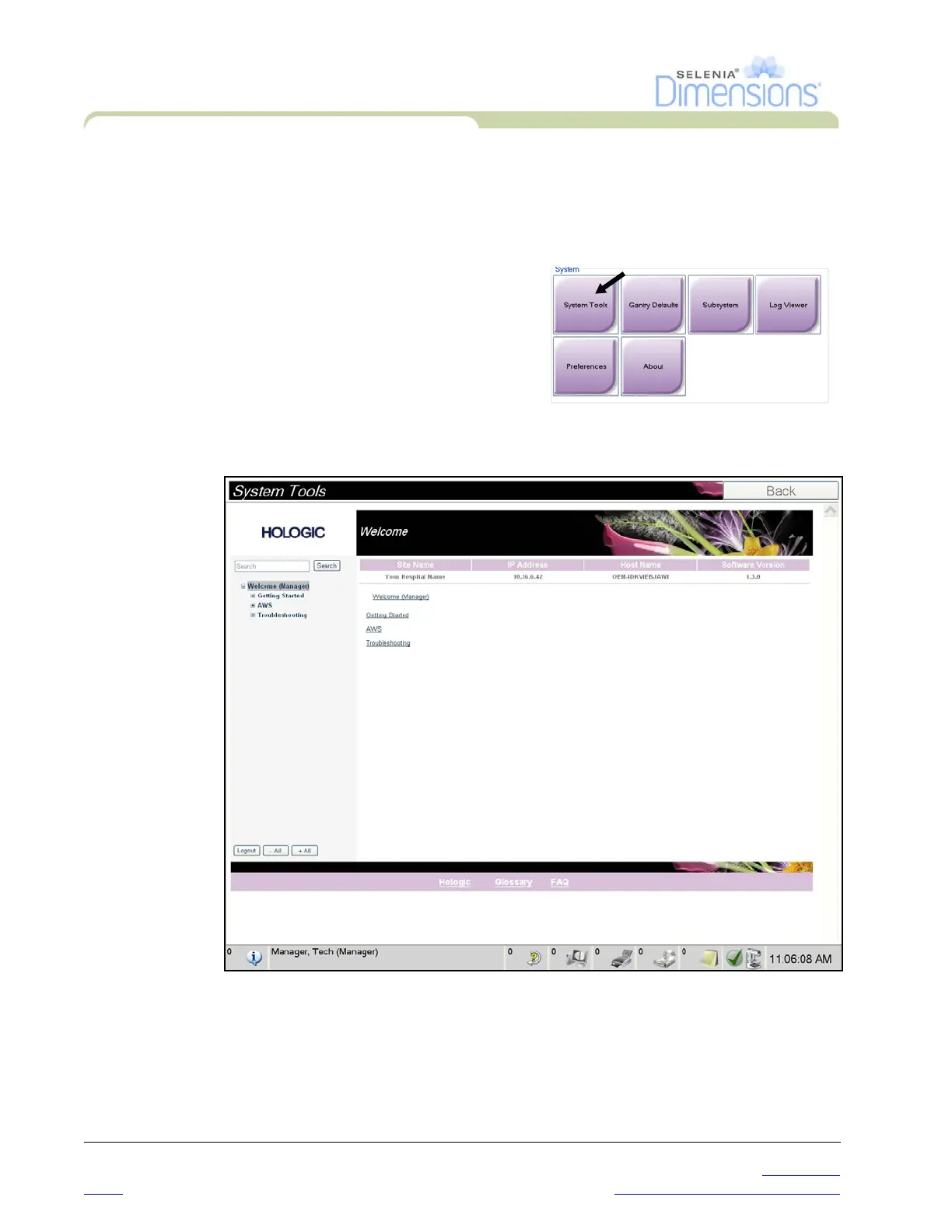
To access the Service Tools function:
1. Log on as the Tech Manager or Service.
2. When the Select Function to Perform
screen appears, select the Admin button.
3. From the System area of the Admin
screen, select System Tools.













 To Next Page