P/N MAN-01964 Revision 001 65
DRAFT
Preview copy—Generated 7/9/2010
User Manual
Chapter 7—Maintenance and Cleaning
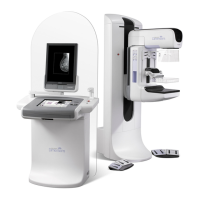
Acquisition Workstation
2.0 Acquisition Workstation
2.1 How to Clean the Preview Display
• If you touch the display area, you will leave prints.
• Be careful when you clean the outer surface of the screen.
• Always use a clean, soft, lint-free cloth to clean the display area. Microfiber cloths,
available at most camera stores, are recommended.
• Strong chemicals and abrasives can damage the display.
• Never use a spray or flow a liquid on the display.
• Never apply any pressure to the display area.
• Never use a detergent with fluorides, ammonia, alcohol, or abrasives.
• Never use any bleach.
• Never use any steel wool.
• Never use a sponge with abrasives.
There are many commercially available products to clean LCD displays. Any of the products
free of the ingredients described above and used according to the directions of the
manufacturer can be used.
2.2 How to Clean the Touchscreen Display
Use a window or glass cleaning product to clean the Touchscreen display. Apply the product
to a cloth, then clean the Touchscreen display. Do not apply the product to the display
without the cloth.
2.3 How to Clean the Keyboard
Clean the key surfaces with a CRT wipe. If necessary, clean the keyboard with a vacuum. If
liquids enter the keyboard, call the Hologic Technical Support for a replacement.
2.4 How to Clean the Fingerprint Reader
Caution: To protect the Fingerprint Reader:
To clean the Fingerprint Reader window, do one of the following:
• Apply the adhesive side of cellophane tape, then remove the tape.
• Apply a product with ammonia base to a cloth, and clean the Fingerprint Reader
window.
• Do not apply any liquid product directly on the Fingerprint Reader
window.
• Do not use products that contain alcohol.
• Never put the Fingerprint Reader under liquid.
• Never apply any pressure to the Fingerprint Reader window with
abrasive material.
• Do not push the Fingerprint Reader window.




 To Next Page