P/N MAN-01964 Revision 001 31
DRAFT
Preview copy—Generated 7/9/2010
User Manual
Chapter 3—The User Interface
The Procedure Screen
4.0 The Procedure Screen
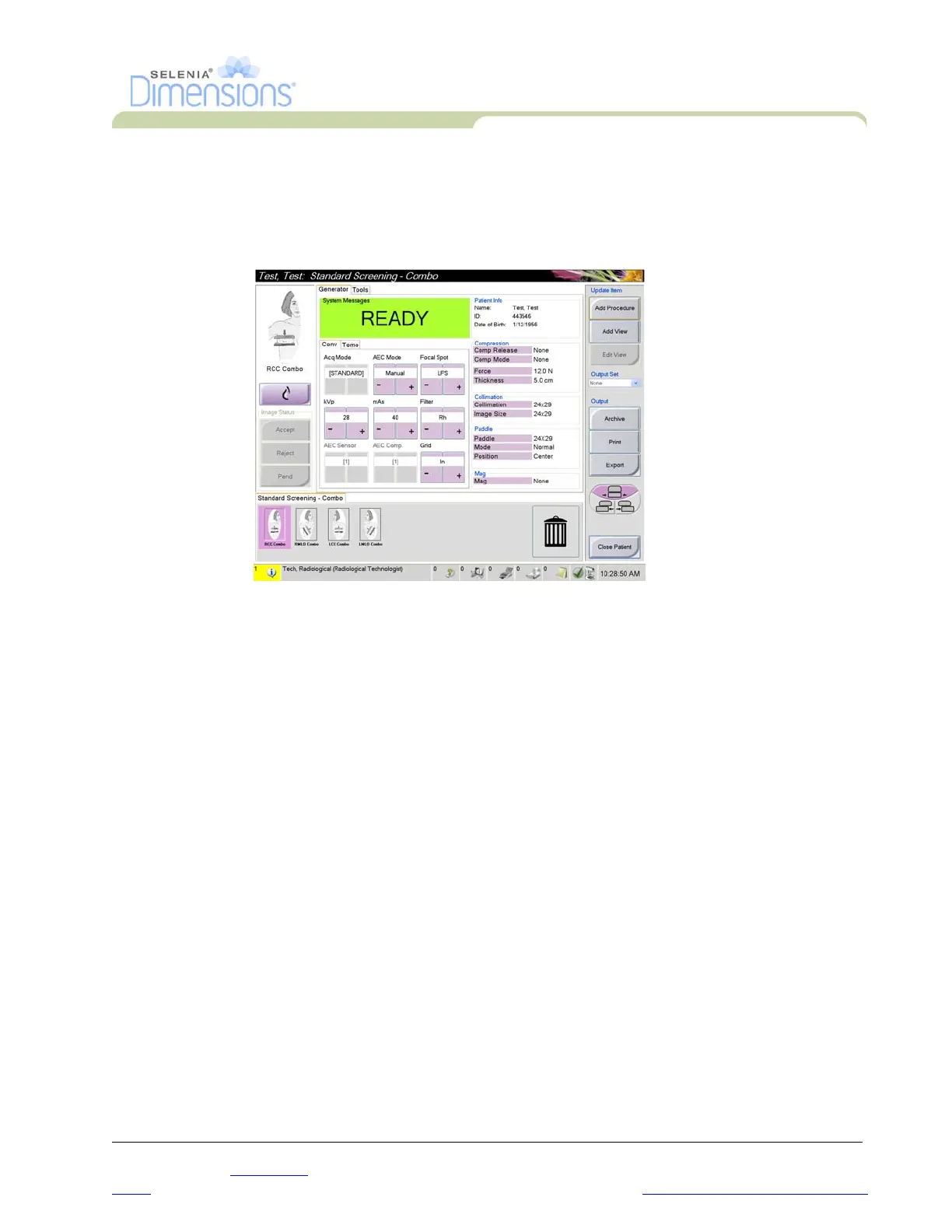
Select the Generator tab (at the top of the screen on the left side) to adjust the exposure
techniques for the procedure. Select the options in the Tools tab (at the top of the screen on
the left side) for image review (see Chapter 4, Section 2.0, page 42).
Figure 3-6: An Example Generator Tab in the Procedure Screen
4.1 How to Set the Exposure Parameters
4.1.1 Select the Image Acquisition Mode (Tomosynthesis option)
4.1.2 Select the Exposure Mode
Use the Automatic Exposure Control modes (AEC) to let the system control the
exposure techniques.
• Standard For routine Tomosynthesis screening procedures
• Enhanced For diagnostic views. This mode increases the patient dose.
• Manual The user selects the kV, mAs, Focal Spot, and Filter.
• AEC: Auto-Time The user selects the kV, Focal Spot, and Filter. The system
selects the mAs.
• AEC: Auto-kV The user selects the Focal Spot. The system selects the kV,
mAs, and Filter (Rhodium).
• AEC: Auto-Filter The user selects the Focal Spot. The system selects the kV,
mAs, and Filter.













 To Next Page