44 P/N MAN-01964 Revision 001
DRAFT Preview copy—Generated 7/9/2010
User Manual
Chapter 4—The Images
How to Review the Images
2.2 Other Image Review Tools
2.2.1 The Image Review Tabs
Each tab provides additional image review functions.
Figure 4-5: Image Review Tabs
• Cine: Show a series of images as a movie (Tomosynthesis option).
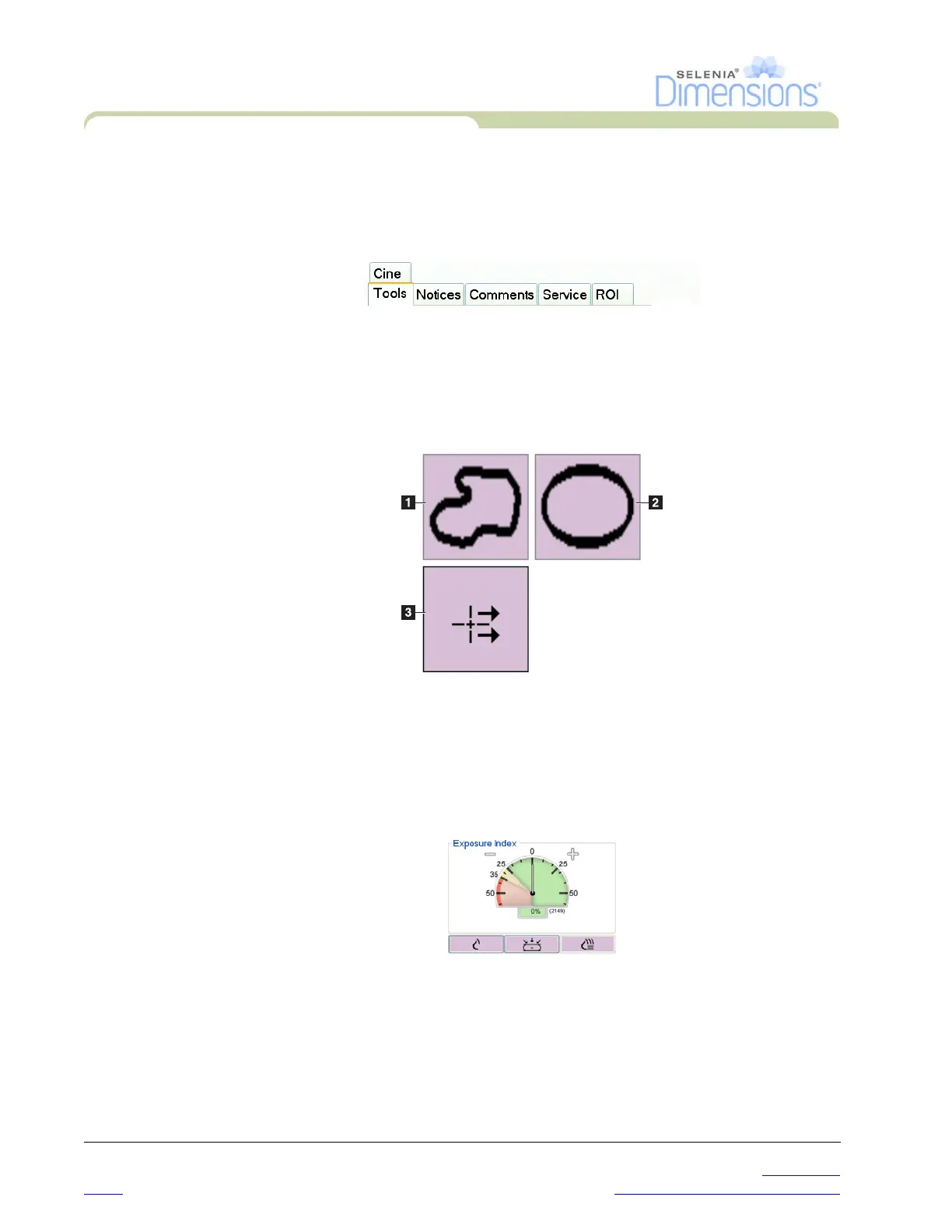
• Notices: Make annotations about the image. Use the Draw or Elliptical button
(Numbers 1 and 2) in Figure 4-6 to mark the area of interest. Use the Arrow
button (Number 3) to send the annotation as a Notice.
Figure 4-6: Icons Available on the Notices Tab
• Comments: Add comments.
• Service:
Mark an image for service use.
• ROI: Draw a Region of Interest on the image display.
2.2.2 The Exposure Index
Figure 4-7: The Exposure Index
The Exposure Index is an image quality guide. When the Exposure Index indicates
the red or yellow area, review the selected image for noise and make a decision
about a retake.













 To Next Page