P/N MAN-01964 Revision 001 57
DRAFT
Preview copy—Generated 7/9/2010
User Manual
Chapter 5—How to Use the Accessories
Crosshair Devices
6.3 How to Install and Remove the Magnification Crosshair Device
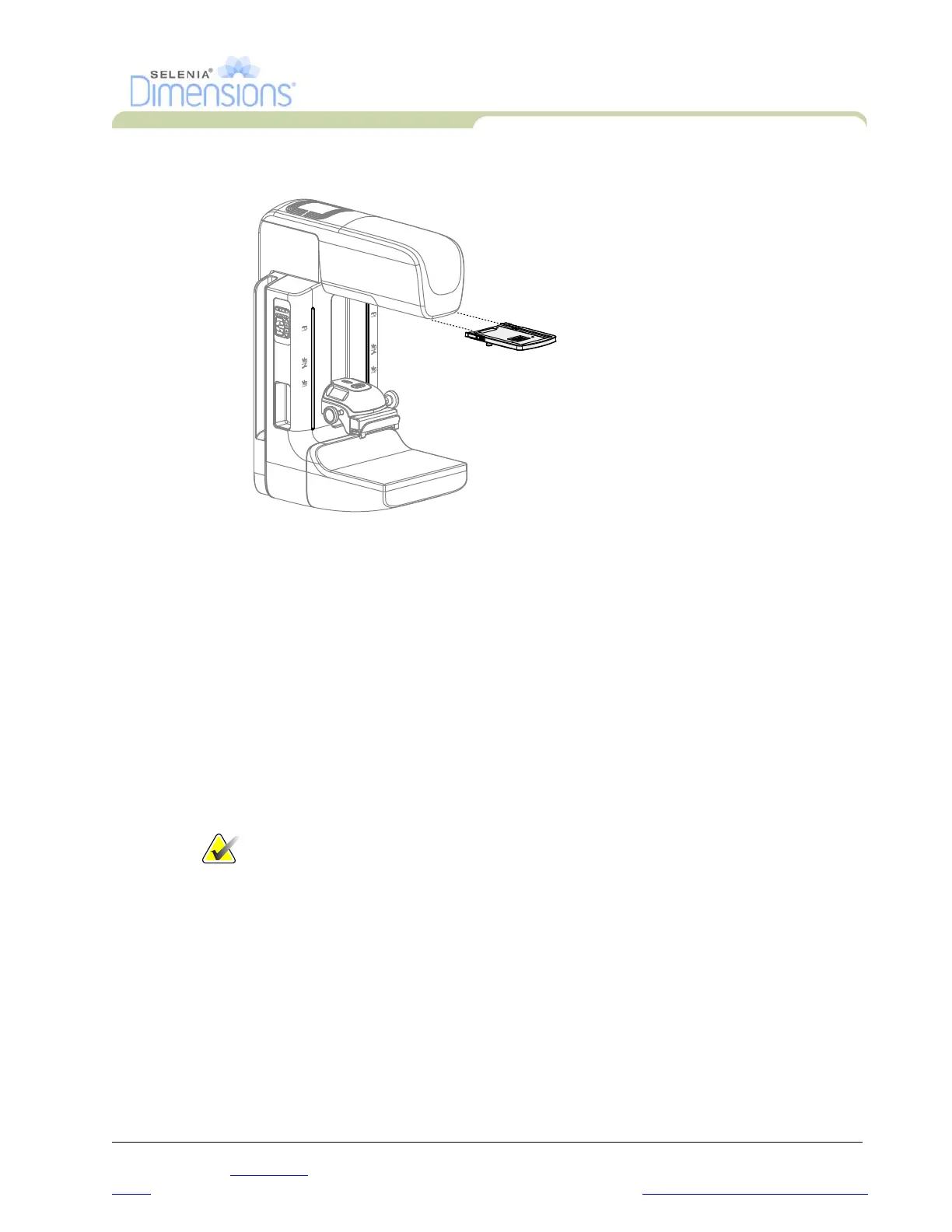
Figure 5-11: How to Install and Remove the Magnification Crosshair Device
6.3.1 To install the Magnification Crosshair Device
1. Remove the face shield (see Section 3.1, page 48).
2. Align the Magnification Crosshair Device with the tubehead.
3. Slide the crosshair device on the rails on each side of the tubehead that are used
by the Conventional Face Shield. Make sure the device locks into position.
4. Install the remaining magnification devices.
6.3.2 To remove the Magnification Crosshair Device
1. Hold the sides of the device.
2. Pull the device toward you and remove from the tubehead.
6.4 How to Align the Crosshair Device
Note… If the crosshair light rectangle appears skewed to the opening in the
paddle, perform this alignment procedure.
1. Install the rectangular localization paddle.
2. Loosen the adjustment lock screw on the bottom of the Crosshair Device.
3. Put a piece of white paper on the image receptor to make the shadows of the crosshairs
easier to see.
4. Move the localization paddle approximately 6 cm above the image receptor.
5. Turn on the light field.
6. Rotate the Crosshair Device until the rectangle of light aligns with the opening in the
localization paddle.
7. Tighten the adjustment screw.













 To Next Page