USER INTERFACE
6.38
ThinPrep™ 5000 Processor with AutoLoader Operator’s Manual
Set the Configure Barcodes settings and other System Settings, such as instrument name, lab name,
and the date, before designing the slide labels. The Design Labels feature can use information from
these System Settings.
The slide ID is derived from the sample vial ID. There are length and character restrictions on the
resulting slide ID, based on the selected format and the primary vial ID used.
The vial label must be one of the six 1-D barcode symbologies supported (Code 128, Interleaved 2 of
5, Code 39 Code 93, Codabar, or EAN-13/JAN) or one of the two 2-D barcode symbologies
supported (DataMatrix or QR Code). No OCR vial label formats may be used.
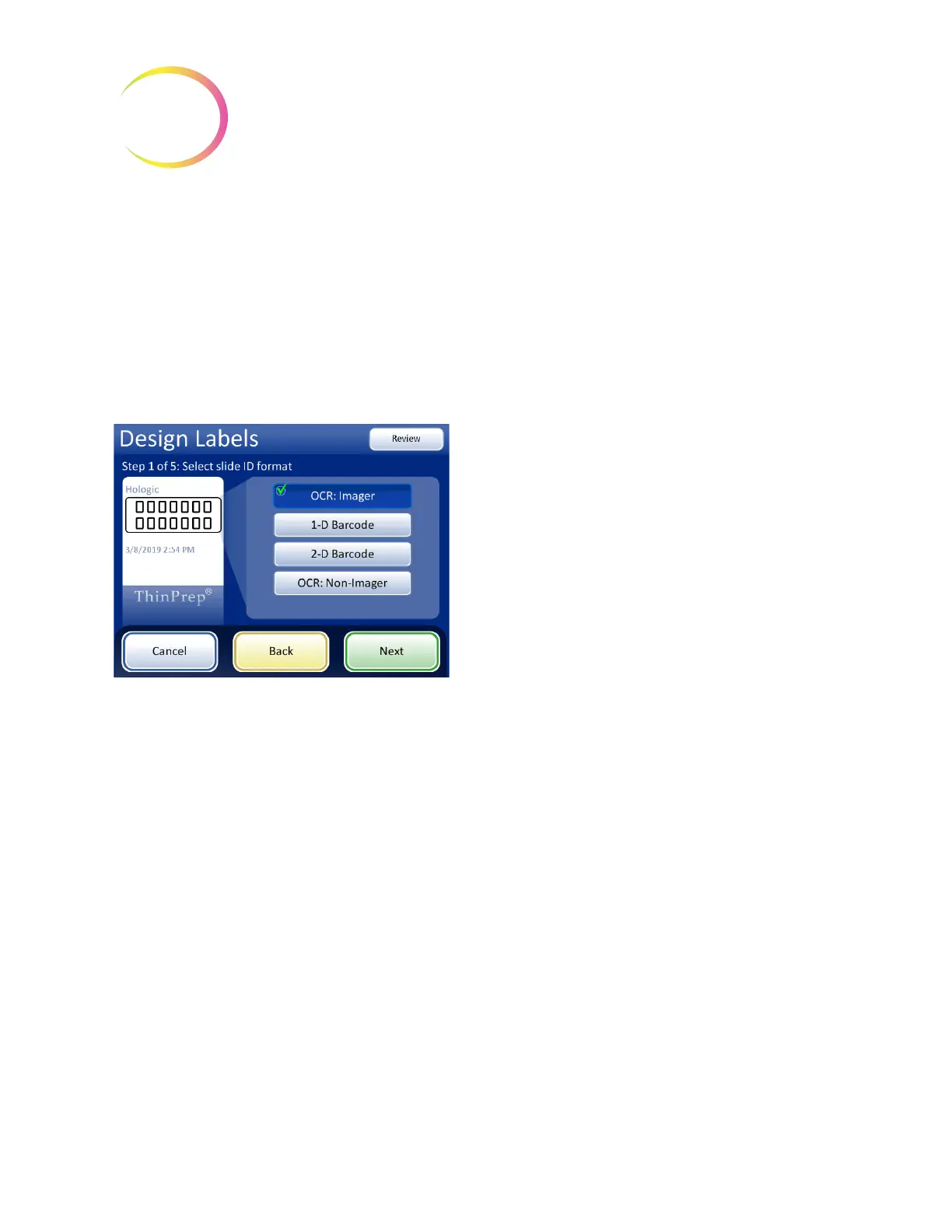
Figure 6-51 Step 1 - Slide ID Format - OCR: Imager
OCR: Imager
For slides that will be run on the ThinPrep Imaging
System Imaging Station, this OCR format is required
and the slide is etched in a 7 over 7 format as shown
• Only digits are read from the vial barcode. Non-
digit characters are removed.
• If the length is 14, the CRC is assumed to be the
last 3 digits. The 11-digit ID is used.
• If the length is between 5–11, zeroes are prefixed
as needed to form an 11-digit number.
• If the length is 12 with a leading zero, it is accepted
by removing the leading zero.



 To Next Page