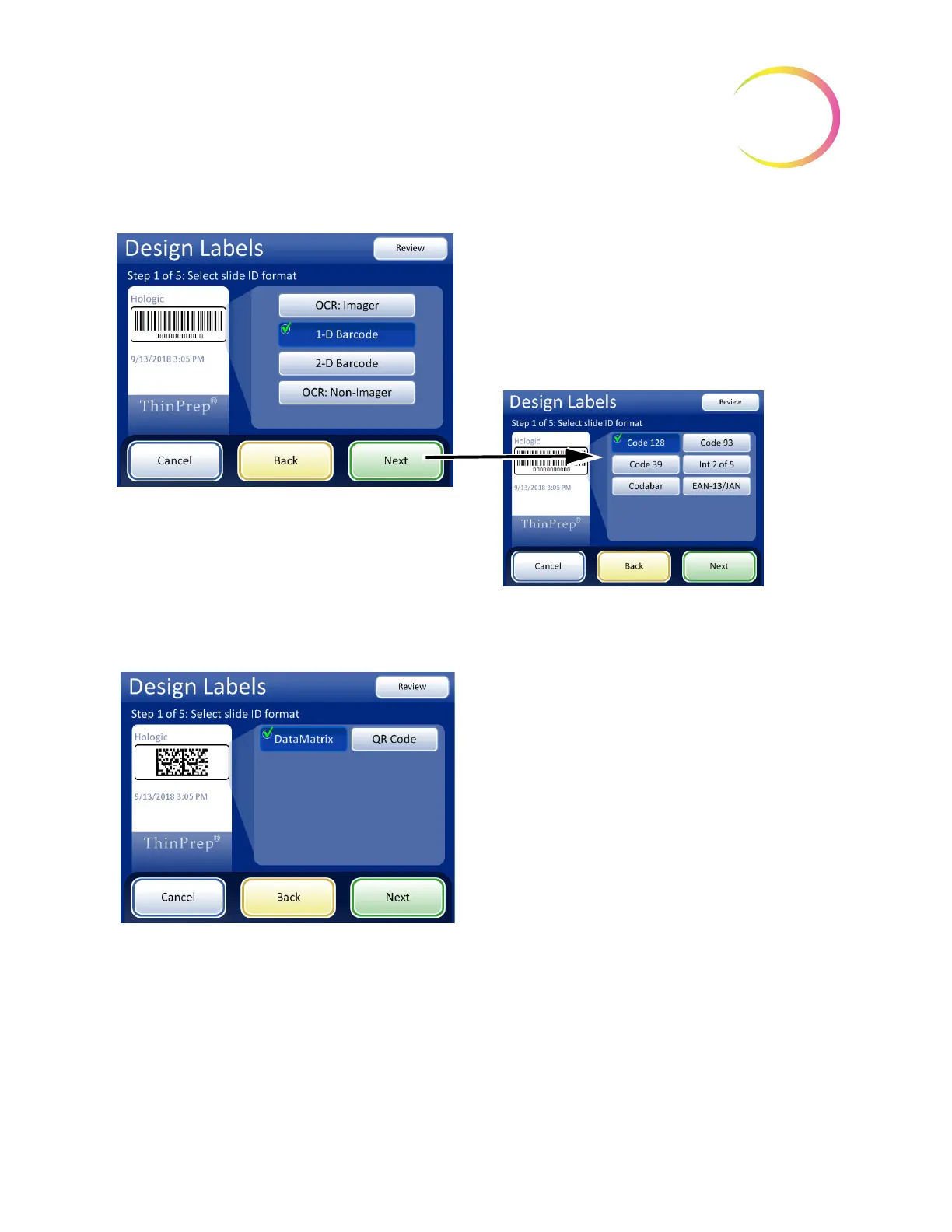
1-D barcode format
• All characters are read from the vial barcode.
• The data length must be between 5 and
14 characters
• Further slide restrictions may apply to the final
format, see Table 6.2.
• The
Next
button prompts to select which 1-D code
is used.
To skip the next steps, use the Finished button to go
directly to the last screen in the sequence, the Review
Design screen.
2-D barcode format
• All characters are read from the vial barcode
• The data length for the slide ID must be a
minimum of 5 characters. The maximum length for
the slide ID in a DataMatrix barcode is likely
between 30 and 44 characters. The maximum
length for the slide ID in a QR code barcode is
likely the 64-character limit of the ThinPrep 5000
processor. Each should be tested. See “Test slide
ID settings” on page 6.58.
• Further slide restrictions may apply to the final
format, see Table 6.2.
• 2-D barcodes do not include human-readable
characters, as seen with the format of 1-D
barcodes. To have a readable vial ID included on
the slide, select “Vial ID” as the field info for step 2
or 3 or 4, below



 To Next Page