USER INTERFACE
6.40
ThinPrep™ 5000 Processor with AutoLoader Operator’s Manual
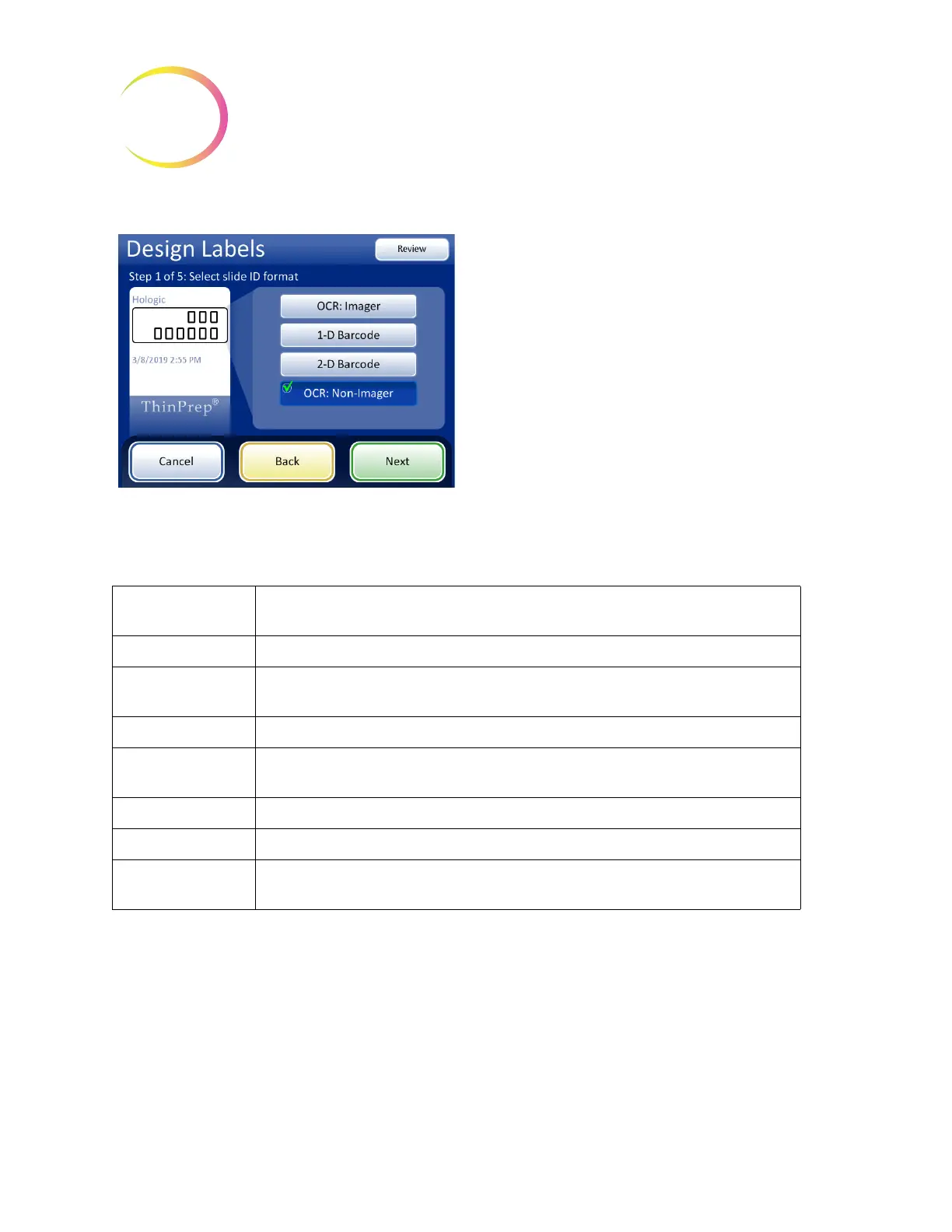
Figure 6-54 Step 1 - Slide ID Format - OCR: Non-Imager
Select the data and format for the data to appear on the slide. To leave an area on the slide blank, do
not select a data type.
Table 6.2: Slide Restrictions Based on Barcode Symbology Used
1-D Code 128 All printable ASCII 128 characters are supported. The barcode width varies with content. Max of
8 alphas or 14 digits will fit on a slide. Mixing will shorten the max length.
1-D EAN-13/JAN Supported characters are 0–9. The code must be 13 digits.
1-D Codabar (NW7) Supported characters are - + $ / : . and digits 0–9. A maximum of 14 digits, including an
optional check digit, will fit on a slide.
1-D Interleaved 2 of 5 Only digits are supported. 5,7,9, or 11 characters +1 check digit is the format.
1-D Code 39 Supported characters are A-Z, 0-9, - + $ / % ‘space’
Maximum of 6 characters will fit on a slide.
1-D Code 93 All printable ASCII 128 characters are supported. A maximum of 8 characters will fit on a slide.
2-D QR Code All printable ASCII 128 characters are supported. A maximum of 64 characters may be used.
2-D datamatrix All printable ASCII 128 characters are supported. The format is 12x36 DataMatrix, and the max-
imum is between 30 and 44 characters.
OCR: Non-Imager
The slide is etched on one or two rows, depending
how many digits are present in the ID.
• Only digits are read from the vial barcode. Non-
digit characters are removed.
• The data length must be between 5 and 14 digits.



 To Next Page