EasyManua.ls Logo

Hologic ThinPrep 5000 - Page 206

Hologic ThinPrep 5000
346 pages
Print Icon
To Next Page IconTo Next Page
To Previous Page IconTo Previous Page
Loading...
USER INTERFACE
6.72
ThinPrep™ 5000 Processor with AutoLoader Operator’s Manual
6
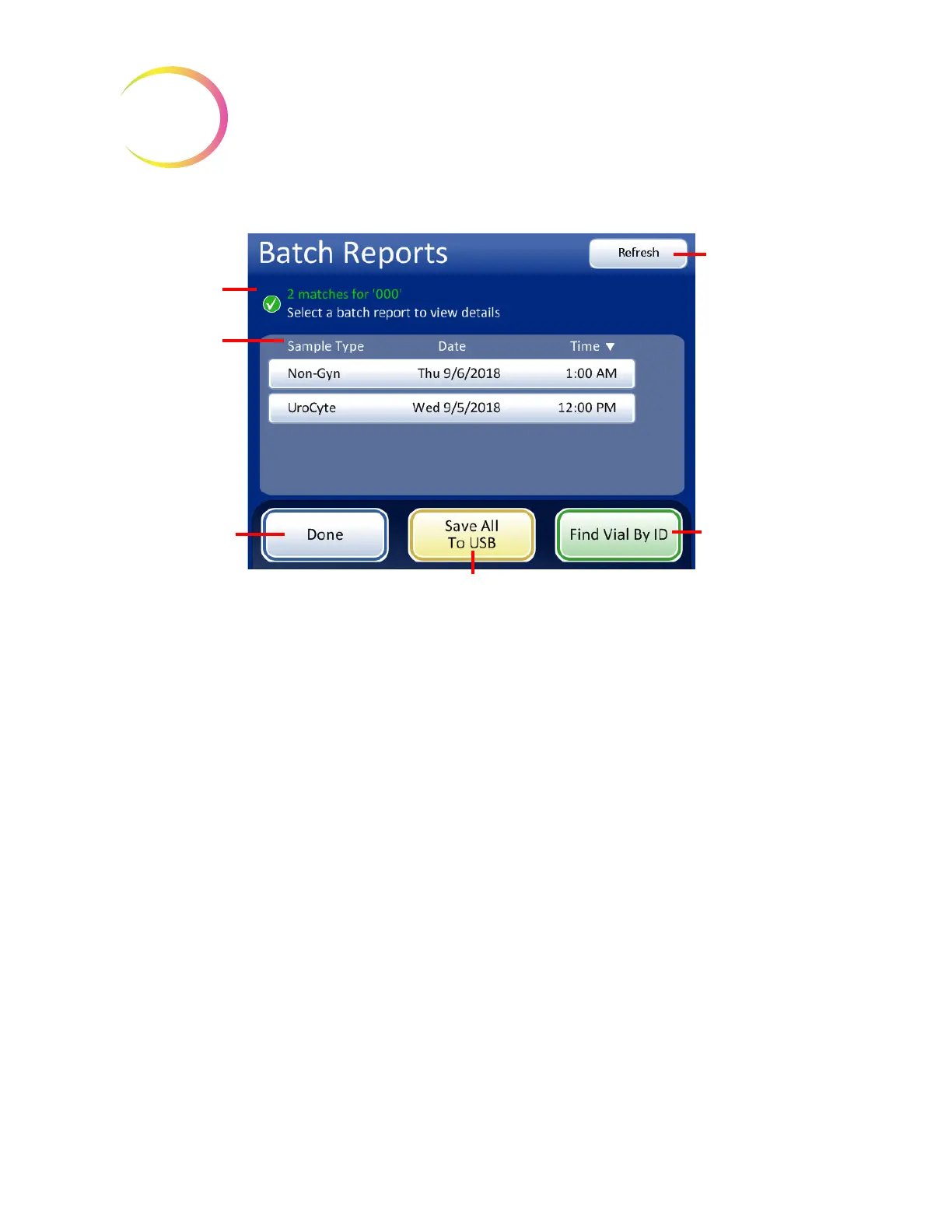
Figure 6-89 Find Vial ID Search Results Screen
If a match or matches are found in the batch reports for value searched for, the batch report is
listed on the display. Touch a report to open it. The item(s) with the search value appear
highlighted in green.
Search result
found match
Touch a batch
report to view
Done
button to
return to Reports
and Logs screen
Find Vial By ID
button to search
again
Save the found
batch reports to
Refresh
button to
clear search
results and return
to Batches screen

Table of Contents

Other manuals for Hologic ThinPrep 5000

Related product manuals