OPERATING INSTRUCTIONS
7.4
ThinPrep™ 5000 Processor with AutoLoader Operator’s Manual
Adhering Vial Labels
Place a vial label with a 1-D barcode
vertically
on the PreservCyt™ Solution label, using the edge for
alignment, as shown in Figure 7-2. A crooked label, skewed 10 degrees or more from vertical, may
not scan properly.
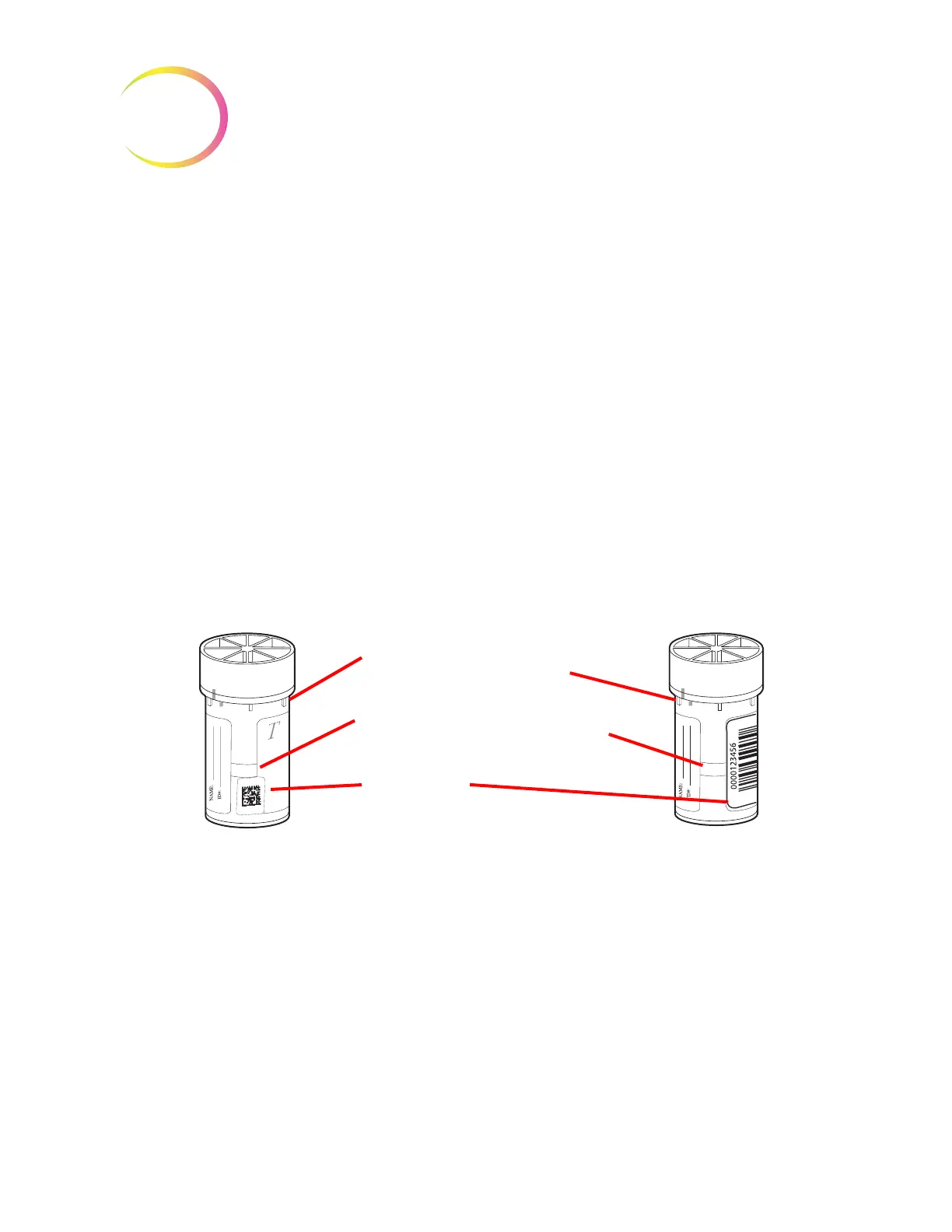
Place a vial label with a 2-D barcode in the lower third of the vial, between 20 mm (0.80 in.) and
5 mm (0.20 in.) from the bottom of the vial, close to but not covering the frosted area of the vial. For
the ThinPrep 5000 processor to properly read the 2-D barcode, do not put any other 2-D barcode label
on the vial.
During application, avoid placing the barcode label over patient information, multiple labels, or on
the torque features of the vial. Do not place labels on the vial cap or on the bottom of the vial.
Sticking labels on incorrectly can cause a failure to read the barcode or a failure of the instrument
removing the vial from the carousel.
The uncovered strip of the sample vial allows you to see the frosted band which indicates the
maximum/minimum acceptable fluid fill range for a sample to be run on the processor. Make sure
the fluid level is within this range.
Additionally, check to make sure there is no foreign matter in the vial (such as a piece of sample
collection device or other non-biologic debris).
Figure 7-2 PreservCyt Solution Sample Vial
Torque tab features enable the processor
to uncap / recap the vial
Frosted area indicates min./max.
acceptable fluid level for processing
(17 mL–21 mL)
Barcode label
P A P



 To Next Page