OPERATING INSTRUCTIONS
7.6
ThinPrep™ 5000 Processor with AutoLoader Operator’s Manual
CAUTION:
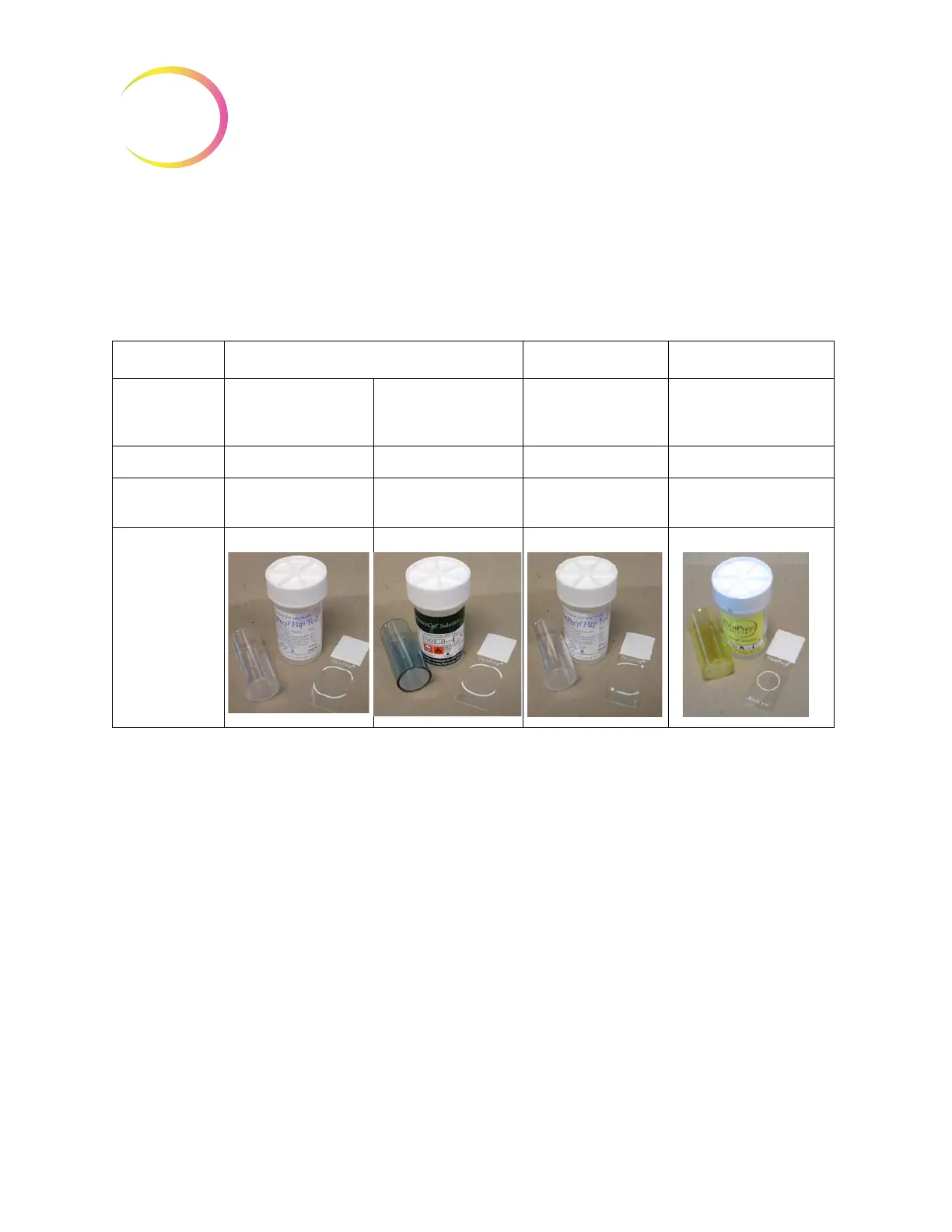
For best slide preparation results, use the correct slide and filter type for the sample
type that is processed.
Table 7.1: Sample/Filter/Slide Configurations
When sample vials, filters and slides are loaded into the system, the operator must identify what
type they are via the user interface.
Load Slide Cassettes with Microscope Slides
A slide cassette holds approximately 100 slides; the equivalent of an entire box of packaged ThinPrep
microscope slides. The slide cassettes have a highly polished inner surface, to help the slide handler
pick slides without binding. Before loading a cassette with microscope slides, gently wipe down the
inside surface with a soft cloth to remove any glass dust from previous loads.
The most important part of loading slides into the cassette is to get them oriented correctly, so that
the frosted area of the slide receives the laser etching. The frosted area must be facing up and toward
the rear of the cassette. As a user aid, the interior of the cassette has graphic instruction for loading
slides etched onto its surface.
ThinPrep ThinPrep + Imaging UroCyte
PreservCyt Sam-
ple
Gynecologic Non-gynecologic Gynecologic Urine for use with Vysis
UroVysion molecular test-
ing
Filter Clear Blue Clear Yellow
Slide Cell spot arc Cell spot arc or arc-less Cell spot arc with fidu-
cial marks
Cell spot circle



 To Next Page