OPERATING INSTRUCTIONS
7.8
ThinPrep™ 5000 Processor with AutoLoader Operator’s Manual
Load Slide Cassettes into the Instrument
The AutoLoader has a slide cassette compartment where the operator loads the cassettes of
microscope slides to be used in processing the samples. There are three cassette positions, marked as
bay 1, 2 or 3. Push the cassette in all the way. The cassette graphic will appear on the user interface
when the sensor is activated by the presence of the cassette.
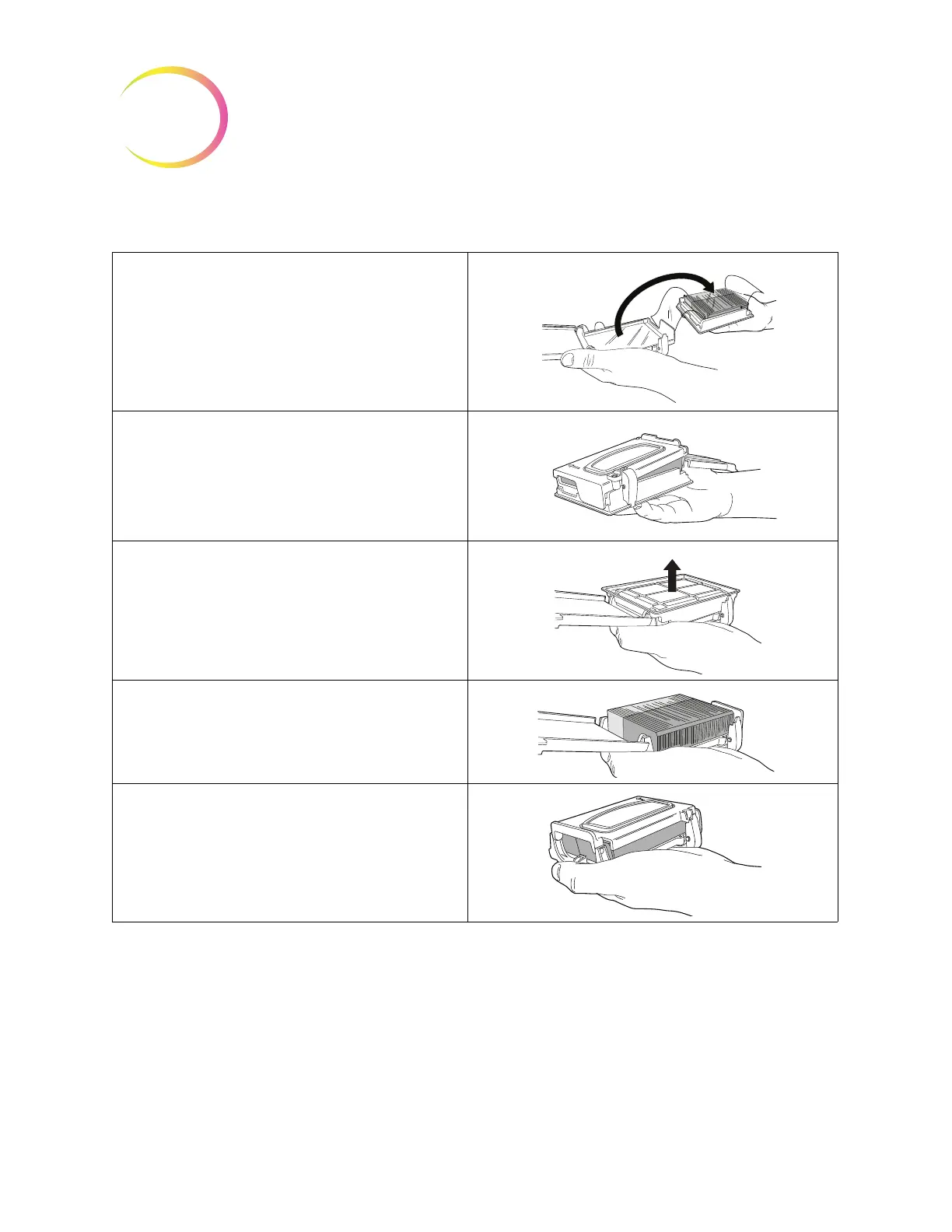
4. Place the cassette onto the box of slides.
5. Holding the cassette and box of slides,
invert them so the slides transfer into the
cassette from the box.
6. Remove the slide box.
7. Check for correct orientation of the
slides.
8. Latch the slides cassette closed.
Table 7.2: Load the Cassette with Slides



 To Next Page